1. The film
  2. What it does
  3. Screens
  4. The collection
  5. Free & Pro
  6. A note
  7. Contact
1.3 · on the App Store Free version · 5-day trial · one optional purchase

iPhone · iPad · Apple silicon Mac · AUv3 plug-in and standalone · multi-channel audio · Bluetooth LE MIDI · NAM and IR import

Your signal chain does not have to be a straight line.

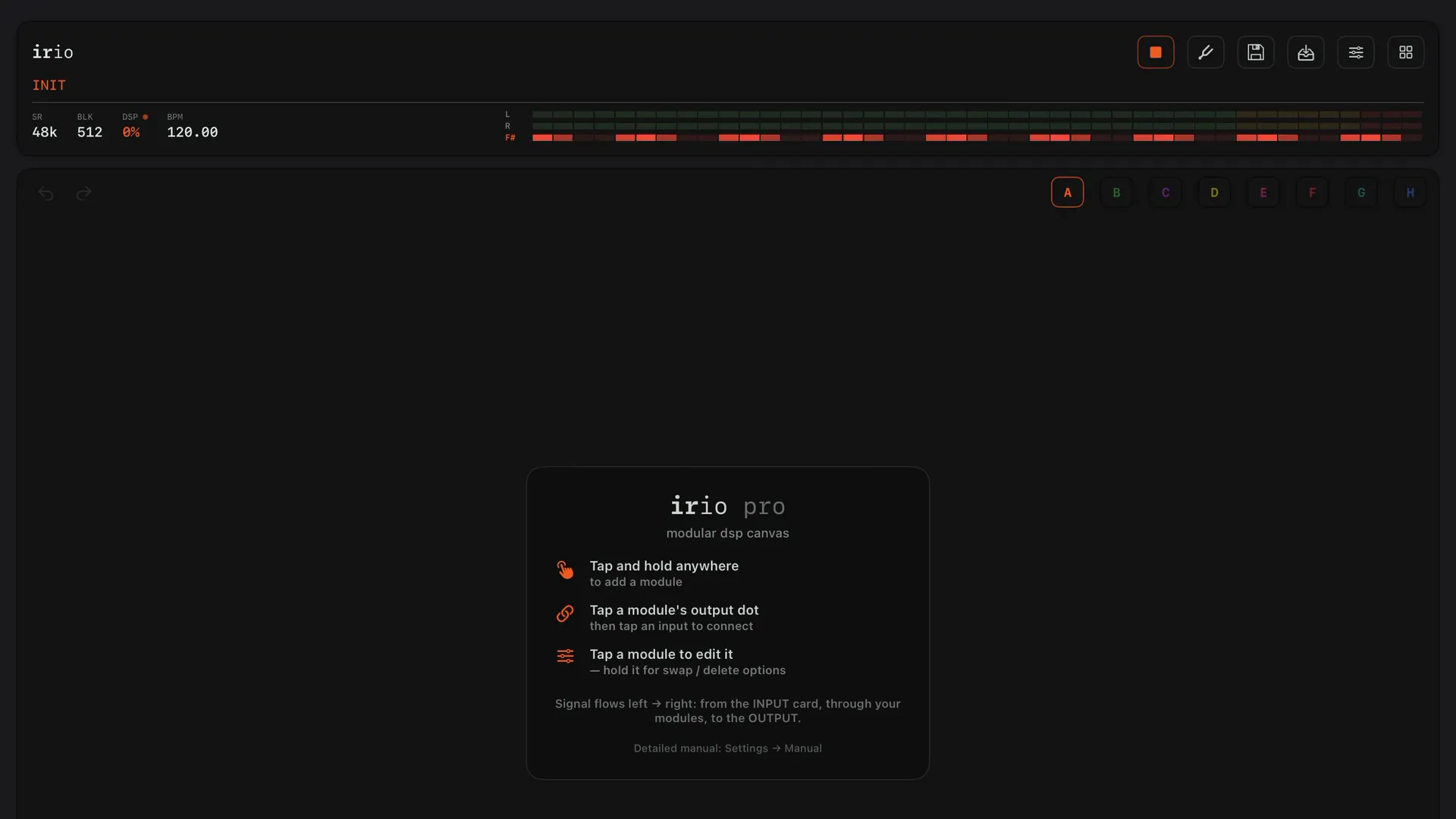
irio pro is a modular effects rig for iPhone, iPad and Mac. You put modules on a canvas, connect them with cables in any order, and let LFOs, envelopes or drawn curves move the knobs. It is a serious, high-end guitar rig that stays easy to use, and just as much a multitool for any kind of audio: bass, synths, vocals, drum machines, a whole mixer. It runs neural amp captures, supports the newer NAM A2 models, has full MIDI control for playing live, and works as an AUv3 plug-in inside your DAW.

01

As simple or as complex as you need it to be.

  1. Every rig starts as an empty canvas, with your input on one side and your output on the other.
  2. Drop a module onto a cable, and it goes in between, already wired.
  3. The cards go wherever you like, and the cables follow.
  4. Here the guitar splits into three amp captures.
  5. Scenes A, B and C each play one of them, while the other two are muted.
  6. Two delays and a reverb sit beside the dry signal.
  7. Switched off, their echoes ring out instead of stopping.
  8. A second input carries a vocal through its own chain to its own outputs.
  9. Tap a module to open its console.
  10. Most modules come with factory settings, one tap each.
  11. Select a few modules and put them in a folder.
  12. The folder keeps its name, and you can save it for other rigs.
  13. Two modules can swap places, cables and all.
  14. One press matches each amp capture to your interface's input level.
  15. The perform page holds what you want to reach on stage.
  16. Pads call presets, scenes and effects, and the XY pad moves two settings at once.
  17. A second iPhone or iPad gets your rigs and files over Wi-Fi with Sync.
  18. With Mirror, the iPhone keeps the sound and the iPad becomes its remote.
  19. The XY pad on the iPad plays the delay on the iPhone.
  20. A curve you draw can move any knob.
  21. Here it sweeps two bands of the EQ up and down.
  22. The looper sits at the end of the chain.
  23. It has its own screen on the perform page, with four tracks.
  24. Tap a track again to play, and once more to layer over it.
  25. Whole folders of amp captures and IRs come in at once.
  26. You can hear each capture before you load it.
  27. Your signal chain does not have to be a straight line.

02

What it does.

01

Any input, any output

Plug in a class-compliant interface and every channel it has can become an input or an output on the canvas. You can connect a guitar, a bass, a synth, a microphone or a modular rig over several channels, or use an audio file as the source.

In a DAW, irio pro runs as an AUv3 effect on a track or a bus. Look for it in the list of effects, not instruments.
02

A whole amp in one module

The nam player runs neural amp captures at full quality and supports the newer A2 models, and it has a cab IR, a gate and an EQ in the same module. A pedal capture can also sit in front of an amp.

03

Modulation on almost any knob

LFOs, envelopes that follow your playing, and curves you draw can be assigned to almost any knob. Double-tap a modifier to pause it, and double-tap it again to start it.

04

Perform and record

The perform page can hold as many banks of pads as you need, each with four knobs. All of it can be put under a footswitch over Bluetooth MIDI, and switching is silent, even in the middle of a phrase.

The recorder is a module you put anywhere in the chain. It records what passes through it, and you can save the take as a WAV file.

When a second device mirrors the first, you can play the perform page on one, see the canvas on the other, and edit from either.

05

Build your own effects

More than forty DSP blocks, such as delay lines, filters, oscillators, mixers, clocks, saturators and sequencers, are cards on the canvas too. They are wired with the same cables, and they can feed back into each other. Put your blocks in a folder, and the folder works like a module. Seventeen factory folders show how it is done, and any folder can be shared as a file.

06

Folders and linked modules

A folder holds several modules as one card on the canvas, and you open it to work inside. Each folder has its own page of shortcut controls and its own saved settings. Dragging one card onto another also makes a folder.

You can link two or more modules of the same kind, for example two delays. When you turn a knob on one, it turns on the others too.

Mono modules, such as the drives, can also run in stereo. Set CHANNELS to STEREO on the module's LEVELS page, and it processes the left and right sides separately with one set of controls.

03

Screens from the app.

These are the consoles, the LEVELS view, the scenes, the folders, the catalog, the perform page and the tuner, as they look on the device. Scroll sideways.

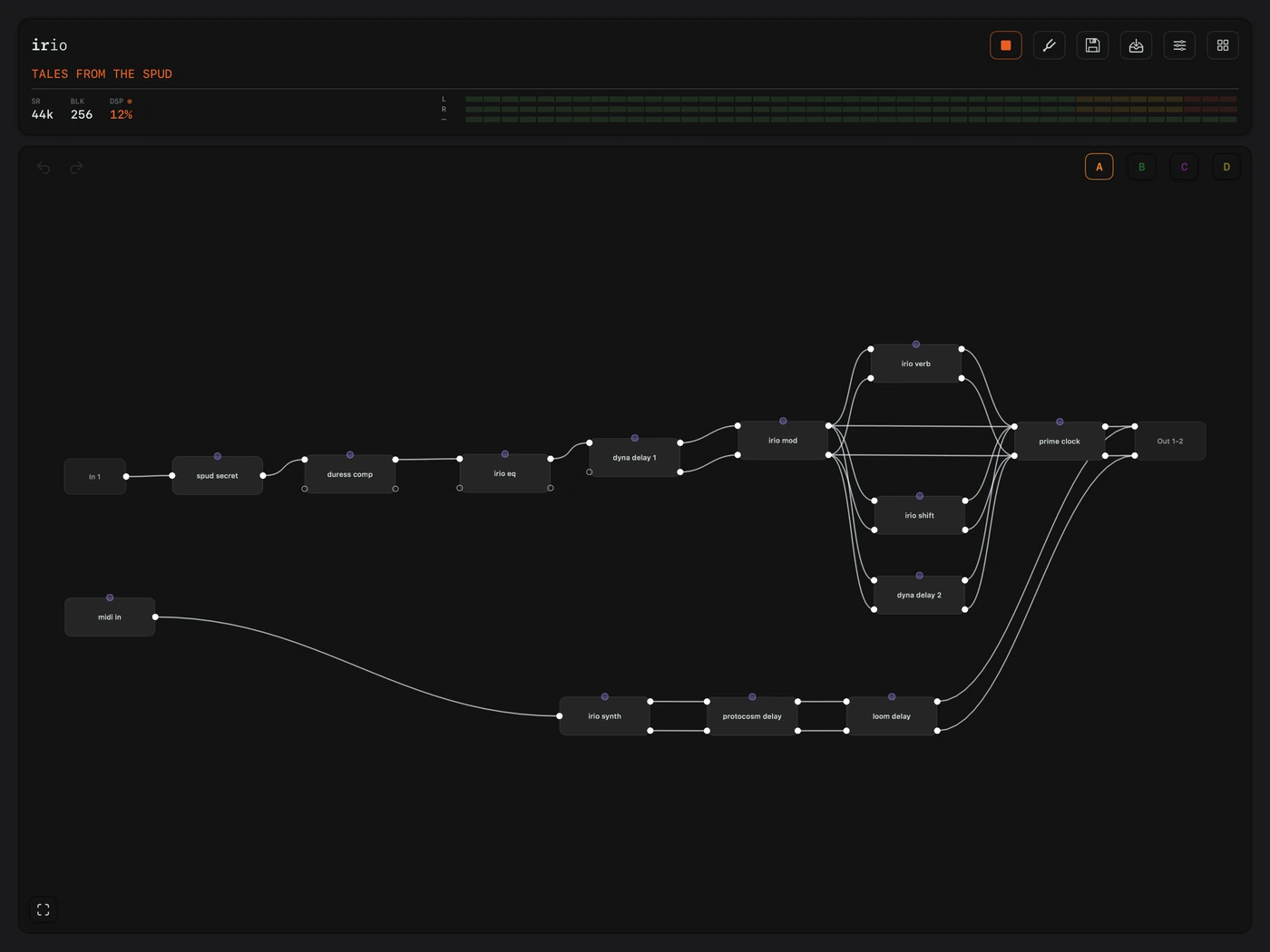
The irio pro routing canvas on iPad, modules wired left to right.
01 The routing canvas · iPad

The canvas is where you build your rig. Signal flows from left to right, from an input card through the modules to an output card, but nothing about that order is fixed: any output can feed any input, so you can split a signal into parallel paths or send one module into several others. Every connection has its own fader and pan, and every pin shows a level, so you can always see where the signal goes.

The morph drive console on iPhone.
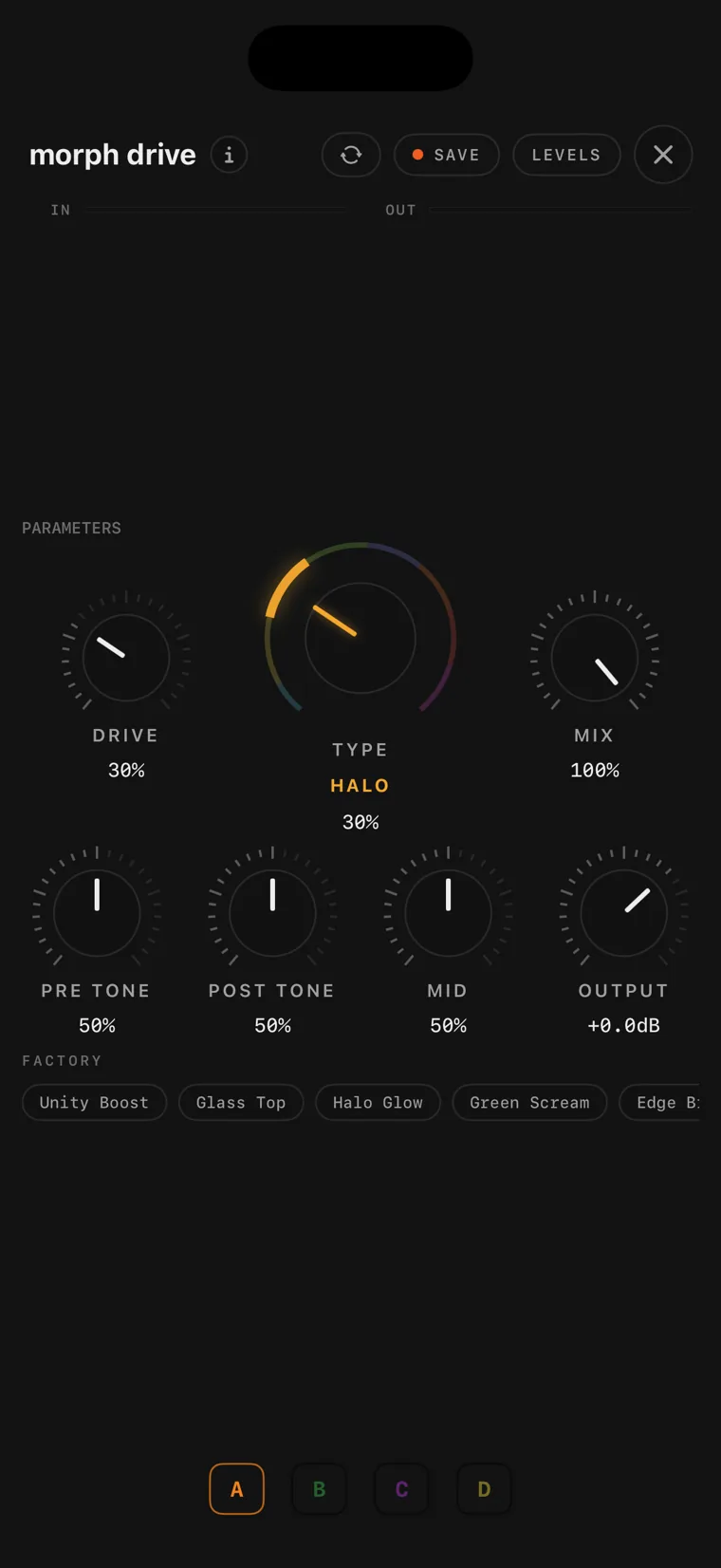
02 morph drive

morph drive is irio's own drive pedal, and it is part of the free version. Instead of switching between eight drive voicings, its TYPE knob sweeps through them, from soft breakup through hard clipping into fuzz, so every setting in between is usable. PRE TONE shapes the signal before the distortion, POST TONE shapes it after, MID sets the mid character, and MIX blends your clean signal back in.

The spud secret drive console on iPhone.
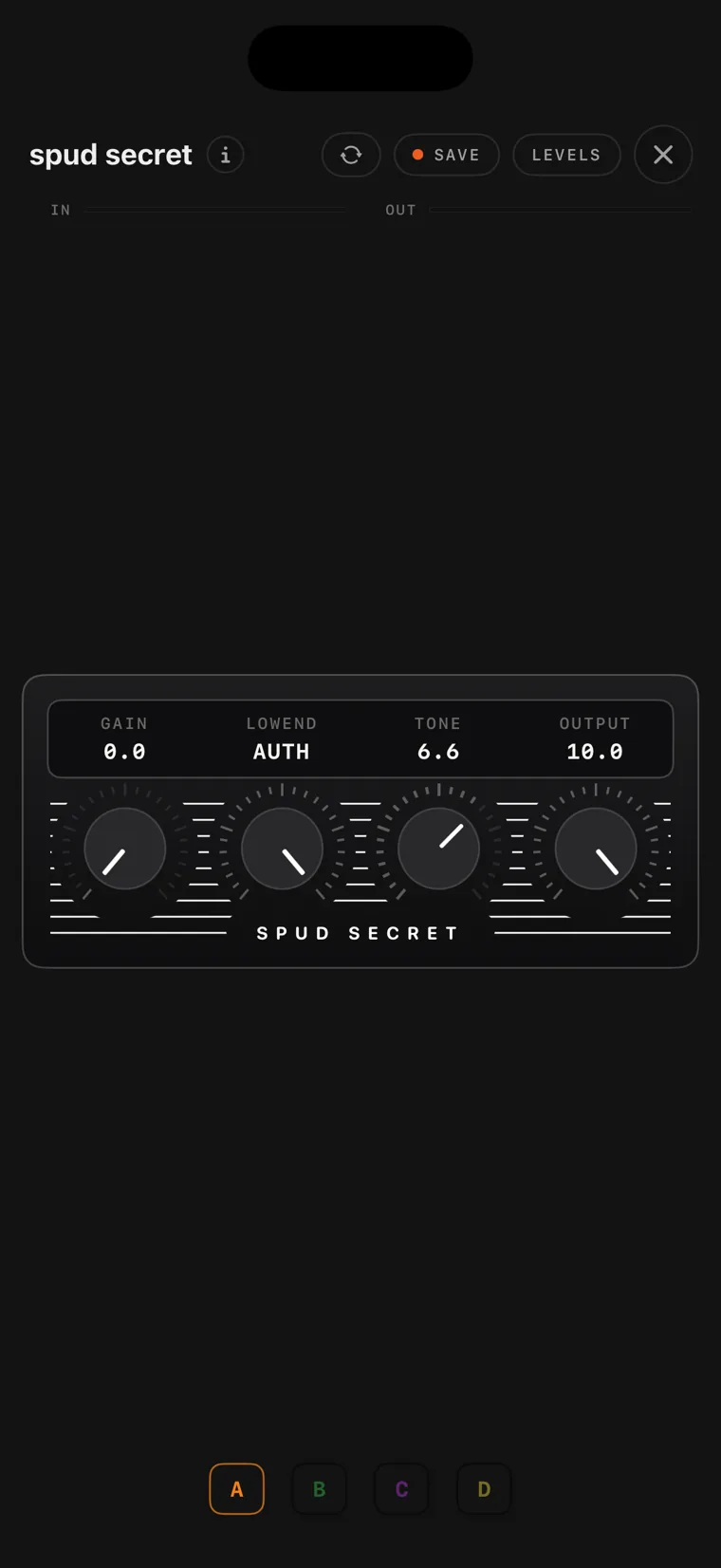
03 spud secret

spud secret is a mid-90s British studio distortion. Its name comes from the LA session players who kept quiet about it. It gives you tight high gain that still lets the pick attack through, and the bass tightens as you turn the gain up. LOWEND tightens the lows before the distortion, and fully up it is the unmodified circuit.

The verde drive console on iPhone.
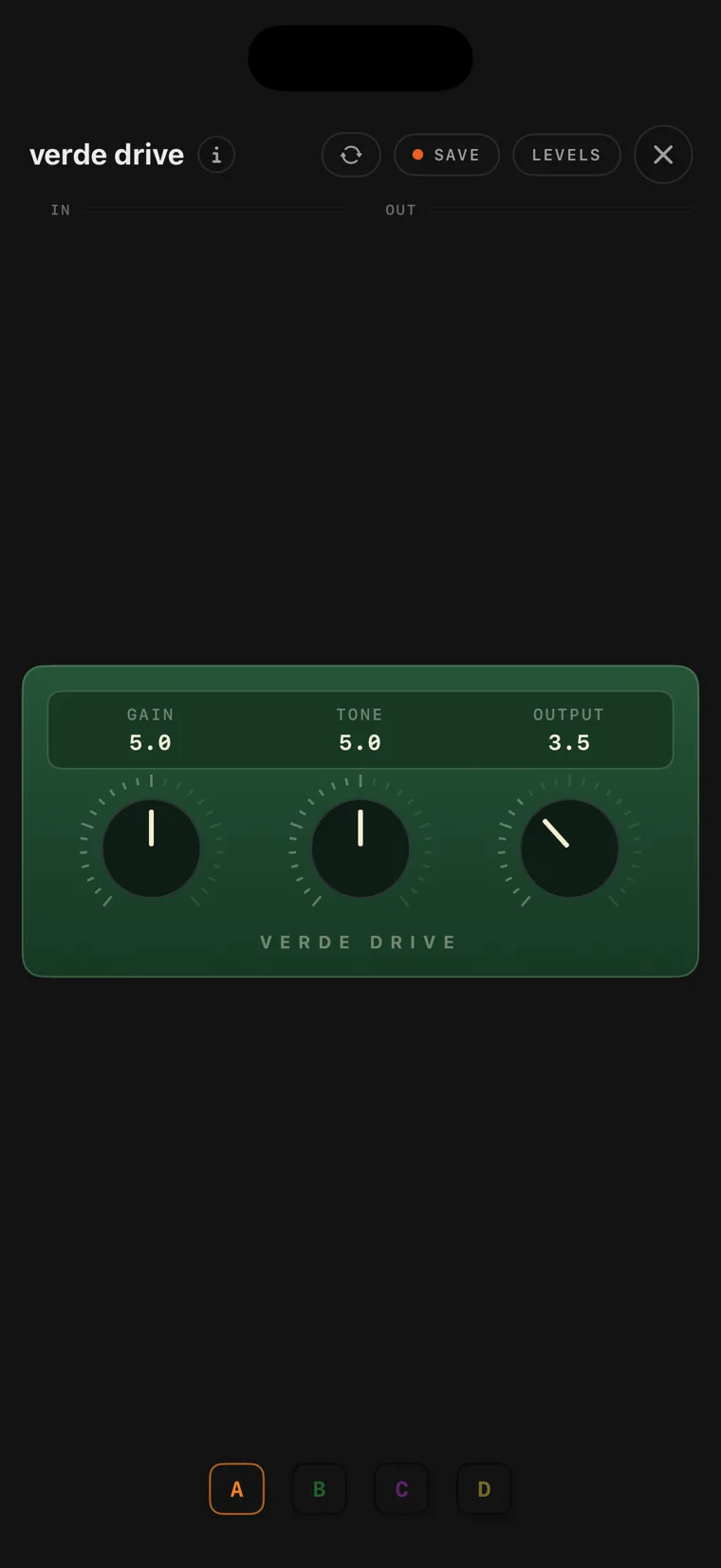
04 verde drive

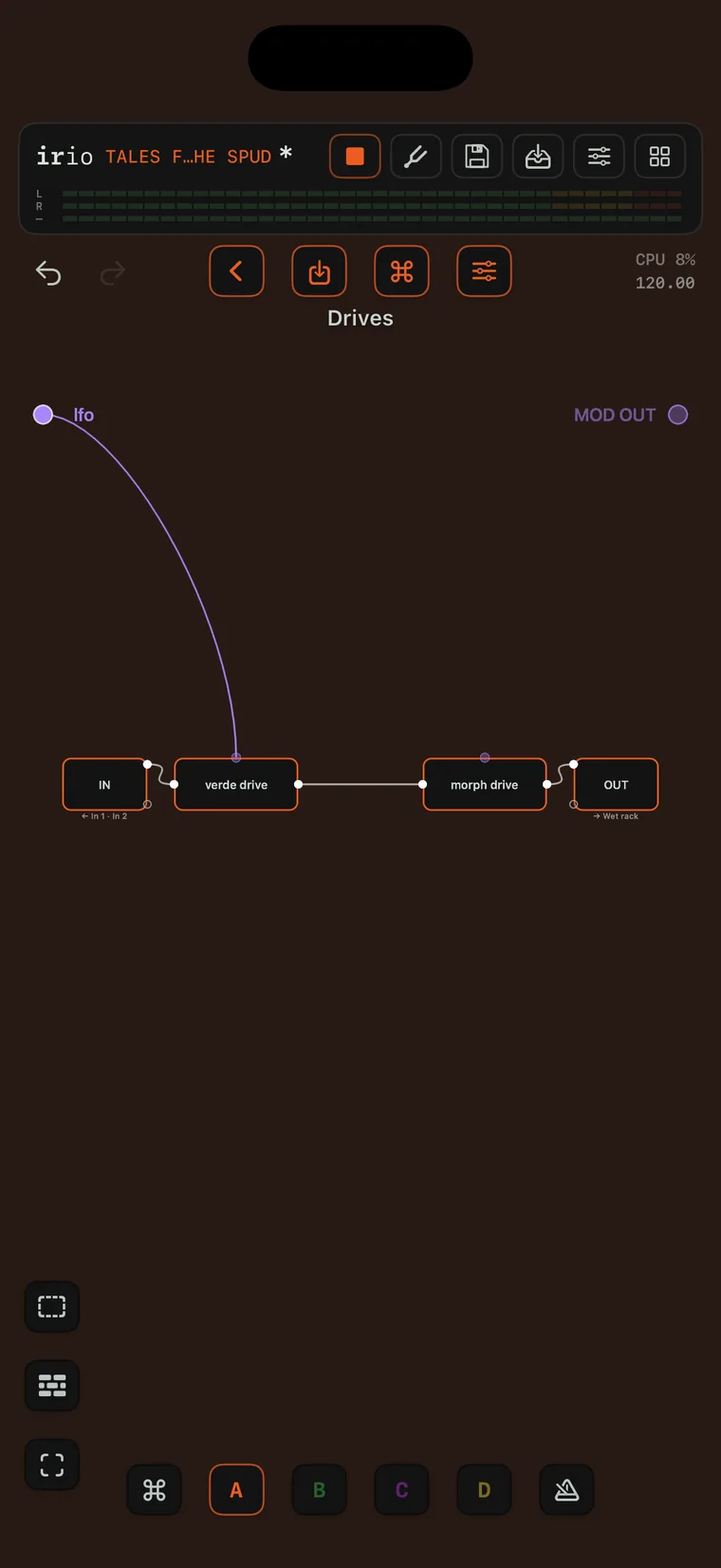
verde drive is the classic green overdrive of the late 70s. Its diodes clip inside the amplifier's feedback loop, so your clean signal always passes under the distortion. That is where its compression, its sustain and the way it cleans up from your guitar's volume knob come from. A high-pass before the gain stage drives only the mids, and the lows stay nearly clean.

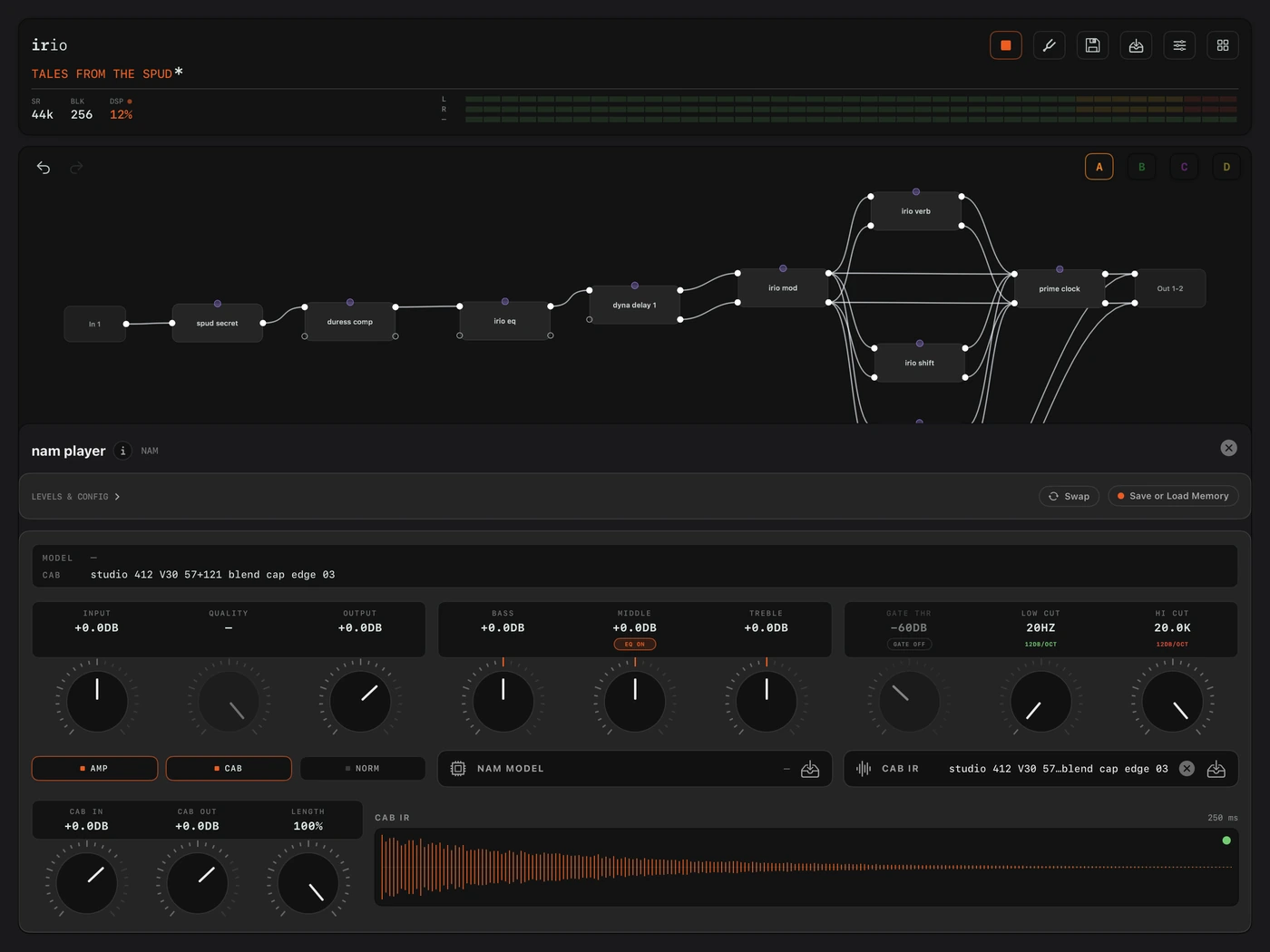
The nam player console on iPad, under a canvas with three amp captures side by side.
05 nam player

The nam player runs neural amp captures, and it supports the newer A2 models. It is a complete amp in one module, with its own cab IR slot, a gate, filters and an EQ. Every capture runs at the rate it was recorded at, so it sounds the same at any session rate, and cab IRs load at matched loudness, so swapping cabs compares tone rather than volume. You can import whole folders of captures and listen to each one before you load it.

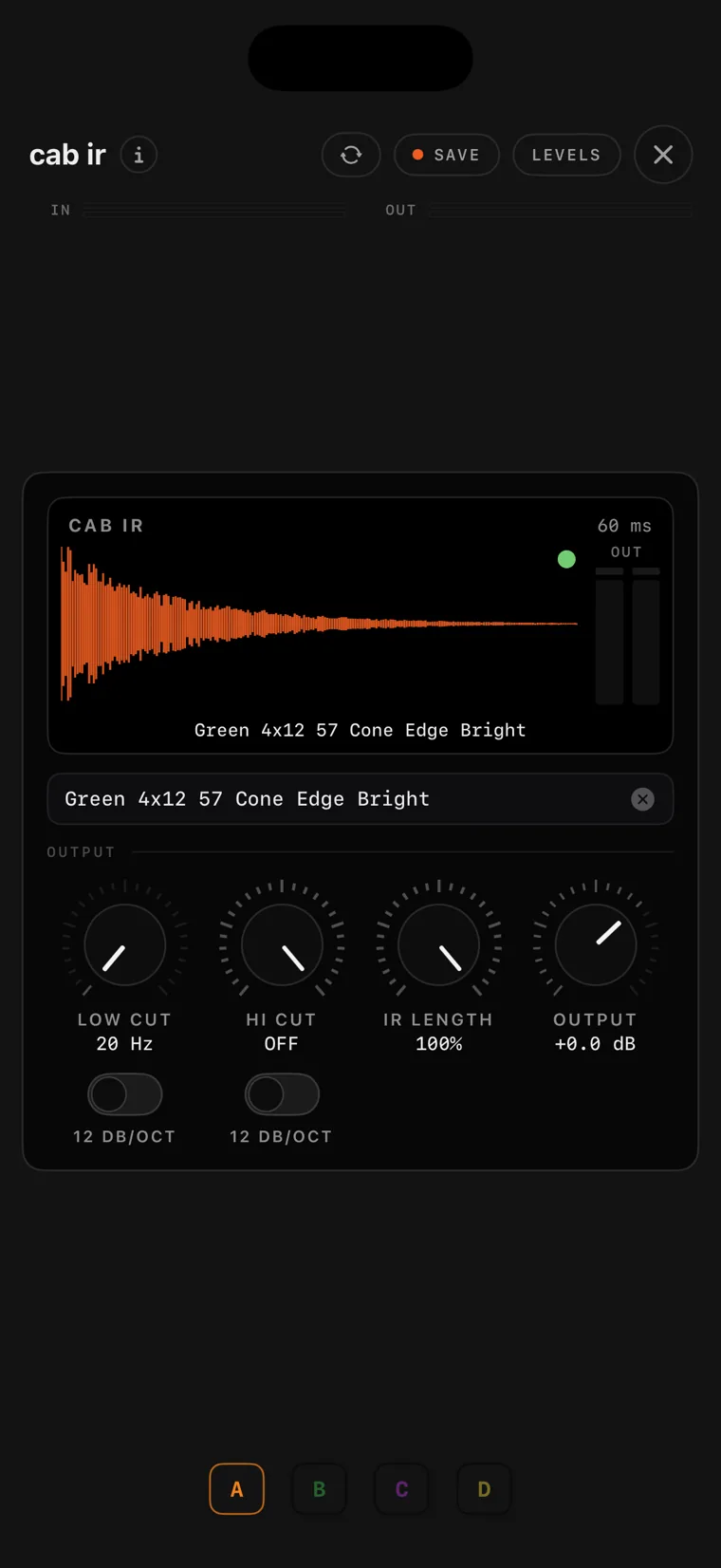
The cab ir console on iPhone with a loaded impulse response.
06 cab ir

cab ir is a true-stereo cabinet loader for impulse responses. It draws the loaded response as a waveform, and IRs load at matched loudness, so you compare the tone of two cabs and not their volume. IR LENGTH shortens the response, with a fade handle that softens the tail instead of cutting it, and low and high cuts and an output trim finish the module.

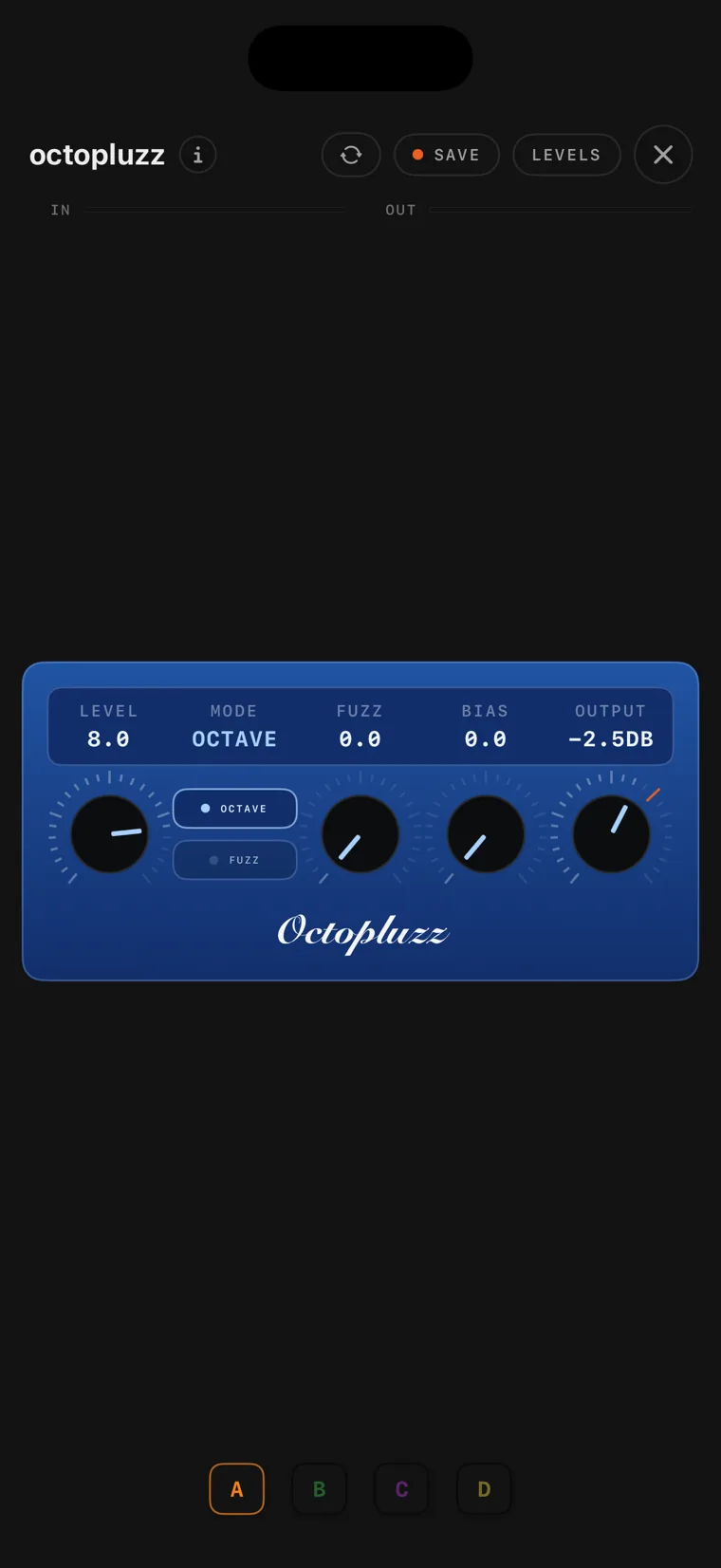
The octopluzz fuzz console on iPhone.
07 octopluzz

octopluzz is the early-70s octave fuzz. A transformer and a pair of germanium diodes fold the waveform, which adds an octave above the note you play and ring-modulation tones on double-stops. It cleans up from your guitar's volume knob. BIAS unbalances the circuit for rougher, more broken sounds, and the OCTAVE switch removes the fold-back for a plain fuzz.

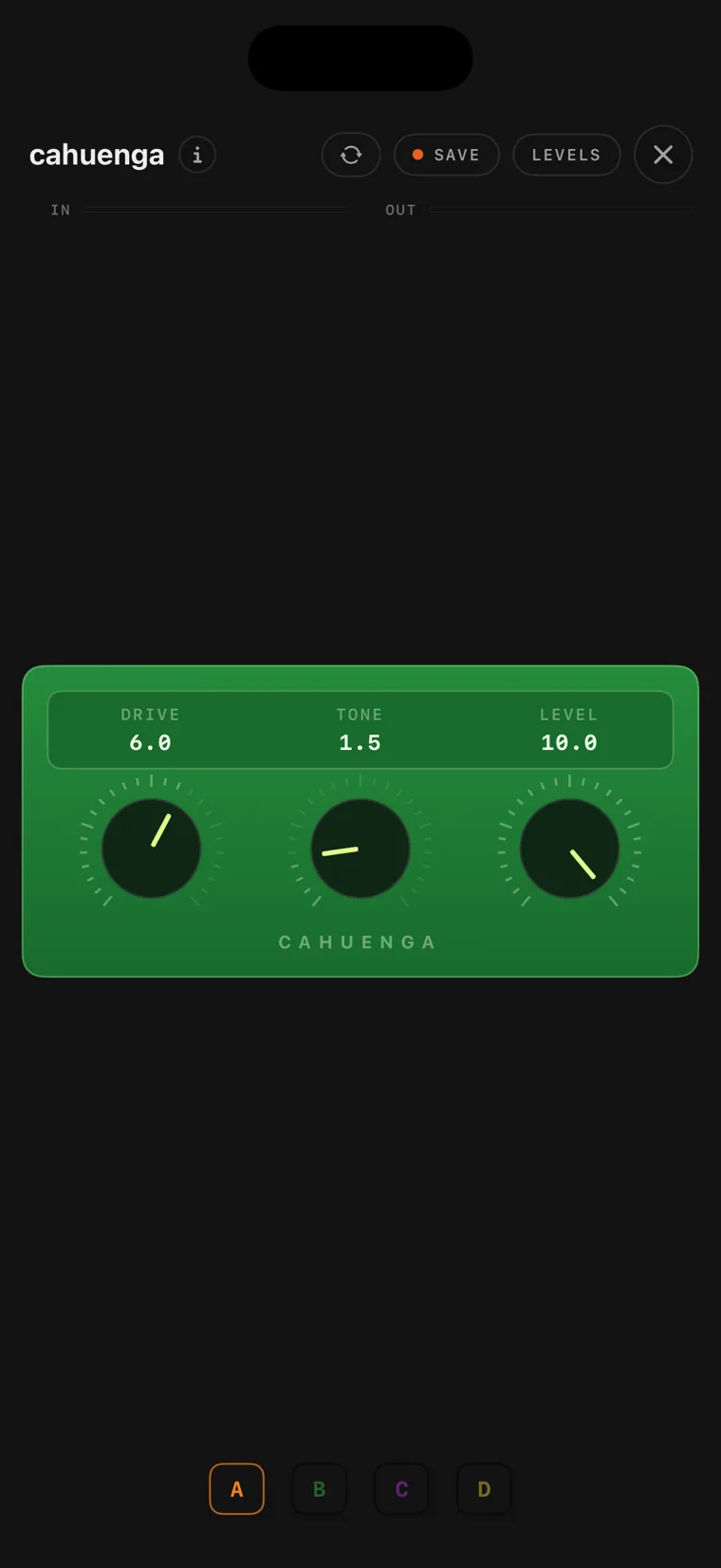
The cahuenga drive console on iPhone.
08 cahuenga

cahuenga is an early-80s Japanese distortion. It is scooped rather than mid-heavy, and raw. Low Drive is a bright boost, and turning it up pushes more gain into the upper mids until the whole circuit saturates. The tone knob blends bass against treble around the circuit's mid dip. The name is the boulevard with the small club where LA's session players have played their late sets.
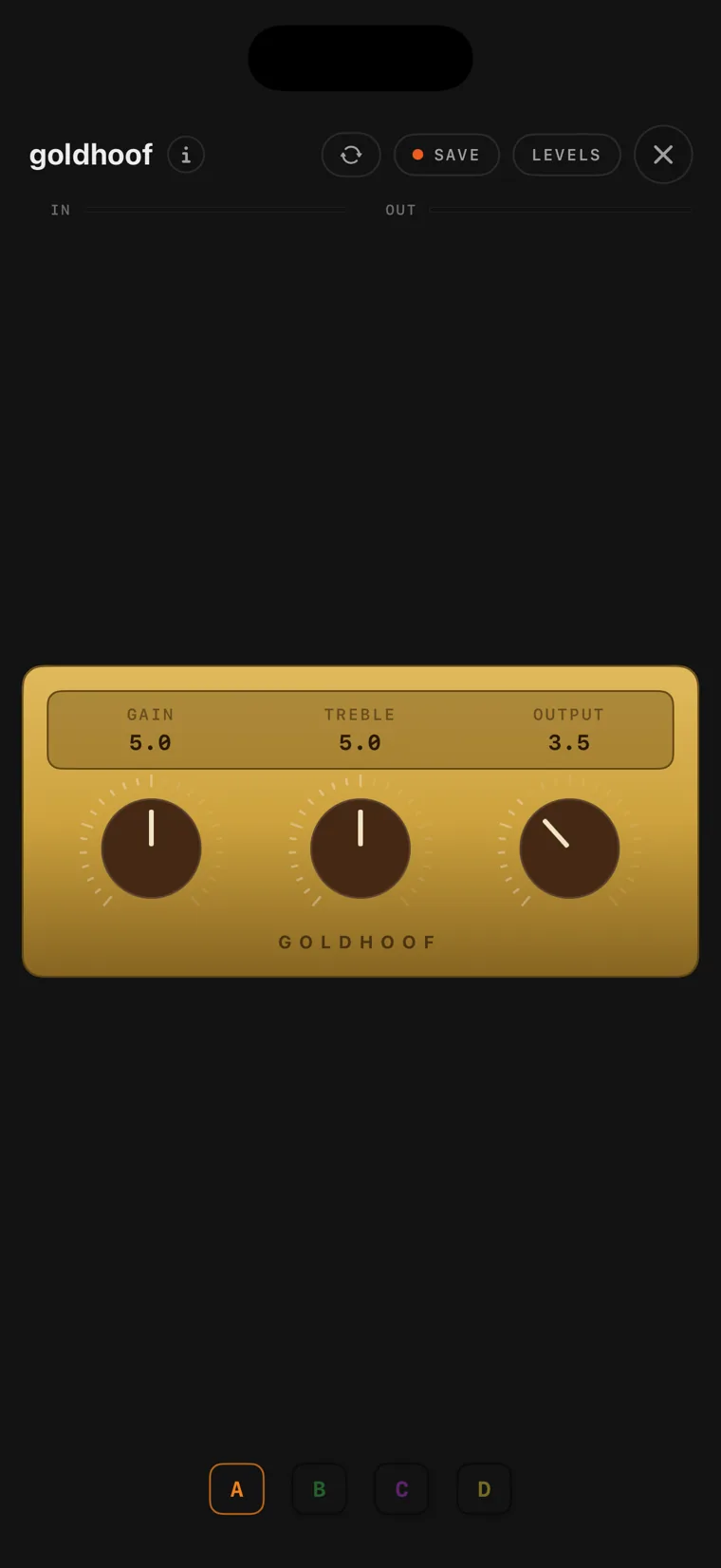
The goldhoof drive console on iPhone.
09 goldhoof

goldhoof is the gold-box transparent overdrive. Its gain knob blends a driven signal against your untouched clean signal, so your guitar's own sound stays in front, slightly compressed. It has a lot of clean headroom, so it works as an always-on boost too, and unity sits low on the output dial, as on the hardware.

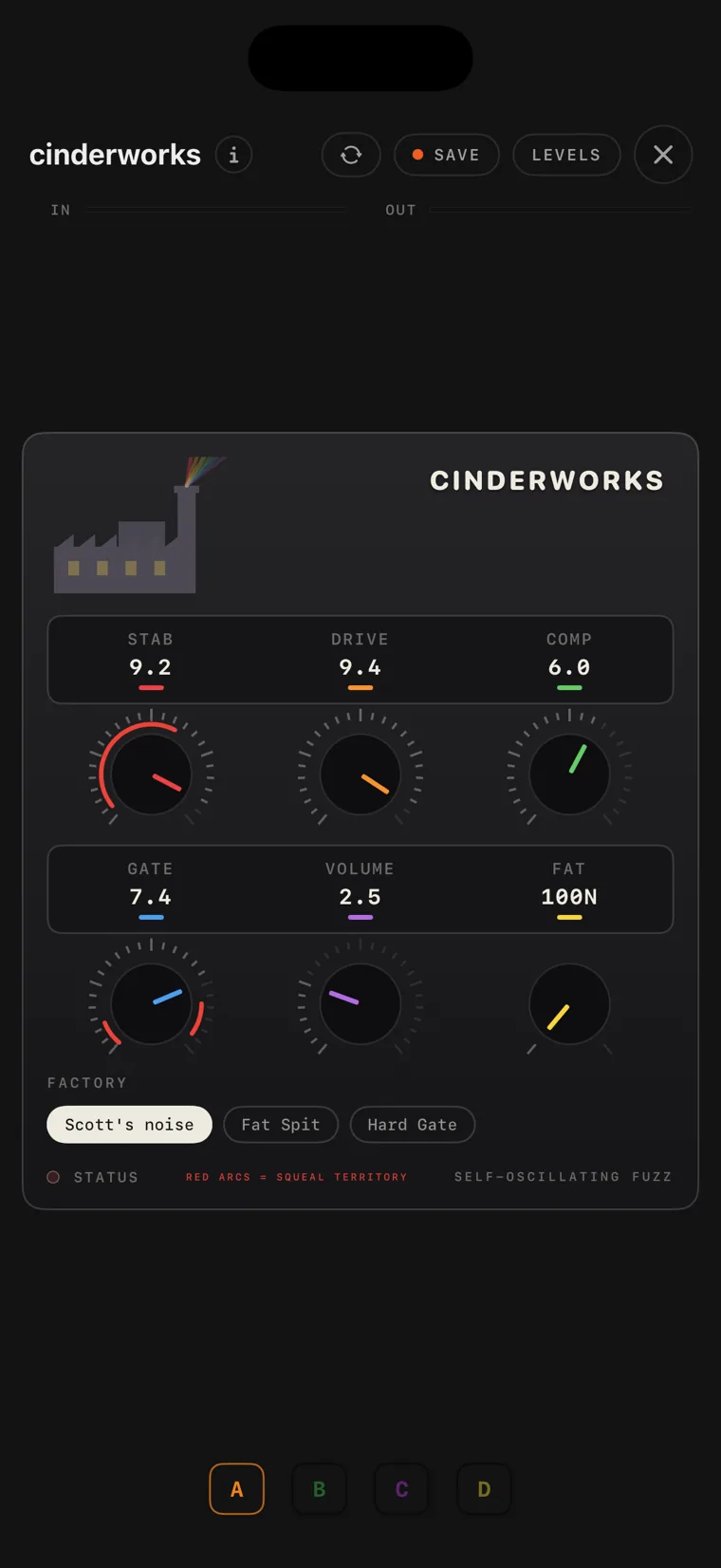
The cinderworks fuzz console on iPhone.
10 cinderworks

cinderworks is a germanium fuzz. STAB starves its supply voltage, and across a wide range of settings the circuit starts to self-oscillate. The red arcs on the knobs mark where that happens, and DRIVE sets the pitch of the oscillation.

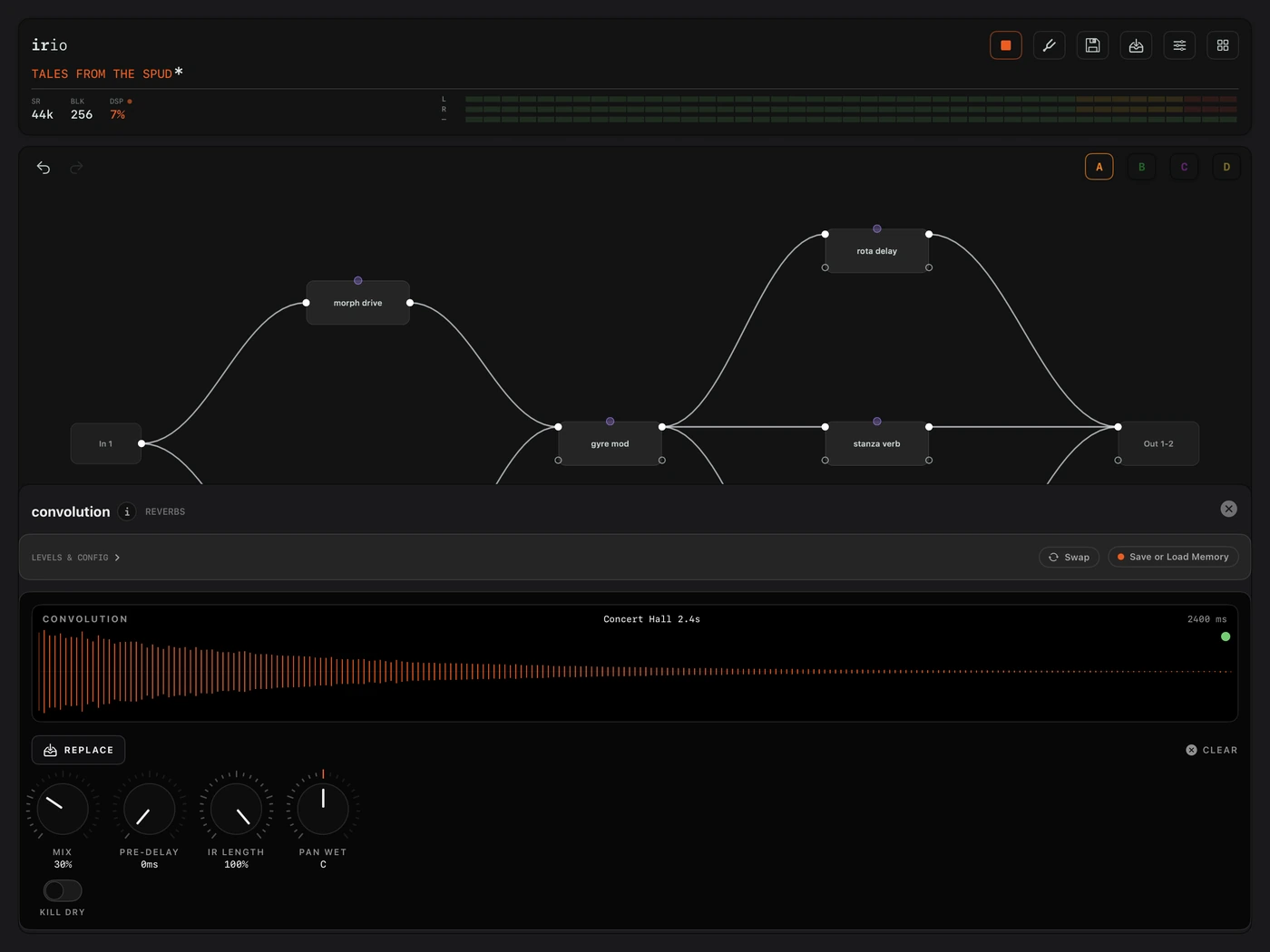
The convolution console on iPad.
11 convolution

convolution is a general convolution engine. You load any impulse response, a reverb tail, a delay capture, a room or an EQ capture, and the module plays your signal through it. Pre-Delay holds the wet response back by up to 250 ms, so the dry attack stays clear before the tail lands, and the analyzer draws the loaded response.

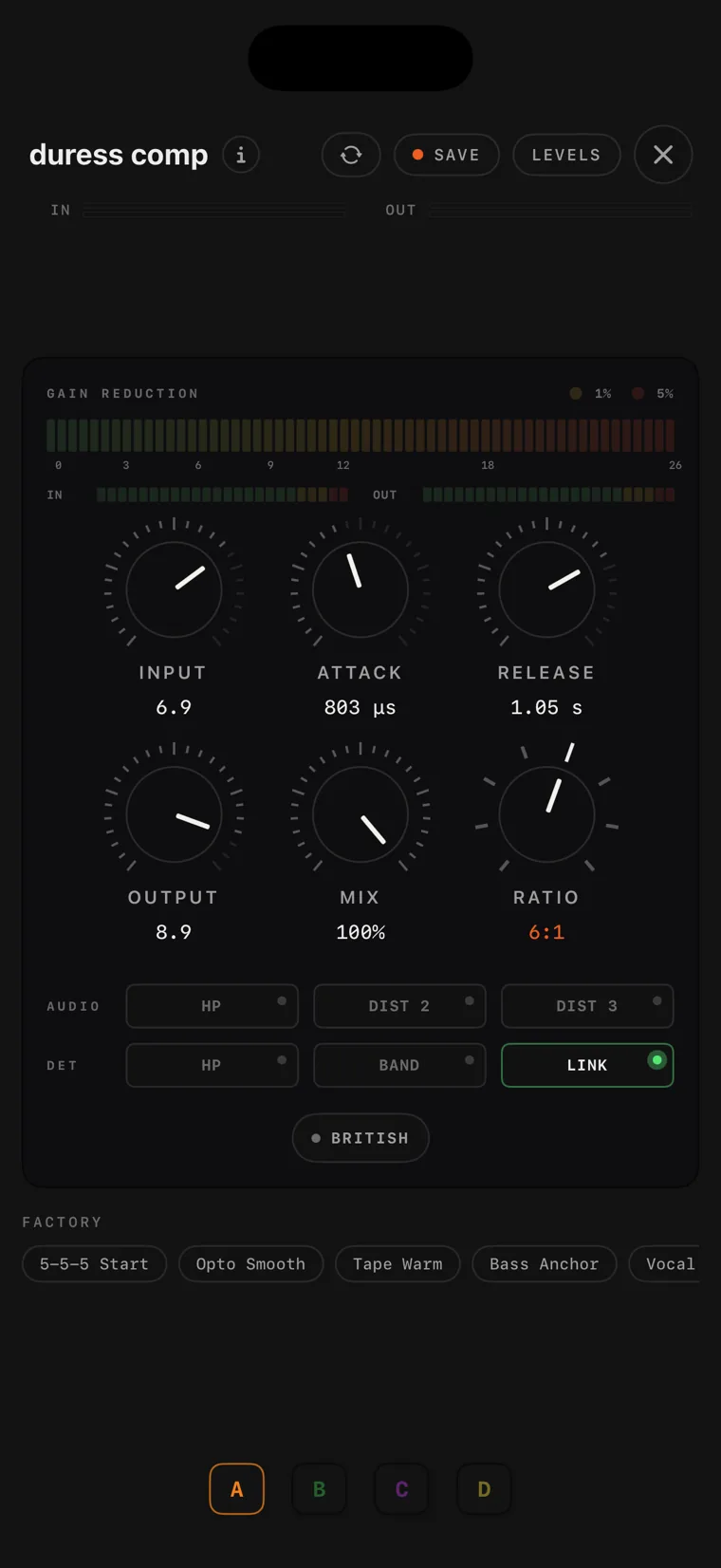
The duress comp console on iPhone.
12 duress comp

duress comp is the 90s studio-standard compressor, with its controls. The input level sets how much compression you get, against a fixed threshold. Its eight ratios run from gentle thickening to the pumping, crushed room sound at the top, and it has valve-style and tape-style saturation, a Mix knob for parallel compression, and the all-buttons-in British mode.
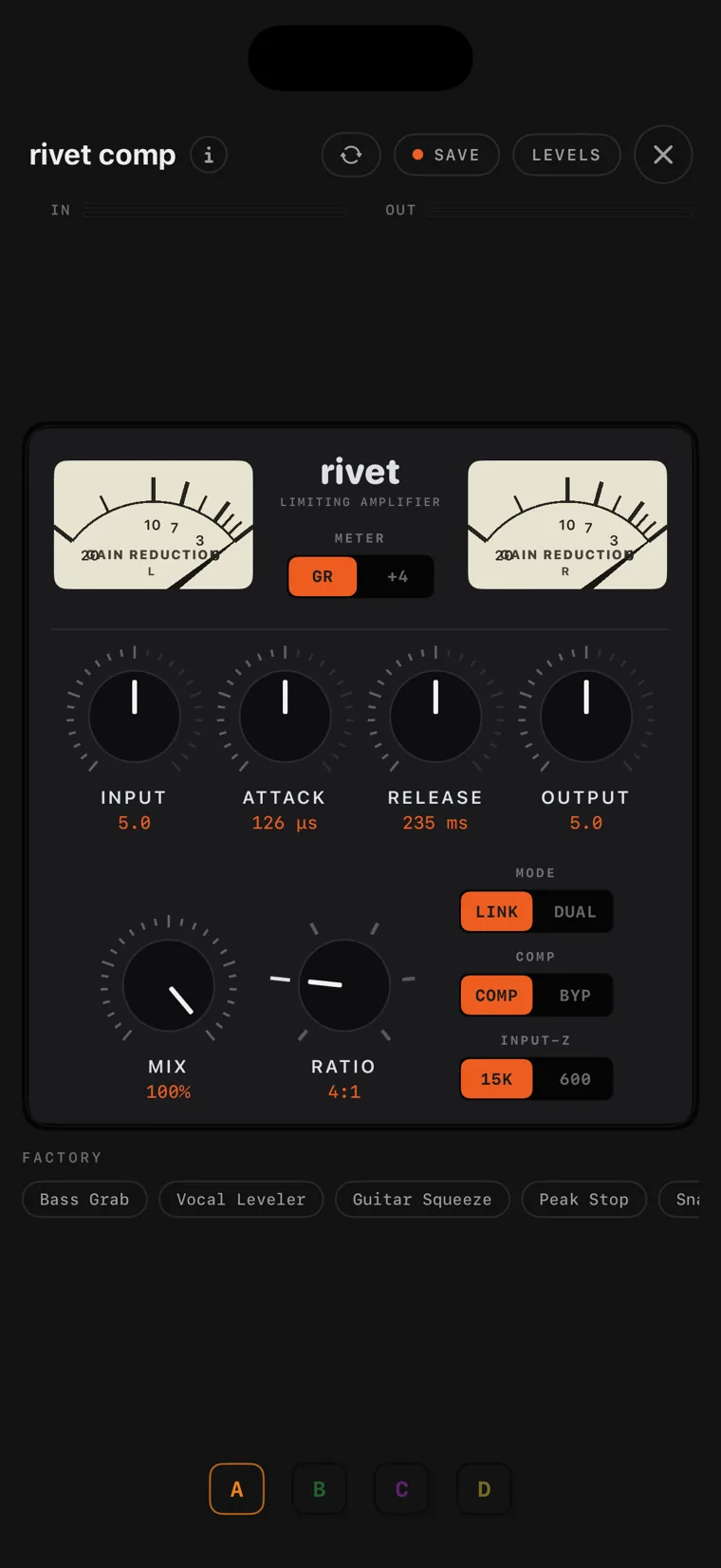
The rivet comp console on iPhone.
13 rivet comp

rivet comp is a true-stereo FET limiter after the mid-60s studio unit, with its controls. It has four ratio buttons and no threshold knob, because the INPUT knob is the threshold: the harder you push it, the more it compresses. Attack and release run the original's inverted tapers, so they get faster as you turn them up, and pressing every ratio at once gives you the all-buttons-in mode. The class-A output stage colours the signal even at 1:1.

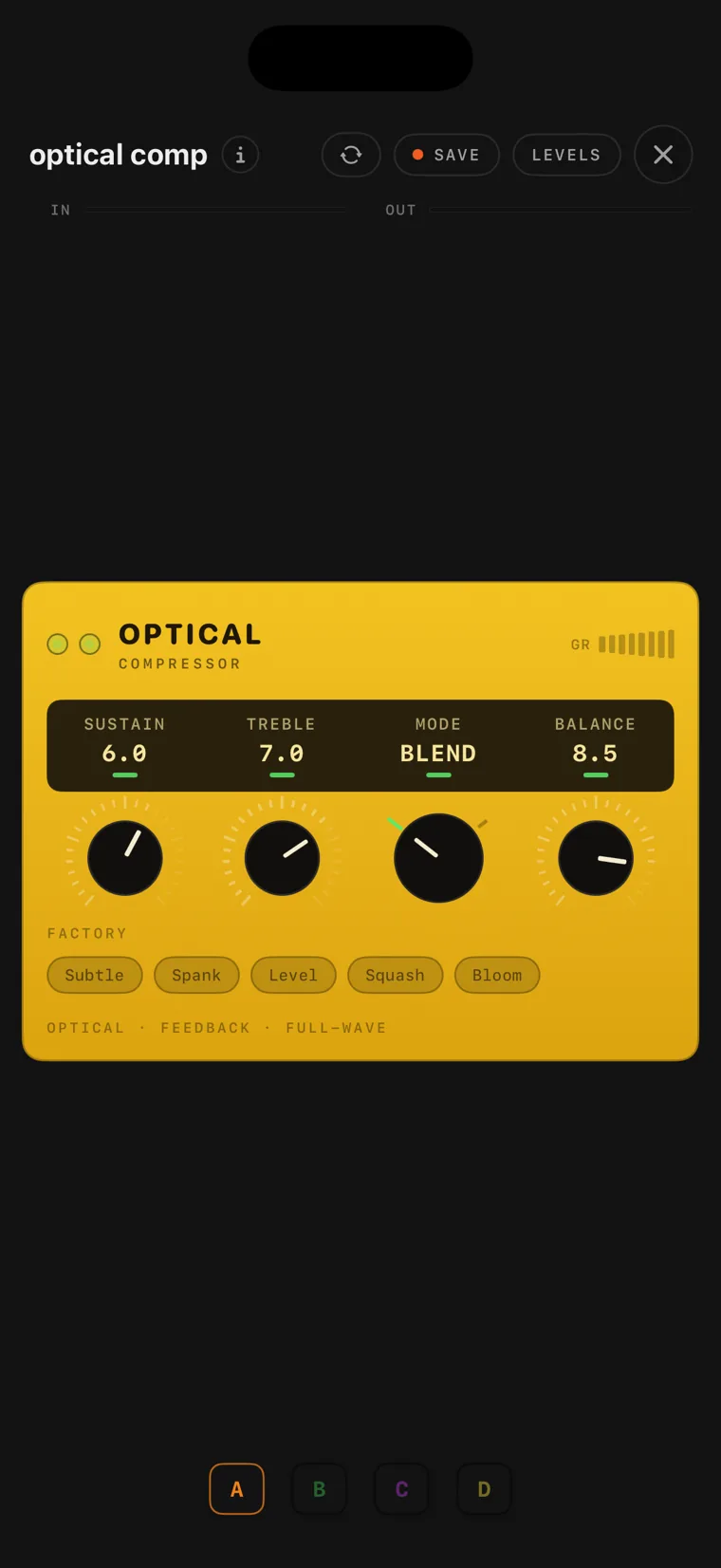
The optical comp console on iPhone.
14 optical comp

optical comp follows an early-70s studio unit. Your signal lights two lamps that sit over photocells, and the brighter they glow, the more the gain comes down. As a note decays they darken and the gain comes back. There is no threshold, ratio or attack control, because the response comes from the lamps themselves. Balance blends the compressed signal against the clean one.

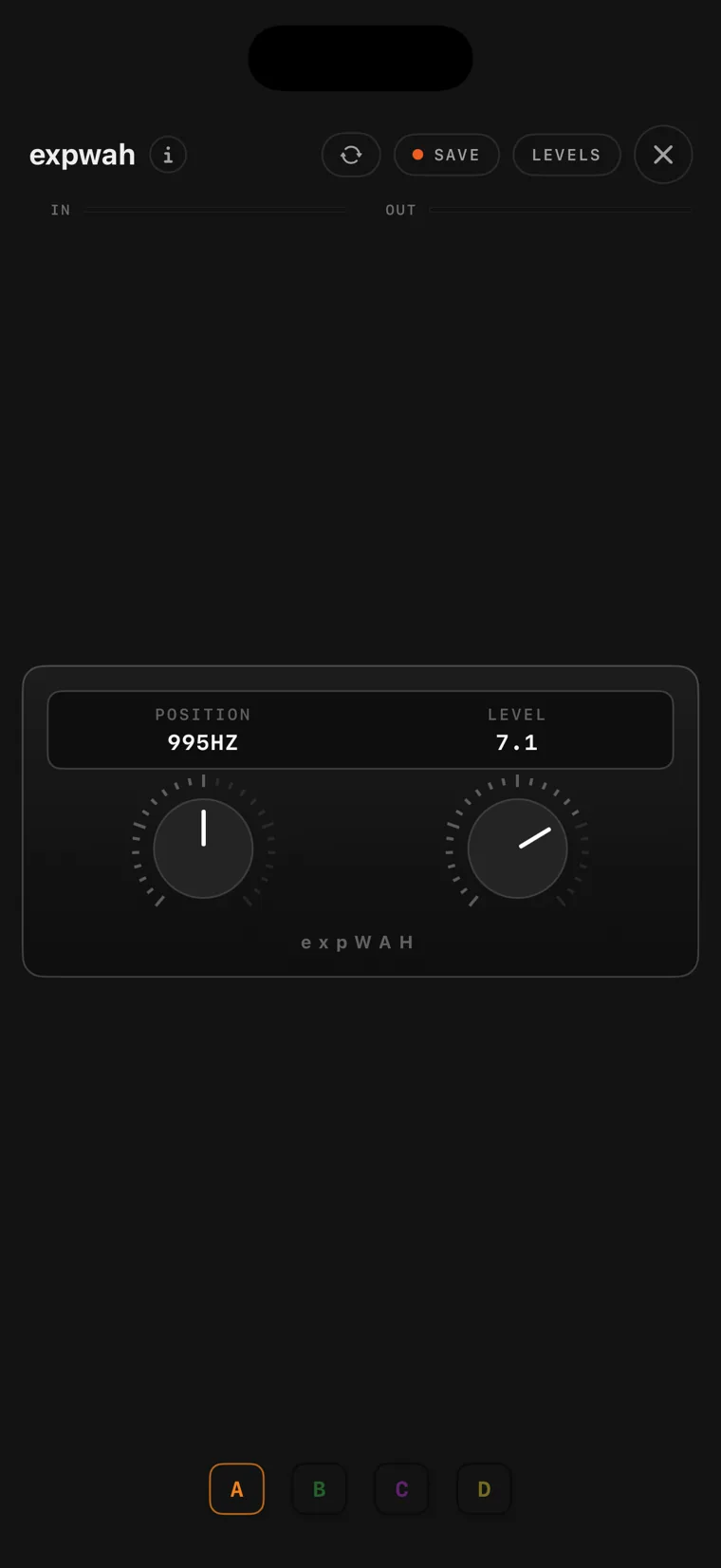
The expwah console on iPhone.
15 expwah

expwah is a wah after the mid-60s original, inductor included. POSITION is the treadle. You can sweep it by hand, drive it from an expression pedal, or wire an LFO onto it for an auto-wah. The damping is set to the vocal-sounding vintage value rather than the sharper modern one, and LEVEL is the one control the original never had.

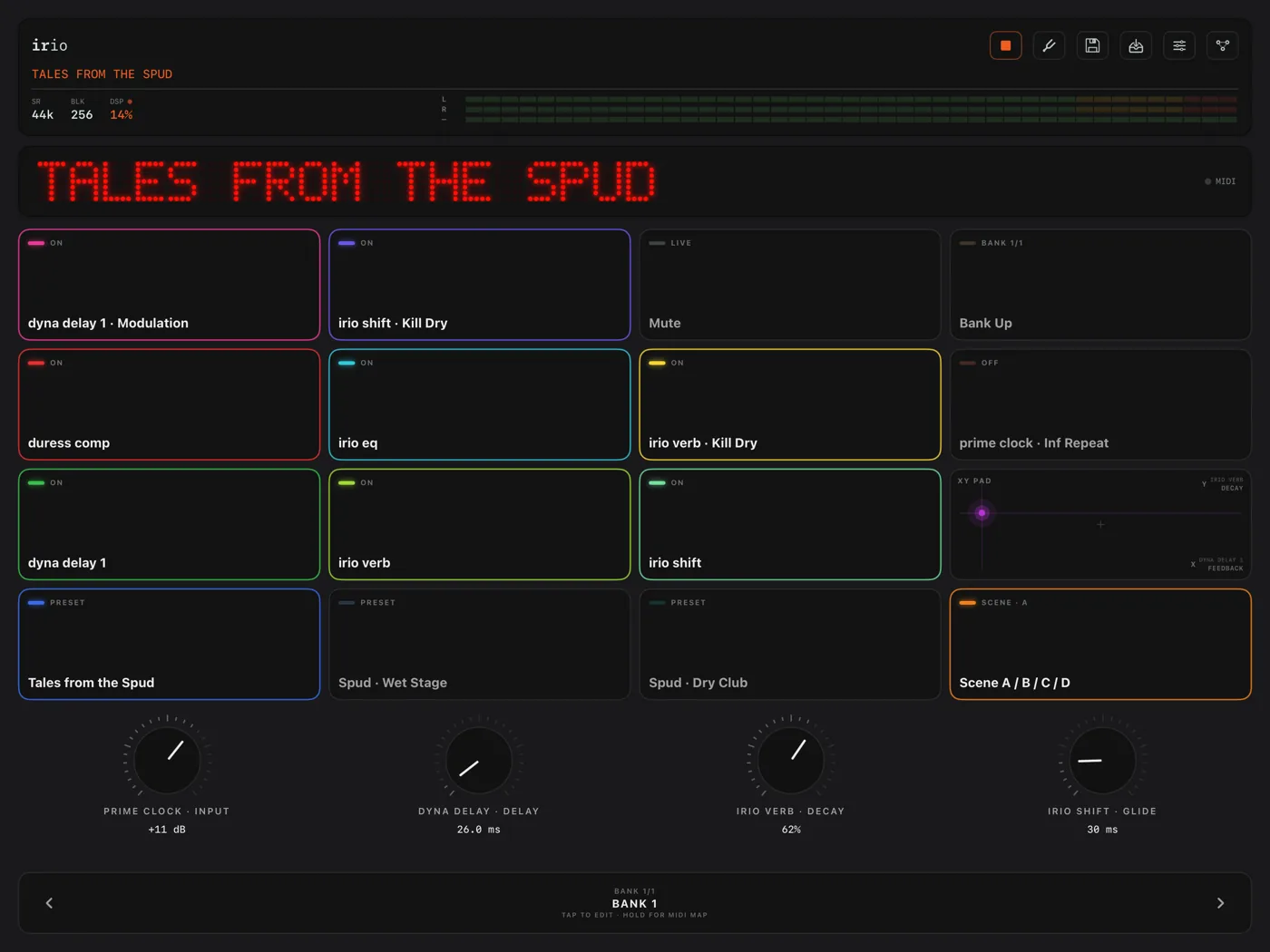
The perform page on iPad, with sixteen assigned pads, four performance knobs and the preset marquee.
16 The perform page

The perform page is a grid of pads that you assign yourself. A pad can load a preset, switch a module or a single parameter, step through the scenes, run a looper function, or work as an XY pad that controls two knobs at once. You can colour and group the pads, add banks for more pages, and use the four assignable knobs above the grid. Anything here can be mapped to MIDI and driven from a foot controller.

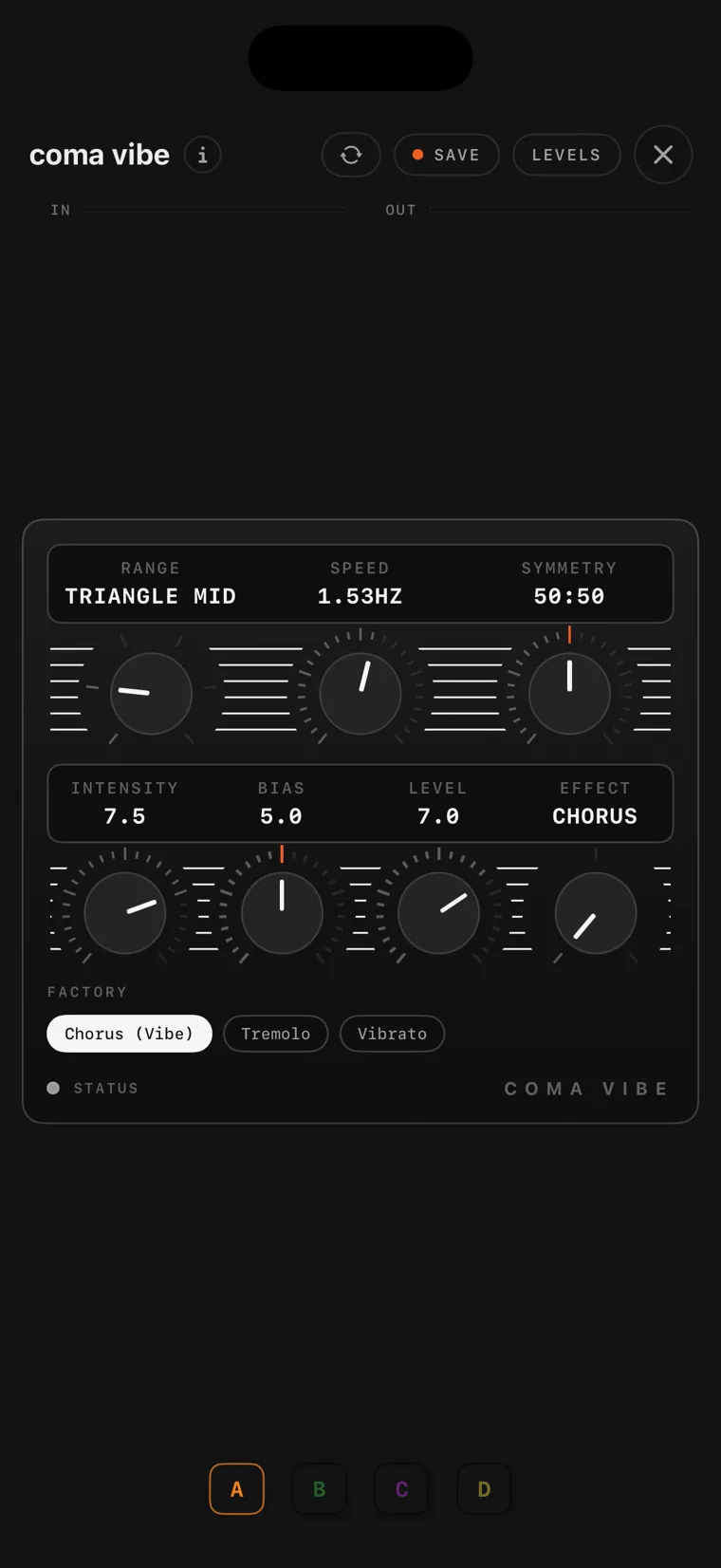
The coma vibe console on iPhone.
17 coma vibe

coma vibe follows the original photocell vibe circuit: a preamp into four phase stages, swept by a lamp and photocell instead of an LFO. Because a photocell brightens quickly and darkens slowly, the sweep is uneven in a way a plain LFO cannot be, and that is the sound. It has chorus, vibe and tremolo modes, Symmetry skews the sweep, and Bias moves the notches.

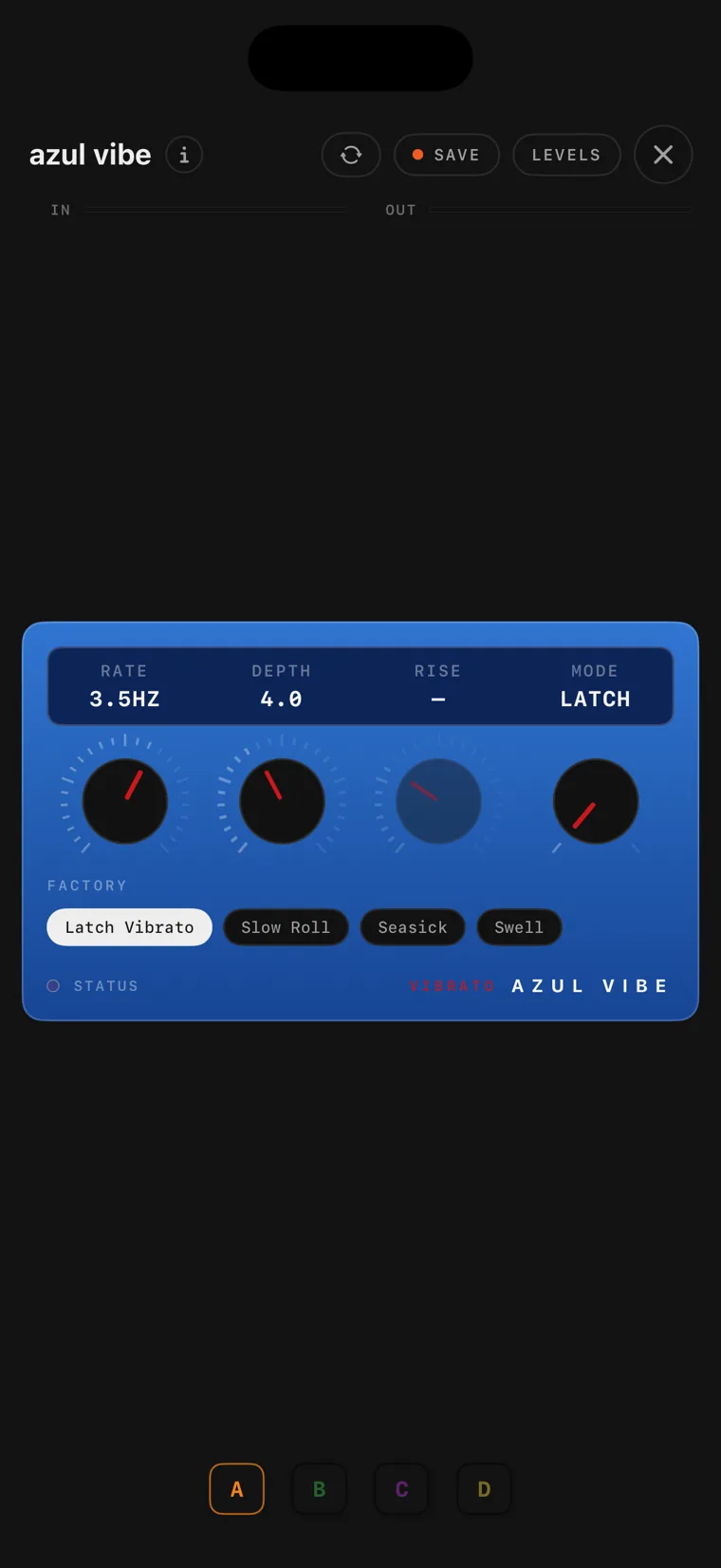
The azul vibe console on iPhone.
18 azul vibe

azul vibe is a pitch vibrato after the early-80s original. It is wet only, with no dry signal mixed in. The LFO sweeps the delay clock, and since a changing delay changes the pitch, the pitch moves with it. In UNLATCH the module's bypass works as a momentary footswitch: the vibrato fades in over a set rise time and fades out when you let go.

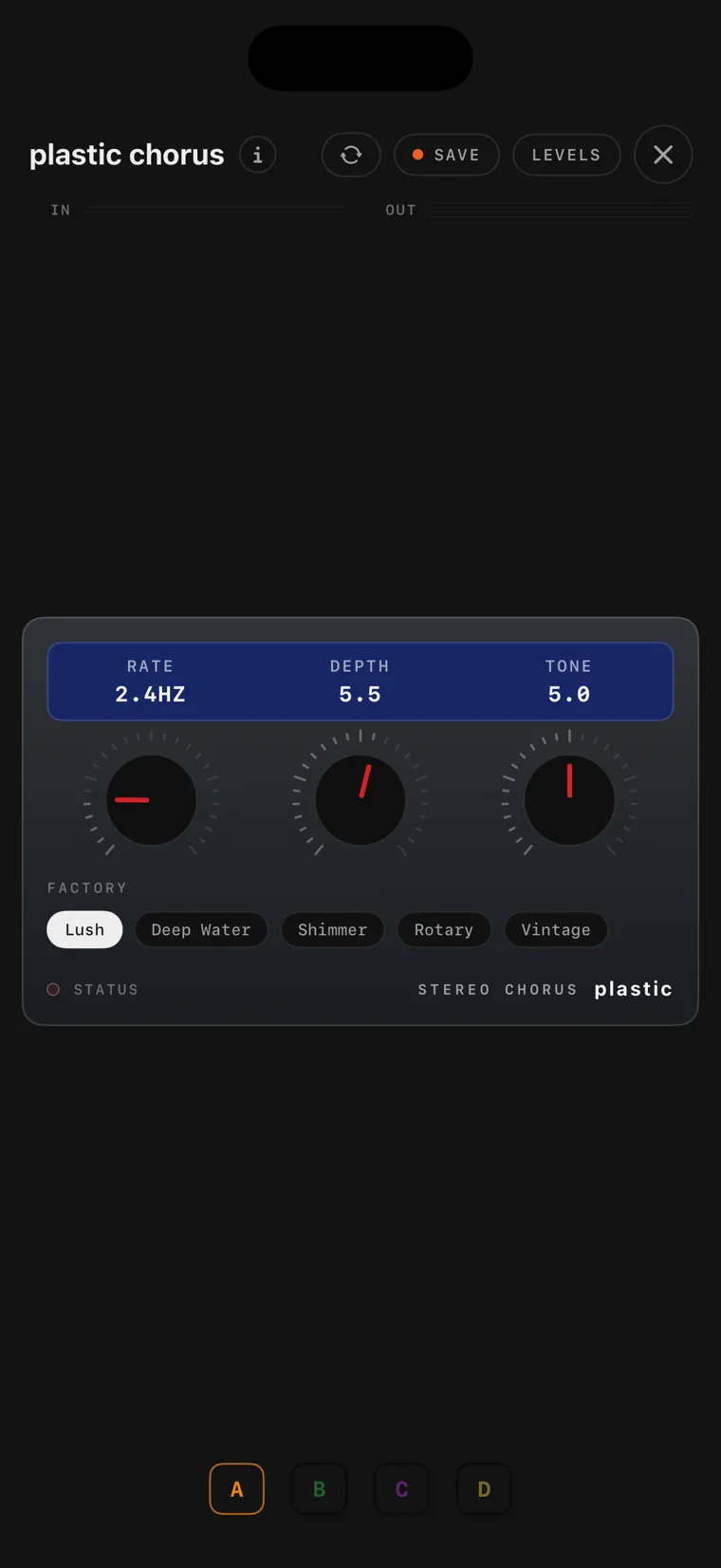
The plastic chorus console on iPhone.
19 plastic chorus

plastic chorus is a stereo chorus after the early-80s original. Its stereo works the way the original's does: the left output carries your dry signal plus the effect, and the right carries the dry signal minus it. That makes it wide in stereo and largely cancelling in mono, just like the hardware. Rate reaches unusually high for a chorus, and Tone shapes only the effect signal.

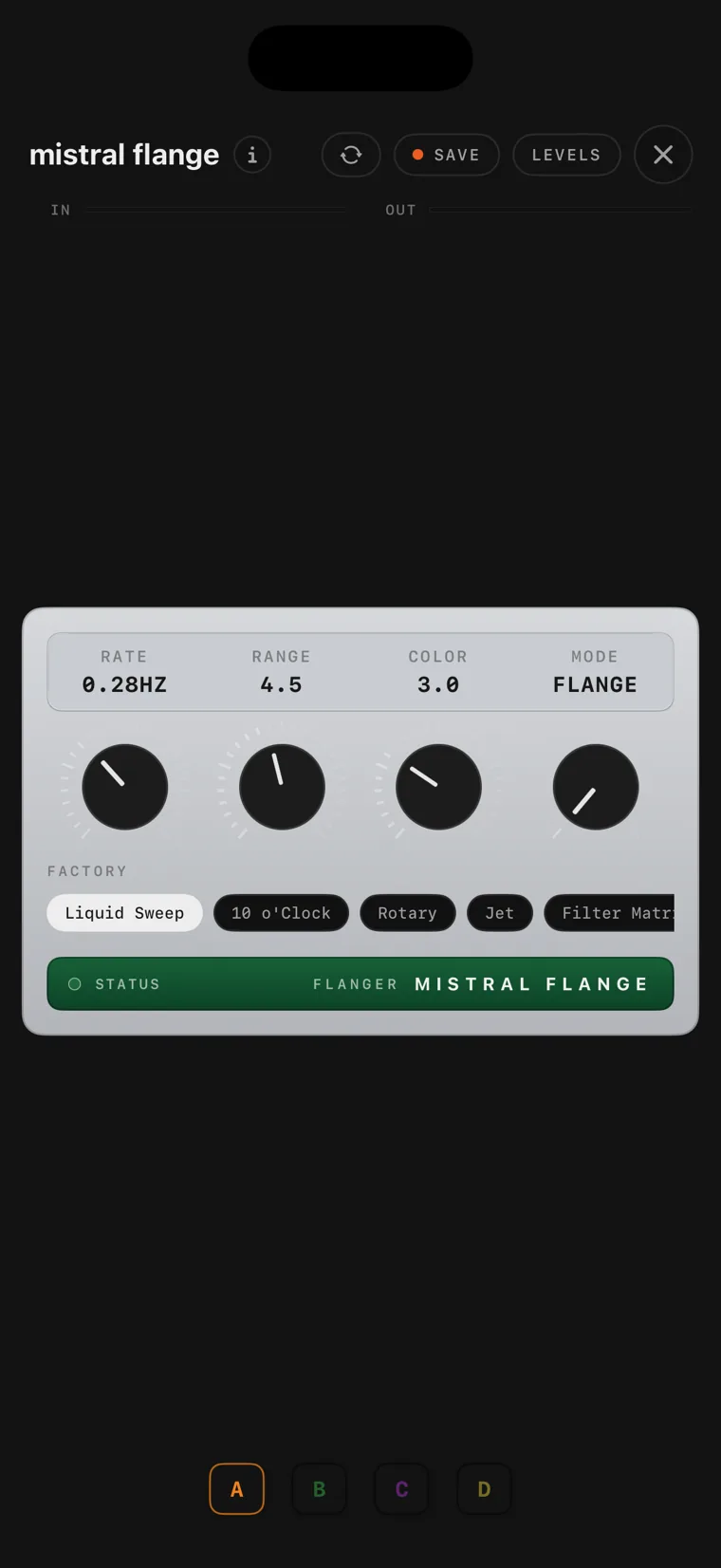
The mistral flange console on iPhone.
20 mistral flange

mistral flange is a flanger after the late-70s original. The LFO sweeps the delay clock, so the delay length itself moves, and Range sets how far toward the long, dark end that sweep reaches while the short end stays fixed. Color is the feedback, and it limits itself as the signal gets louder, as the circuit does. MATRIX holds the sweep wherever it stands, which leaves you a fixed filter to play through.

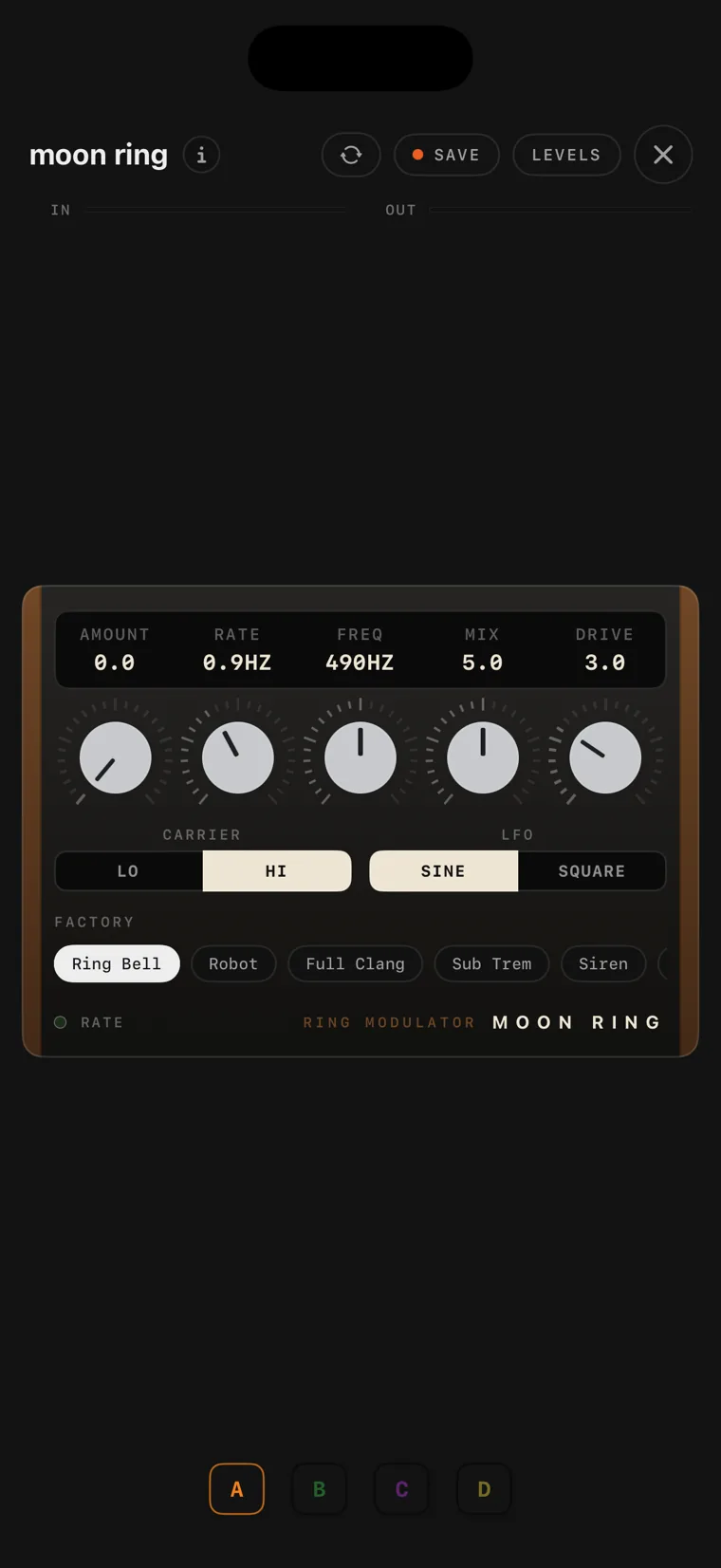
The moon ring console on iPhone.
21 moon ring

moon ring is a ring modulator after the classic studio unit. Your signal is multiplied with a carrier tone, so each note comes out as the sum and the difference of the two, a metallic set of tones with no clear pitch. High carriers give bell-like and robotic sounds, and carriers below the audio range give tremolo. Drive adds harmonics before the multiplier, and the LFO can sweep the carrier for sirens and trills.

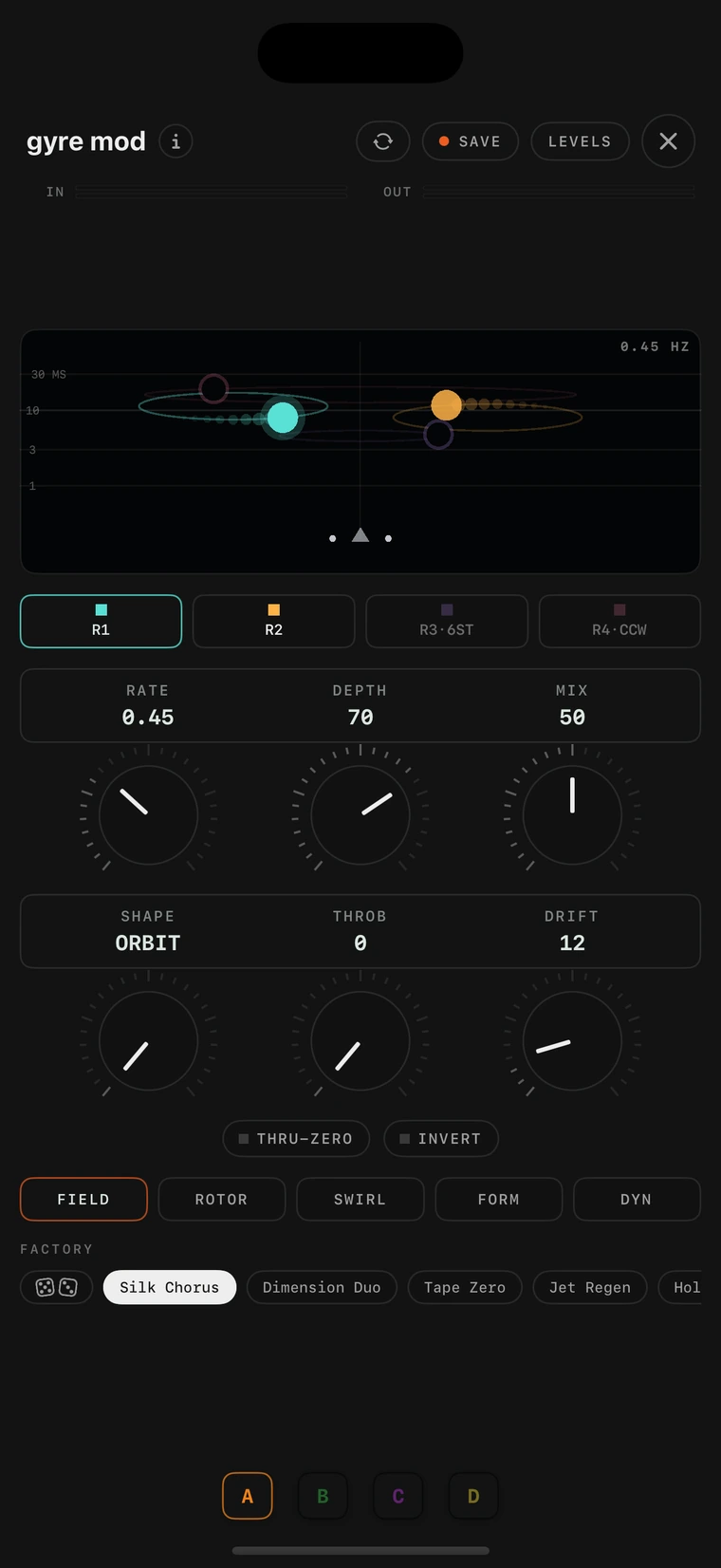
The gyre mod console on iPhone.
22 gyre mod

gyre mod is one of irio's own designs rather than a model of a pedal. Four voices orbit a listener in the stereo field, and each voice's position sets its pan, its delay time, its level and its brightness all at once. Because the delay time keeps moving, the pitch moves with it, so the voices doppler as they travel, and that is what makes a rotating speaker sound like one. Inertia gives speed changes a spin-up and a slow-down.

The irio mod console on iPhone.
23 irio mod

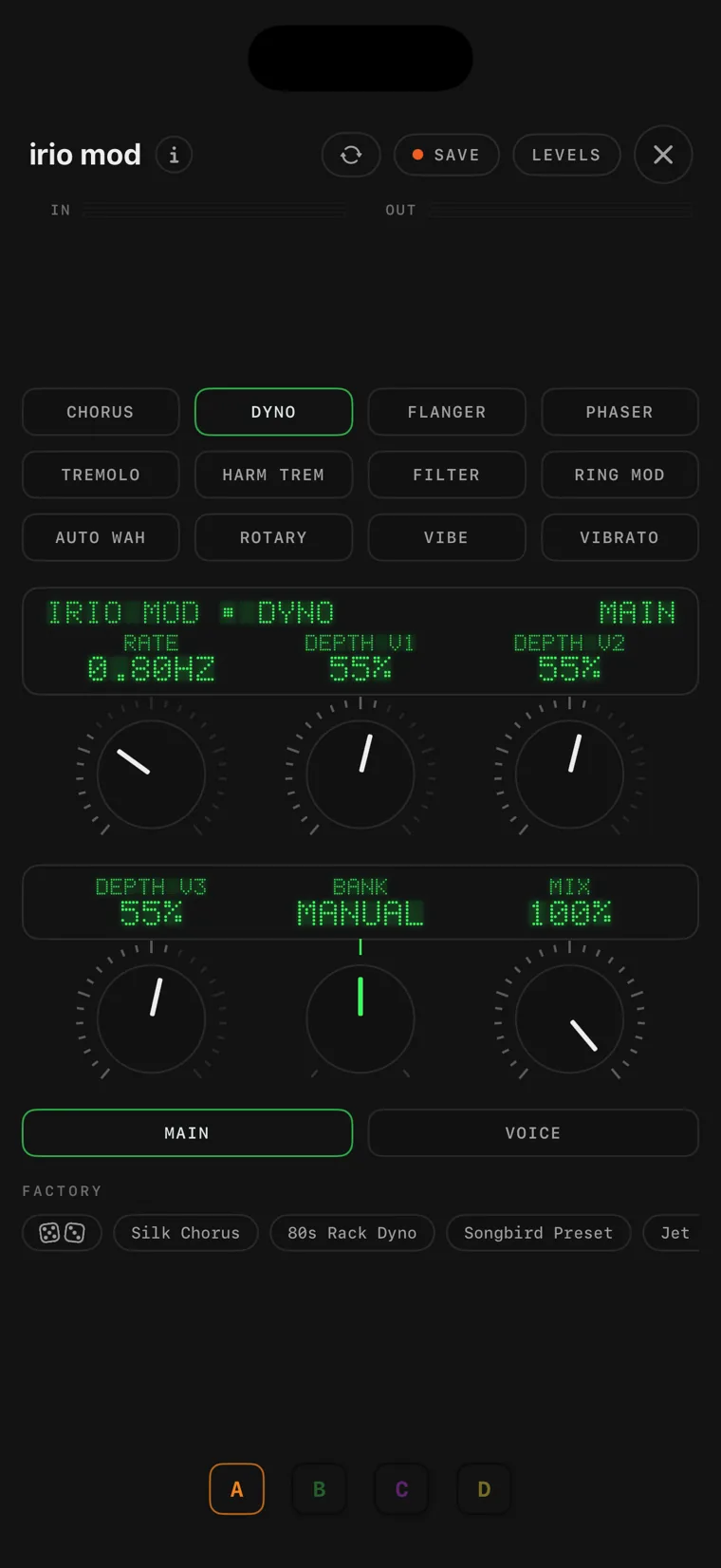
irio mod holds twelve stereo modulation effects in one module: chorus, rack chorus, flanger, phaser, tremolo, harmonic tremolo, filter, ring mod, auto-wah, rotary, vibe and vibrato, and it switches between them without a click. The same set of knobs serves all of them and takes on the meaning each effect needs, so one module covers most of what a modulation pedal would be there for.

The prime clock console on iPad.
24 prime clock

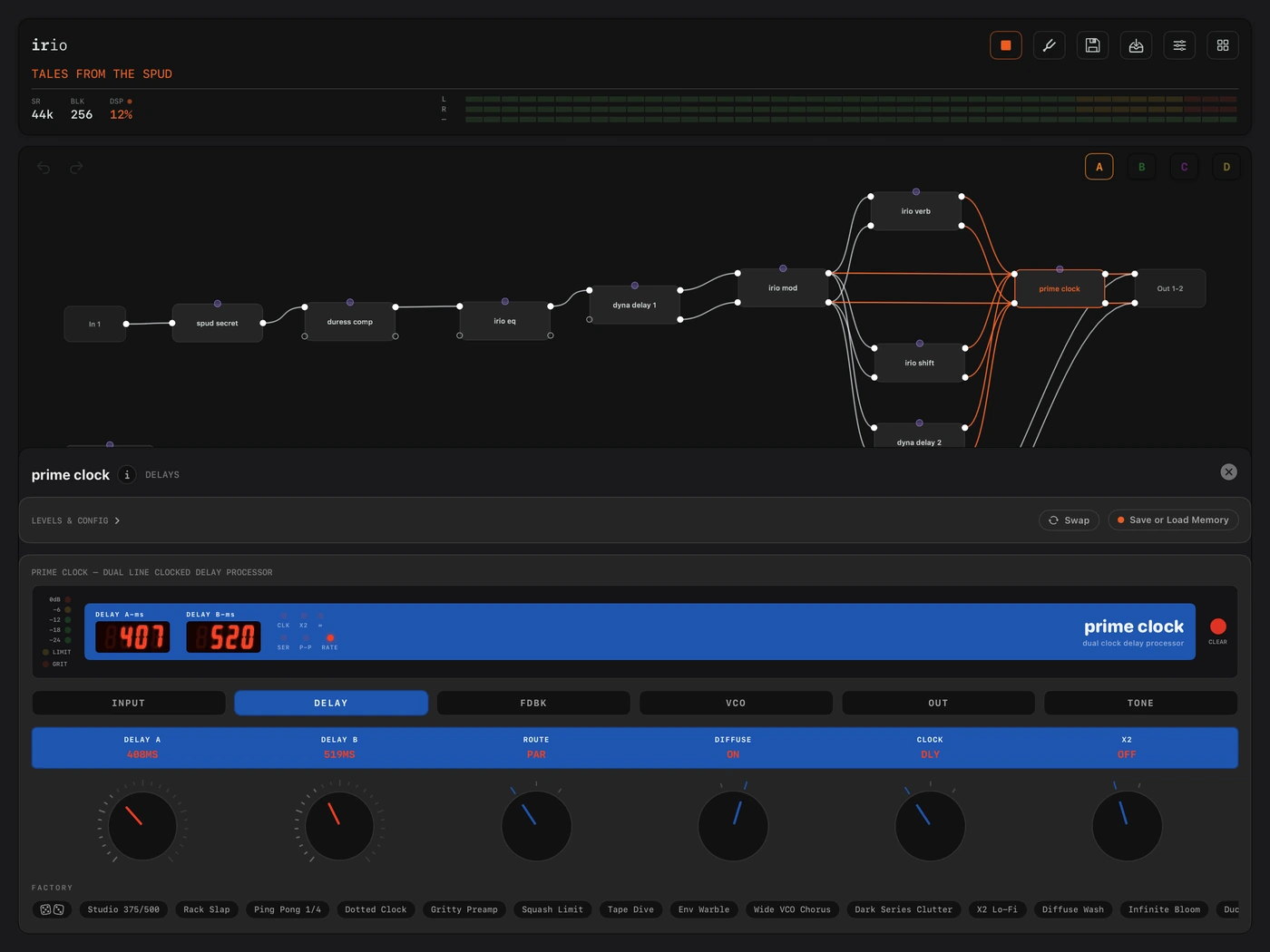
prime clock is a delay with the front end of an early-80s studio delay rack. Every repeat passes through that front end, the input stage, the soft limiter and the narrow, slightly gritty converter, so the trails thicken and darken instead of simply fading. From there it goes its own way: where the original had one delay line, this one has two, cross-fed into each other.

The irio delay console on iPhone.
25 irio delay

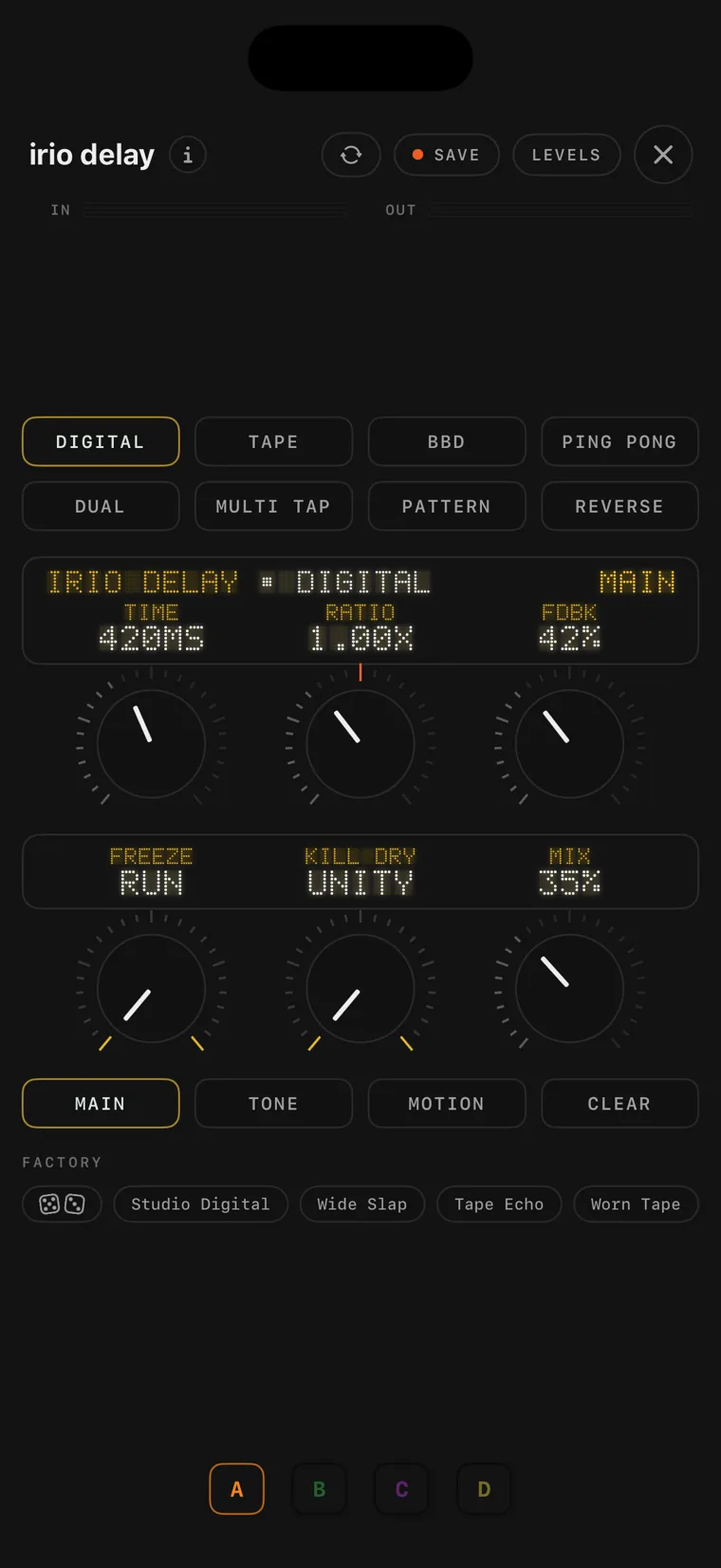
irio delay is irio's own delay, and it is part of the free version. It has eight machines, digital, tape, bucket-brigade, ping-pong, dual, multi-tap, pattern and reverse, and it switches between them without a click. The tape wows and flutters, the bucket-brigade stays dark and percussive, TIME bends the pitch like a reel when you turn it, FREEZE locks the loop, and DUCK lowers the repeats while you play.

The rota delay console on iPhone.
26 rota delay

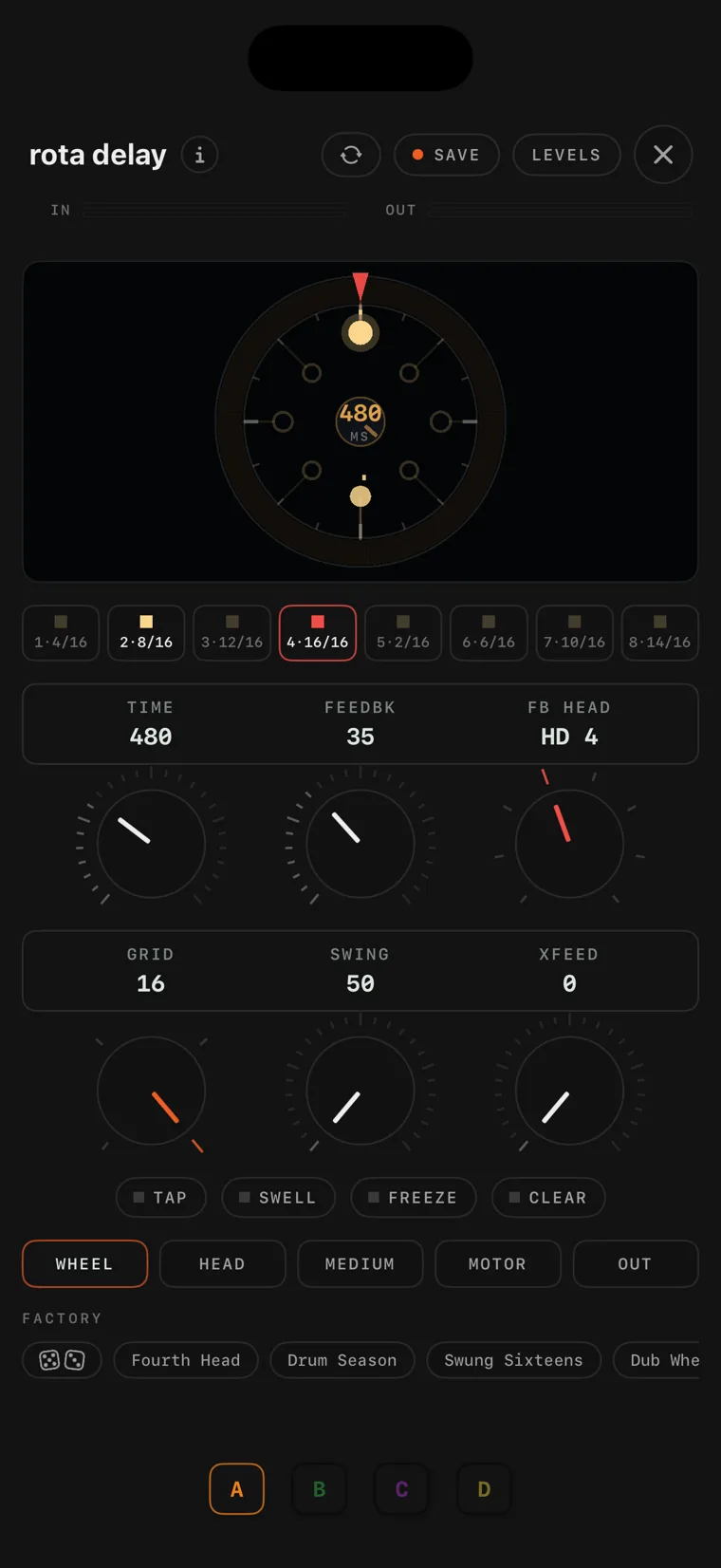
rota delay is irio's own take on a mechanical echo. Instead of a delay line there is a spinning medium: one record head writes to it and eight playback heads read it back. You can place the heads anywhere around the wheel or snap them to a rhythm grid, and when you change the motor speed, everything already on the wheel changes pitch while new echoes stay in tune. Four media age the repeats differently, and Freeze lifts the record head.

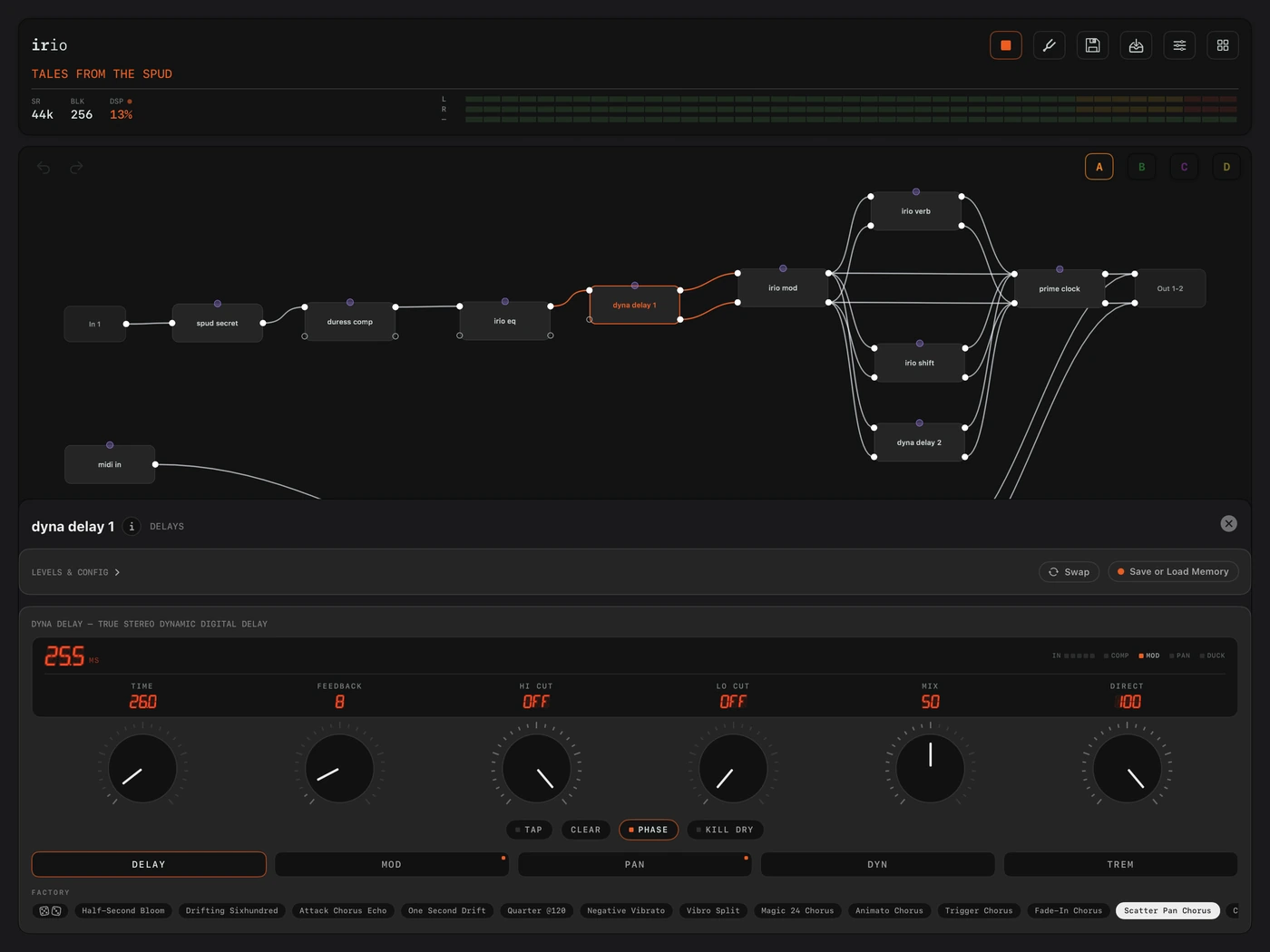
The dyna delay console on iPad.
27 dyna delay

dyna delay is the mid-80s Danish dynamic digital delay. Its signature is the converter: a wide-bandwidth store wrapped in a compander, so transients arrive slightly softened, the repeats follow your playing dynamically, and every repeat keeps its top end. The MOD, PAN and DYN pages let the delay time, the pan and the level react to how you play.

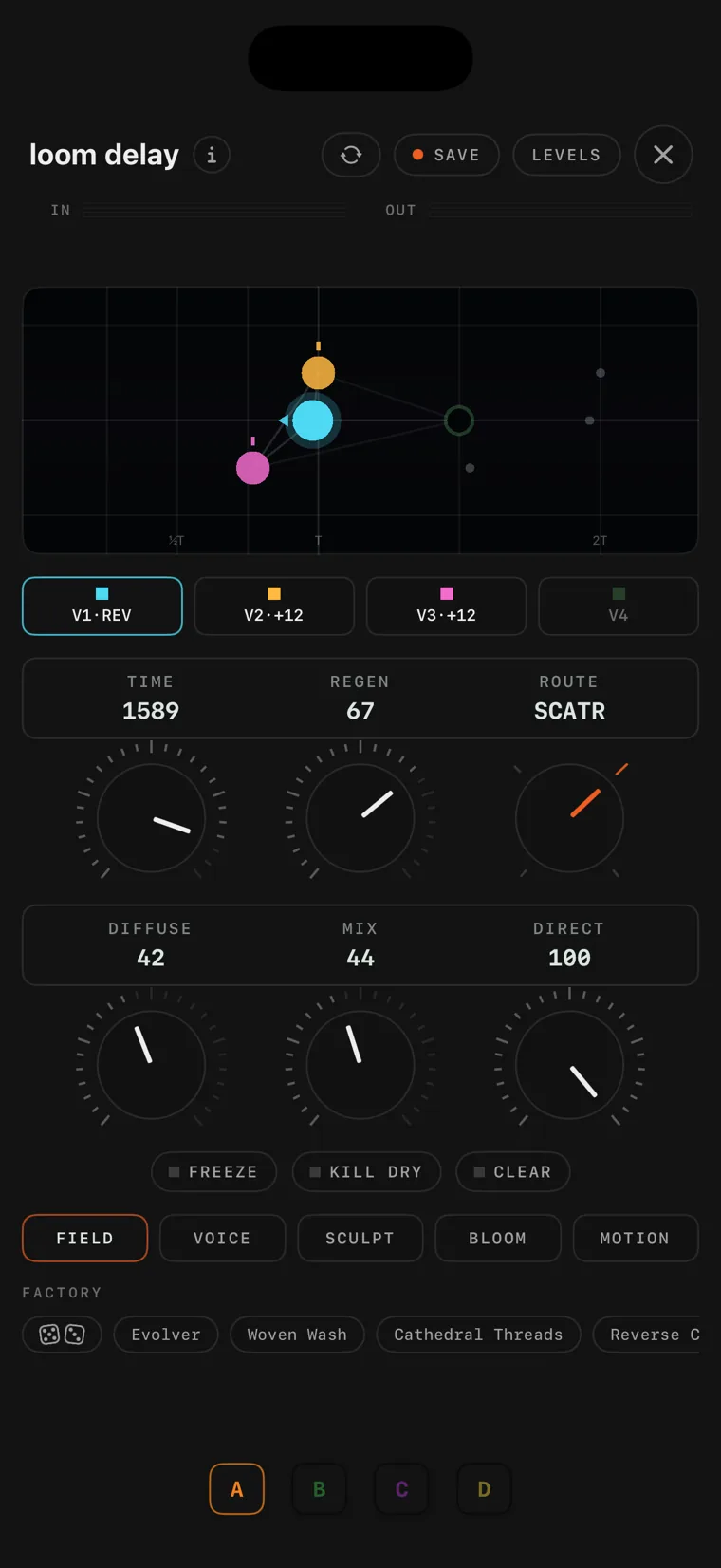
The loom delay console on iPhone.
28 loom delay

loom delay is an experimental four-voice delay for sound design. Each voice has its own time, pitch shift, reverse, tone and pan, and the loom decides where every echo's next generation goes: in parallel, moving from voice to voice, scattered across all four, or crossed in stereo. EVOLVE ages the repeats as they travel, and each voice has a send into a built-in reverb.

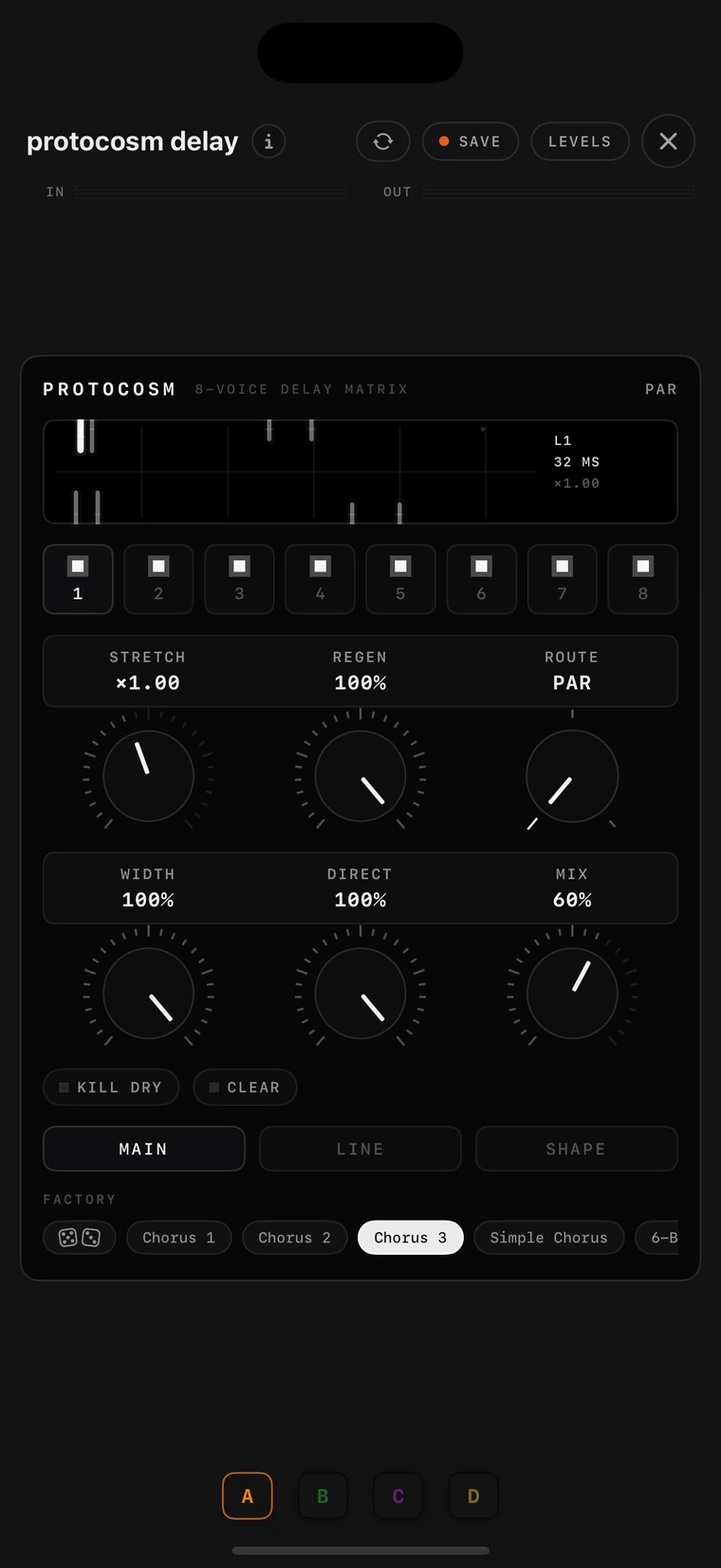
The protocosm delay console on iPhone.
29 protocosm delay

protocosm delay is an eight-voice modulated multi-delay, built for the layered, chorused chord sounds of the Japanese eight-stage delay pedals. Every line is a complete delay of its own, with time, level, pan, feedback, an LFO, tone filters in the loop and a diffusion smear.

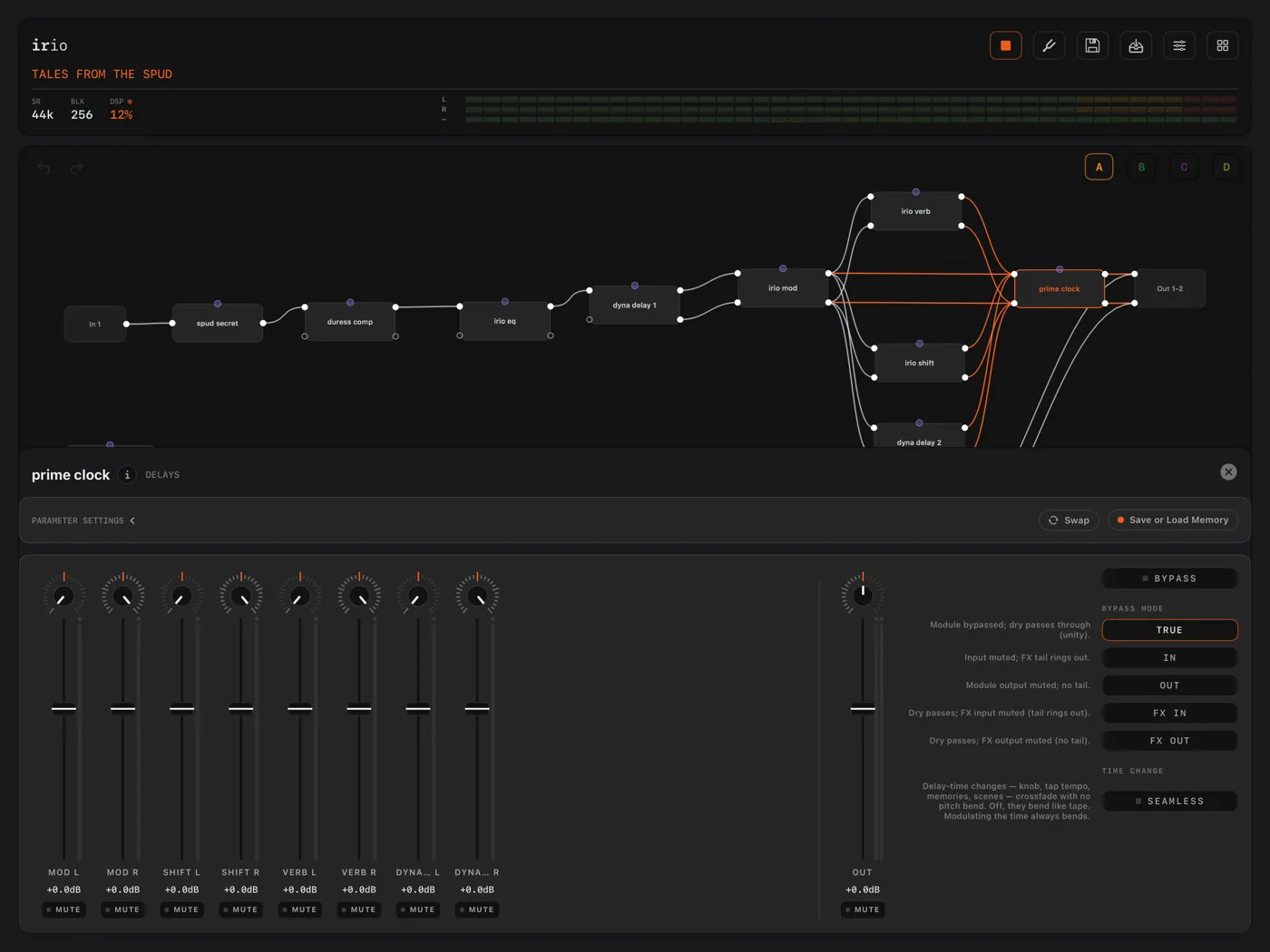
The prime clock’s LEVELS pane on iPad, with eight input channel strips over a patch on the canvas.
30 prime clock · LEVELS

Every cable that goes into a module gets its own channel strip on the module's LEVELS page, with a fader, a pan and a mute. Here four stereo feeds arrive at a prime clock as eight strips, mod, shift, verb and delay, and you balance them right at the junction without touching their source consoles. Next to them, five bypass modes decide what the dry signal and the tails do when the module is bypassed.

The irio verb console on iPhone.
31 irio verb

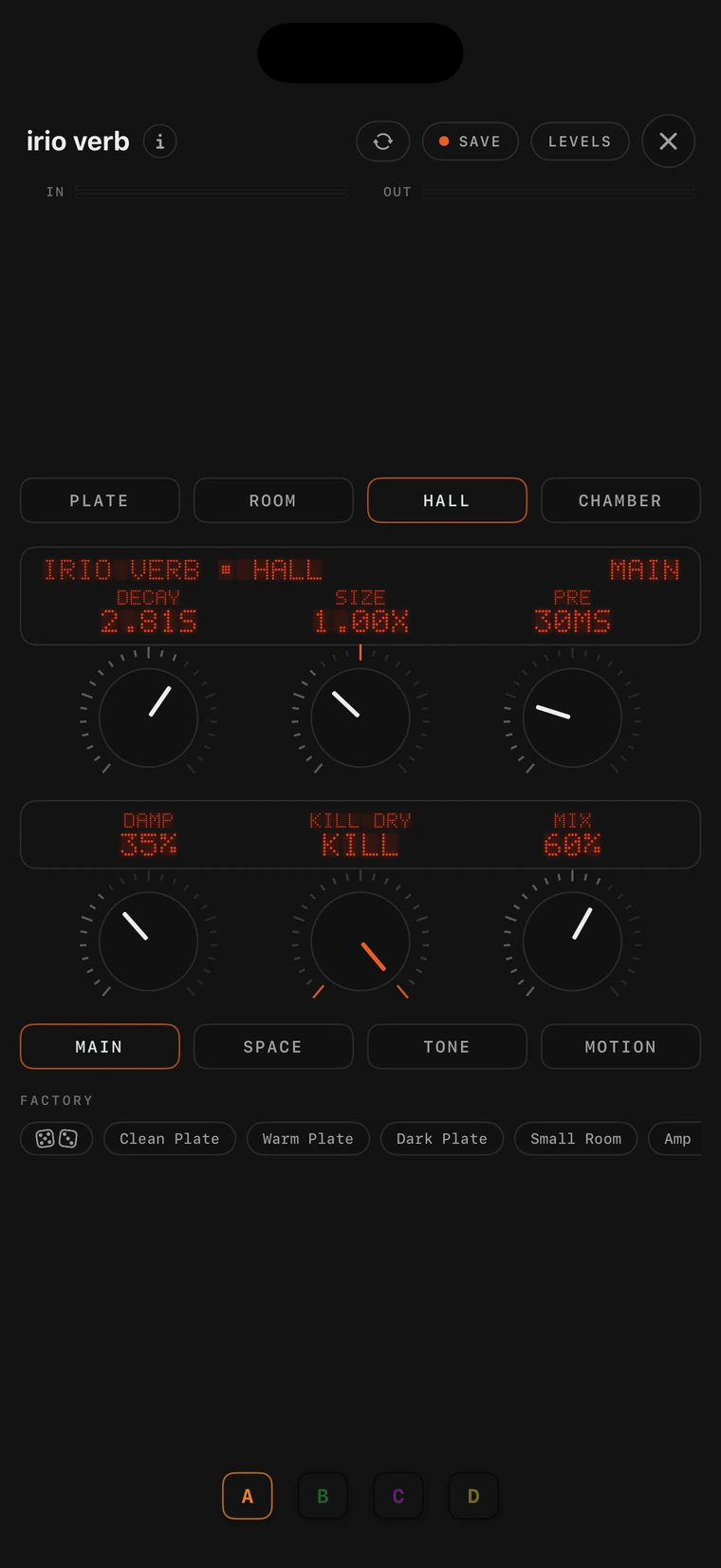
irio verb is irio's own reverb, built to sound like a real room. Every early reflection is a short, dense burst from alternating sides, the way sound comes back from real walls, and the tail swells in after them, darkens as it fades and stays wide down into the bass. Its four voicings, Plate, Room, Hall and Chamber, switch without a click while the tail rings on.

The welkin verb console on iPhone.
32 welkin verb

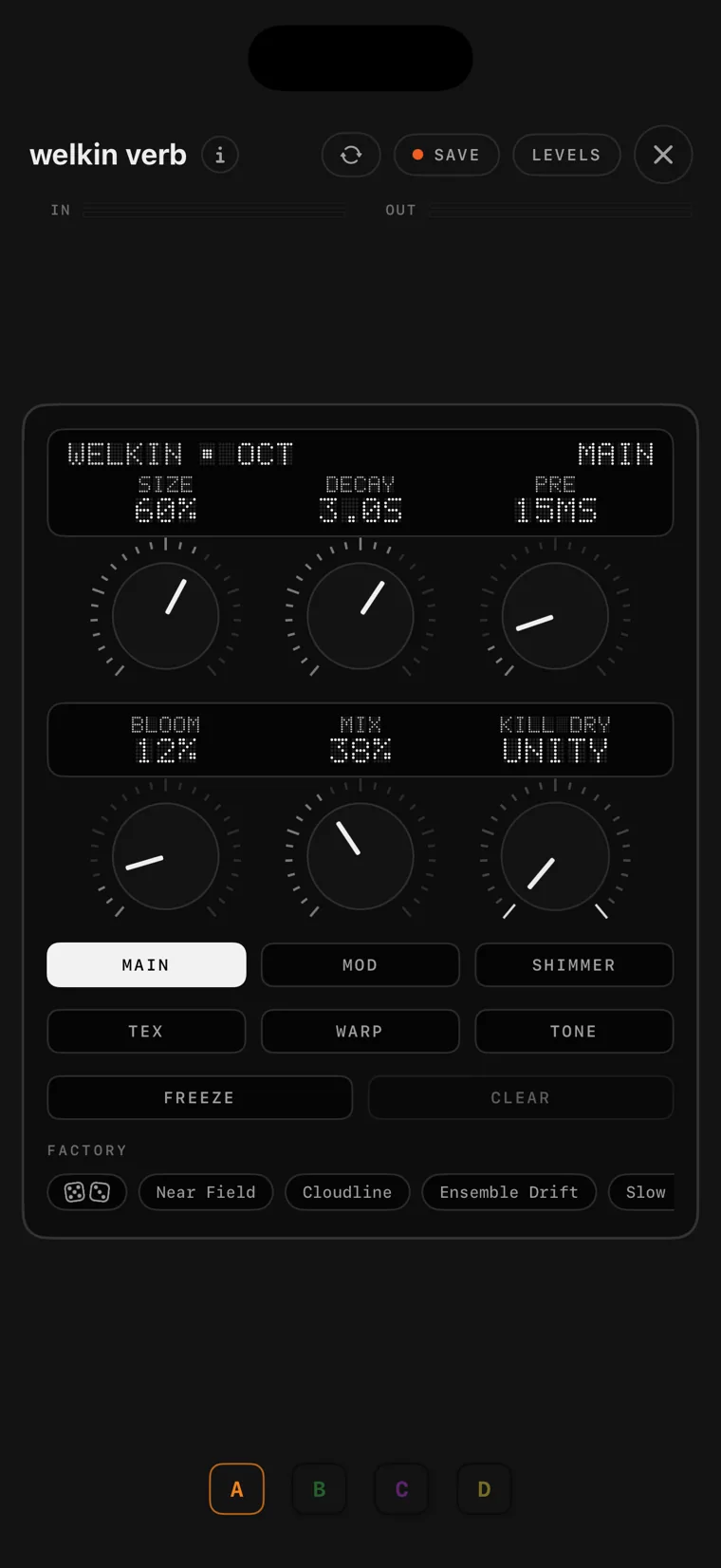
welkin verb is a deeply modulated ambient reverb for long, wide tails. SHIMMER adds pitch-shifted regeneration at intervals you choose, the TEX and WARP pages feed the tank through a granular stage with grain clouds, reverse playback and repeating slices, FREEZE holds the tail for as long as you like while you play over it, and DUCK lowers it while you play.

The stanza verb console on iPad.
33 stanza verb

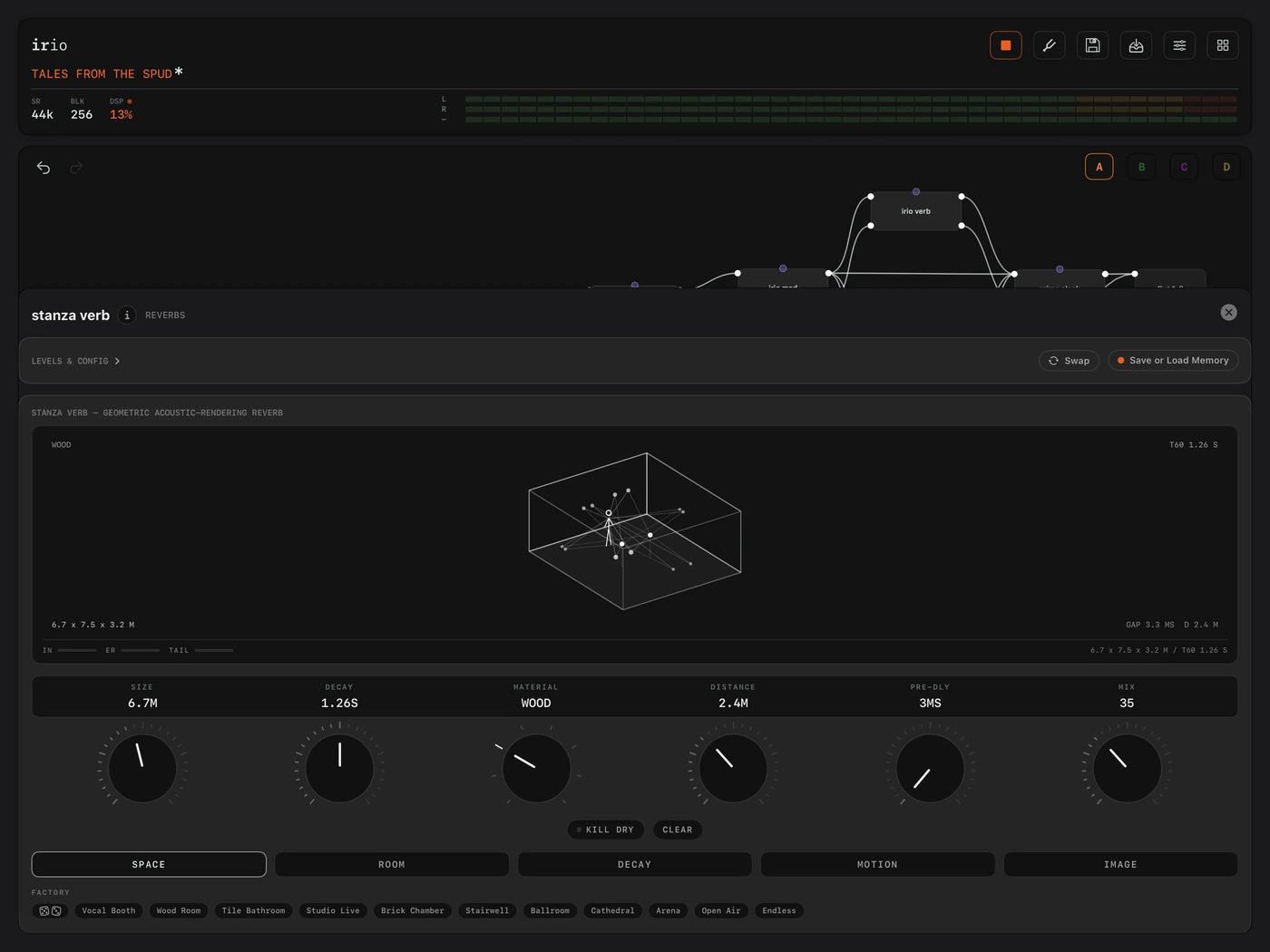
stanza verb is a reverb where you build the room and the engine works out the sound. You set the width, depth and height in metres, choose a surface material and place the source. The decay then follows the room's acoustics, band by band, so a big humid hall darkens with distance and a tiled chamber stays bright and close.

The irio shift console on iPhone.
34 irio shift

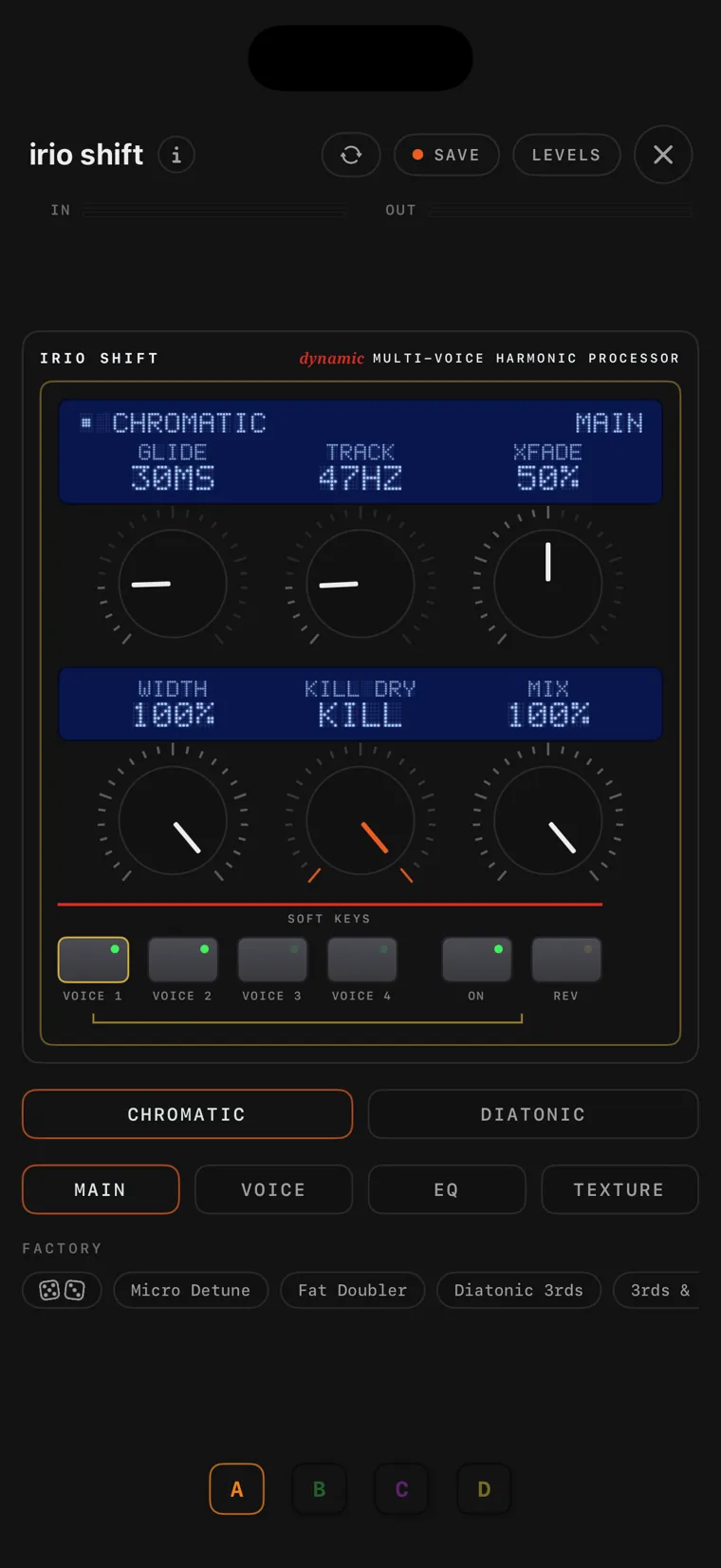
irio shift is a four-voice pitch shifter in the style of the classic studio pitch racks. CHROMATIC shifts in semitones, DIATONIC shifts by scale degrees in a key and scale you set, and GLIDE slides between the intervals. Every voice has its own detune, delay, pan and EQ band, and feedback re-shifts each repeat for cascading shimmer effects.

The irio synth console on iPhone.
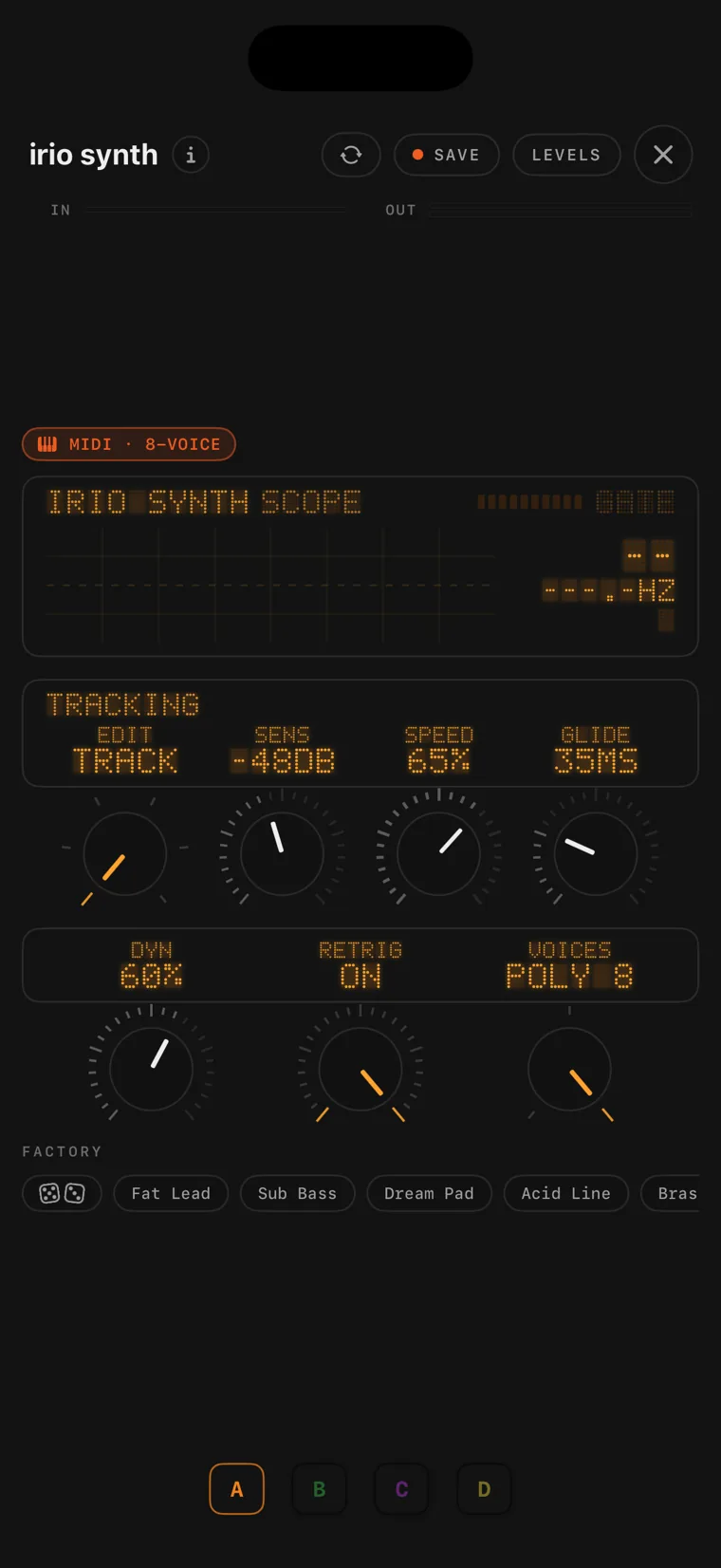
35 irio synth

irio synth is an analog-style synthesizer that you play from your instrument. A low-latency pitch tracker follows your playing and drives three oscillators, a resonant filter and two envelopes. SENS, SPEED and DYNAMICS set the tracking, and GLIDE adds portamento. Wire a midi in module into it and it becomes a keyboard synth with up to eight voices and velocity, in the standalone app.

The midi in console on iPhone.
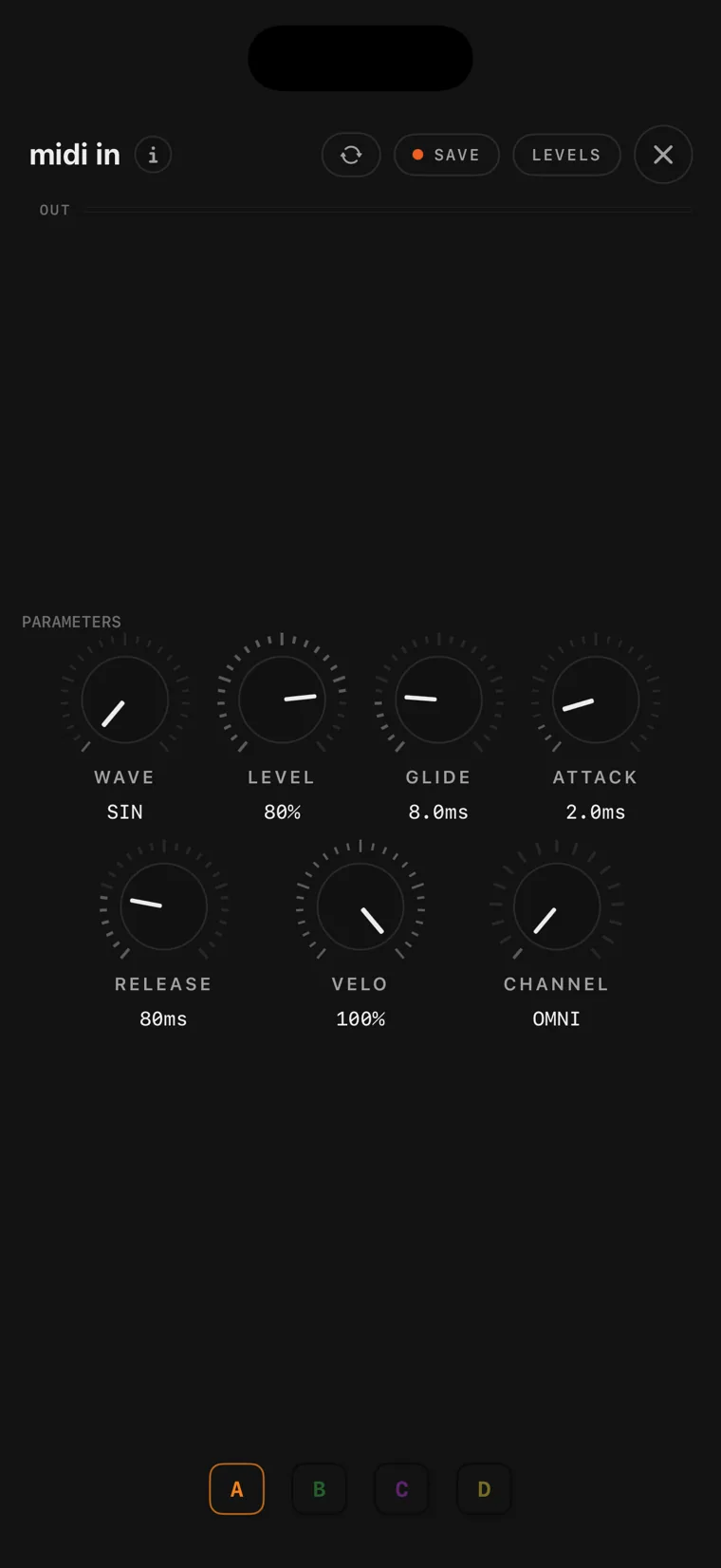
36 midi in

midi in puts a MIDI keyboard on the canvas as a source, over USB, virtual or Bluetooth. On its own it is a mono tone with glide and an envelope, and wired into irio synth it plays the whole synth engine, up to eight voices with velocity. Two midi in modules on different channels let two keyboards play different parts of one rig. It is standalone only, because as a plug-in the host owns MIDI.

The irio eq console on iPhone.
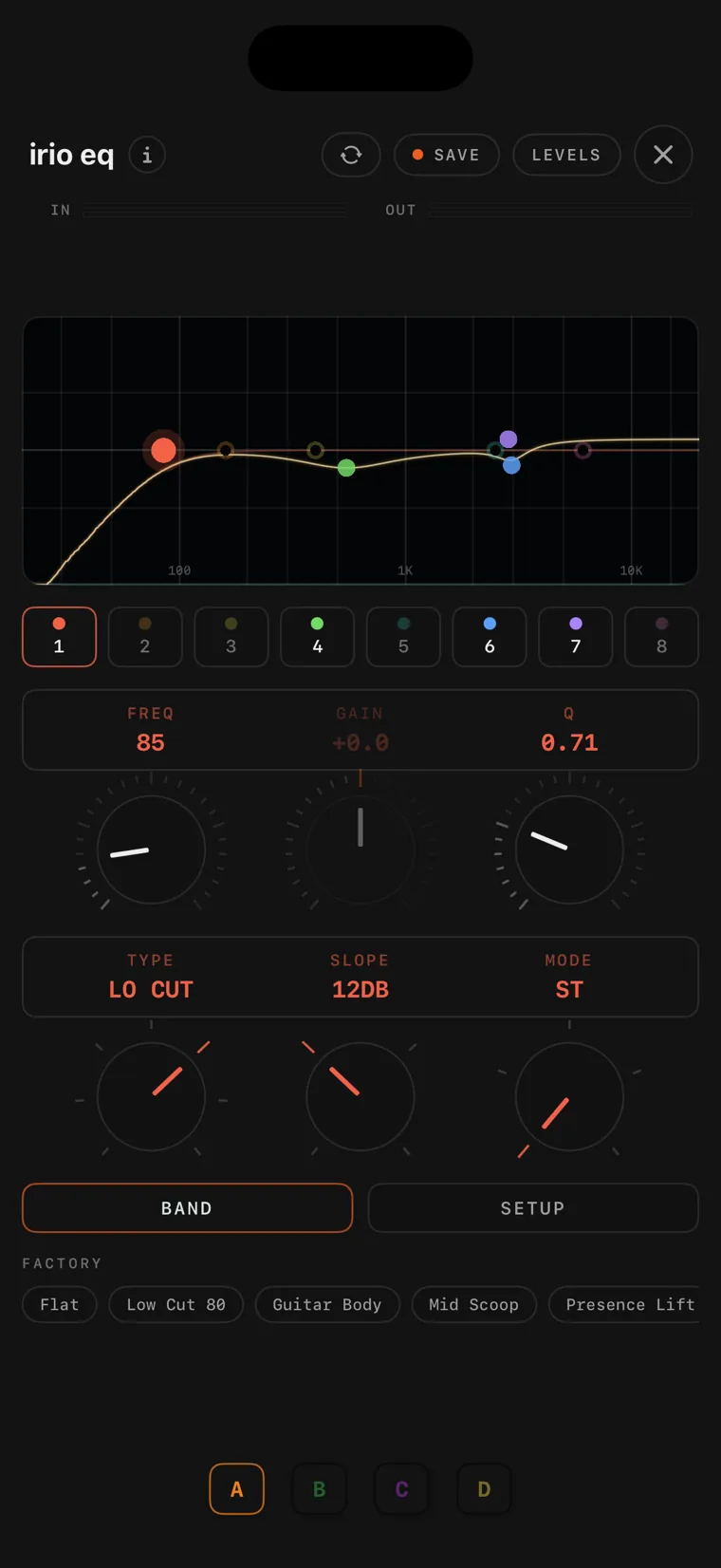
37 irio eq

irio eq is an eight-band parametric stereo EQ. Each band can be a bell, a shelf, a notch, a band-pass or a cut, from a gentle slope to a steep one, anywhere from 20 Hz to 20 kHz, and each band can work on the stereo signal, on the left or right channel alone, or on mid or side. You set the bands on the display, with a live spectrum running behind the curve.

The tantalum eq console on iPhone.
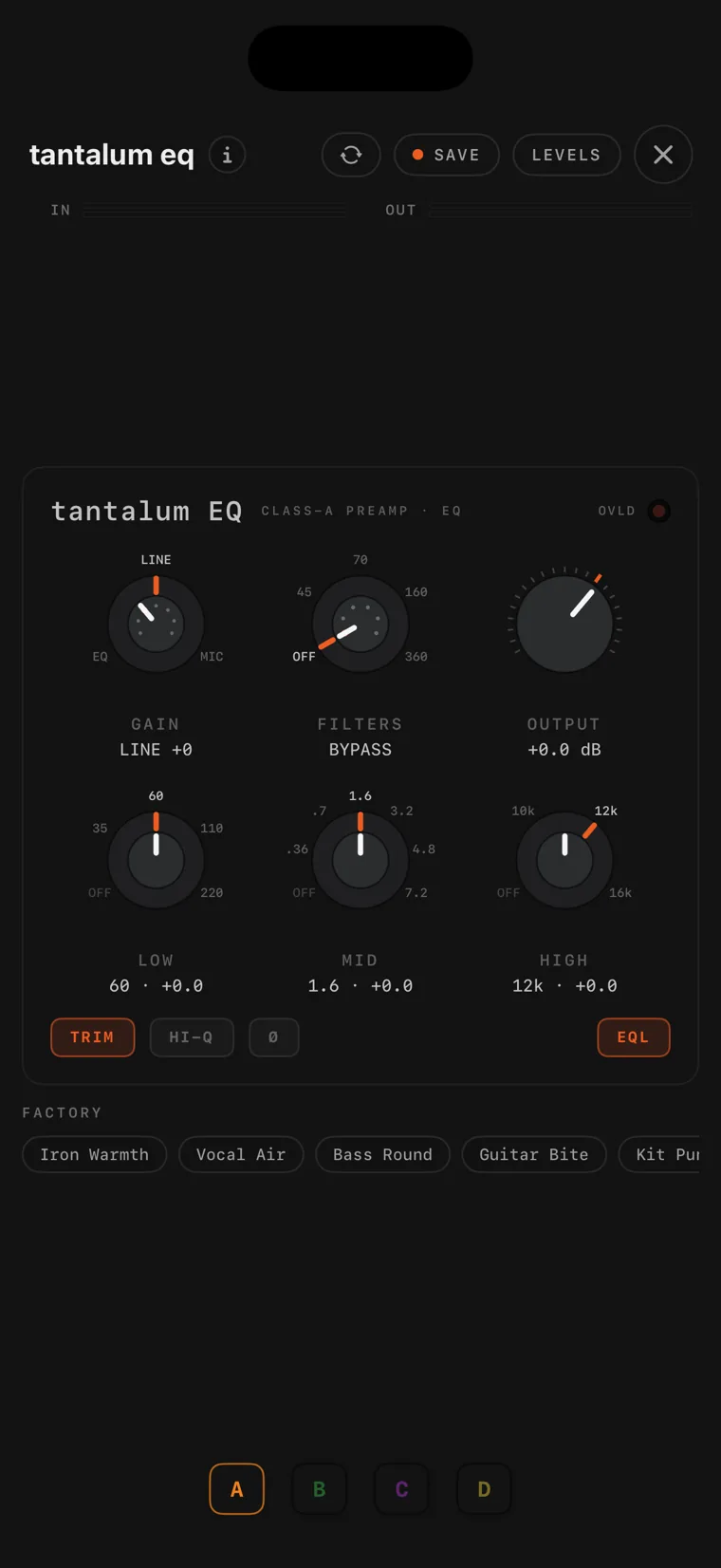
38 tantalum eq

tantalum eq is a console channel strip after the early-70s British studio module, in true stereo, with one strip per channel. Gain runs in steps from clean into transformer saturation, and TRIM compensates the level, so it works as a colour control rather than a volume one. There are three EQ bands on the original's switched frequencies, plus high-pass and low-pass filters.

The lfo modifier console on iPhone.
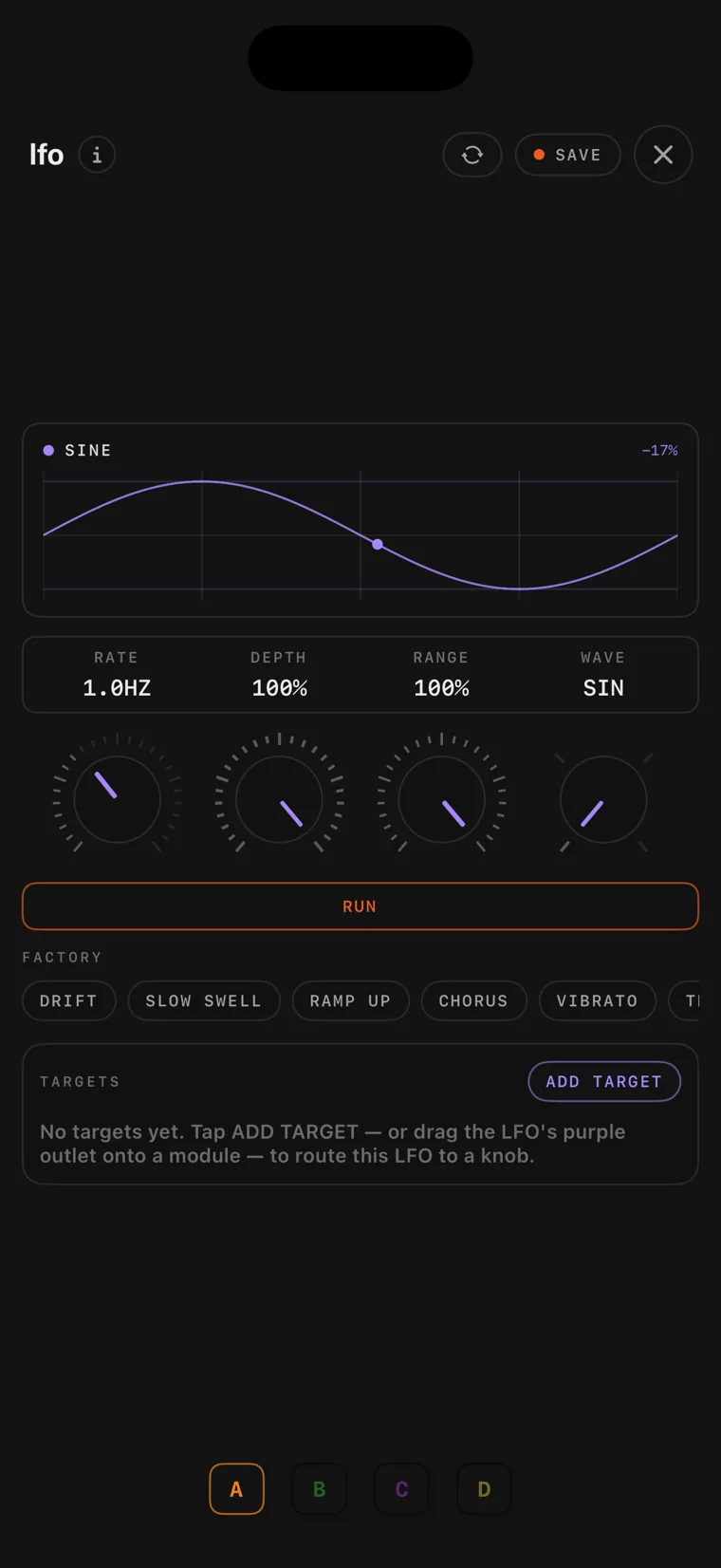
39 lfo

The lfo is the simplest modifier. It is a purple pin that moves other modules' knobs: you wire it onto a module, tap the knobs it should control, and set RATE, DEPTH and a waveform. Wired into a block card's control input instead, its waveform runs down the cable at audio rate. The global tempo is always running, so RATE can be synced to the beat at note ratios.

The envelope modifier console on iPhone.
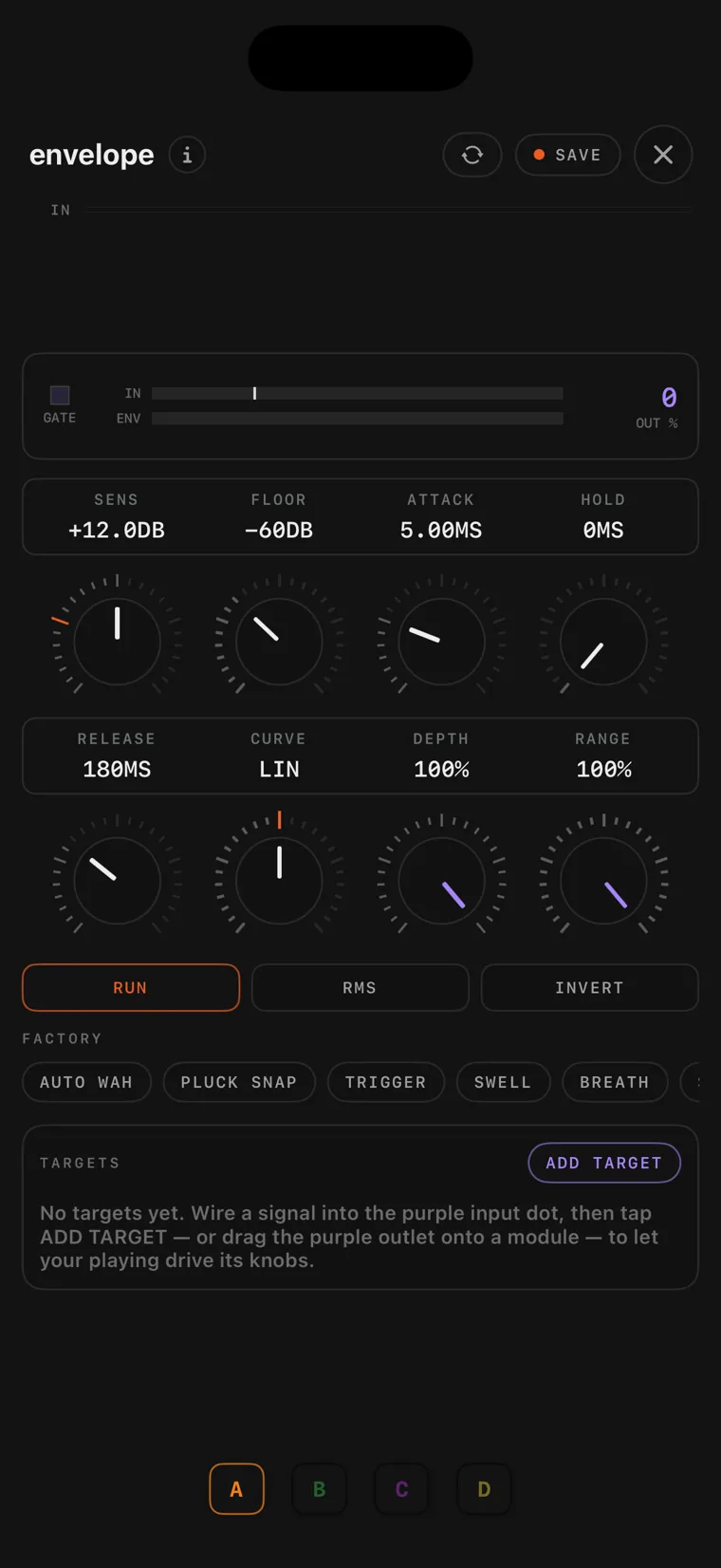
40 envelope

The envelope follower listens to a signal and turns its level into a control signal, and its purple pin can send that to almost any knob in the patch, or down a cable into a block card. That gives you a filter that opens as you play harder, or a delay that drops back while you play and returns in the gaps. ATTACK, HOLD and RELEASE set how quickly it follows, and FLOOR ignores signal below a level you set.

The draw lfo console on iPhone.
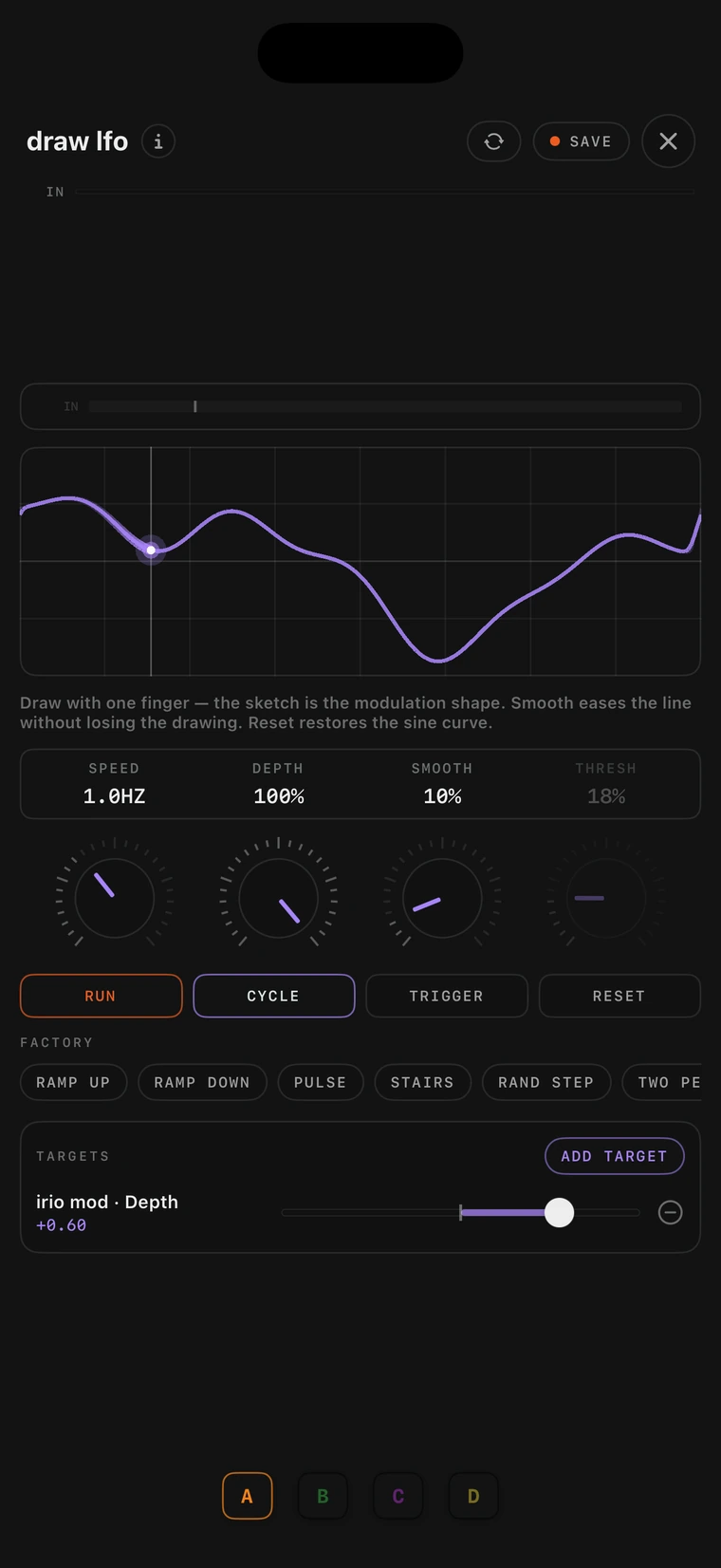
41 draw lfo

draw lfo is a modifier whose shape you draw yourself: the curve you draw on the display becomes the modulation. In CYCLE it repeats at a set rate. In TRIGGER it plays through once each time a signal you wire into it crosses a set threshold, which makes it a drawable envelope. Each route to a target knob has its own amount and direction.

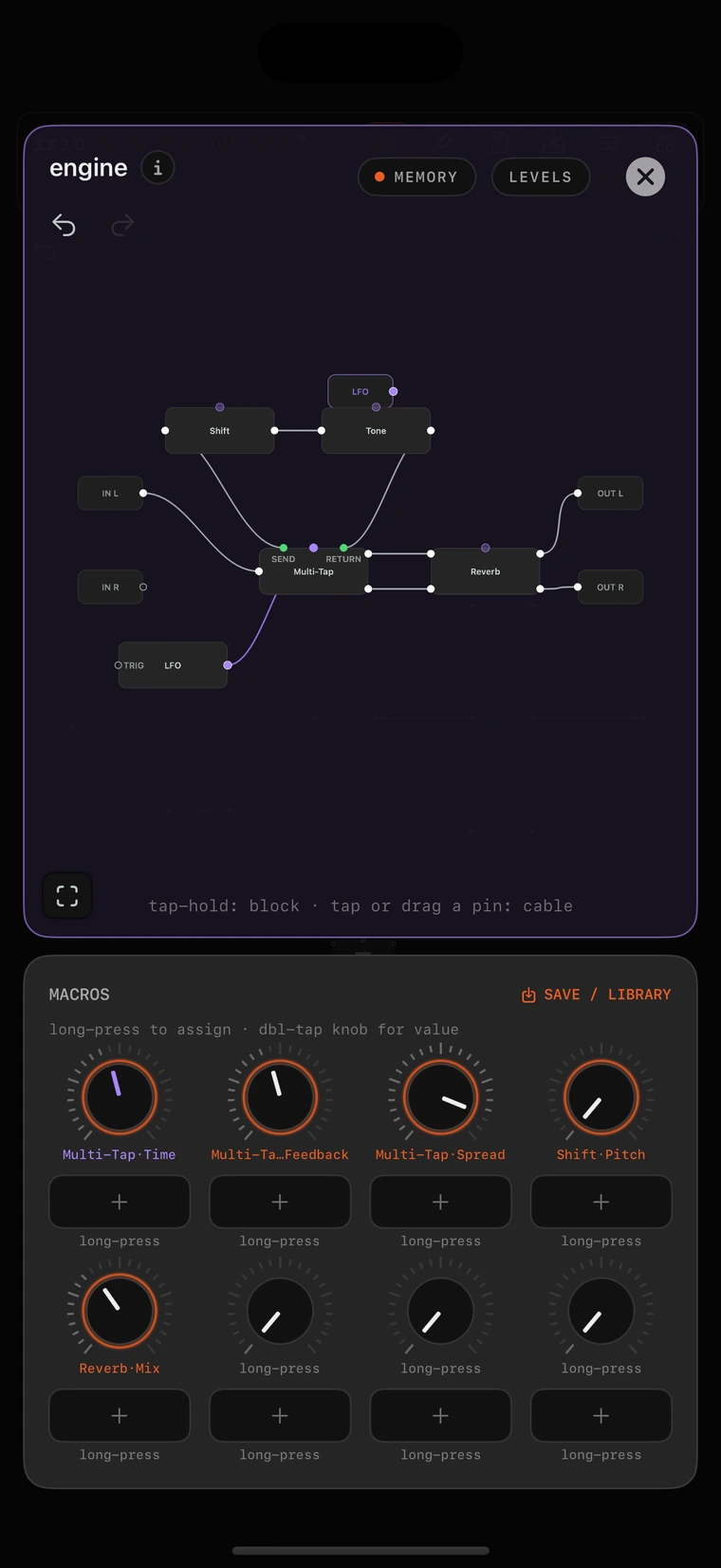
A folder of block cards on iPhone.
42 block cards

Block cards are the building blocks of the engine, more than forty of them: delay lines, filters, oscillators, mixers, clocks, saturators, step sequencers and a reverb. They are cards on any canvas, listed under ENGINE BLOCKS in the picker, wired like modules, and they can feed back into each other when you want them to. The purple control blocks send a control signal down a cable or onto any knob, and the lfo and envelope modules do the same thing.

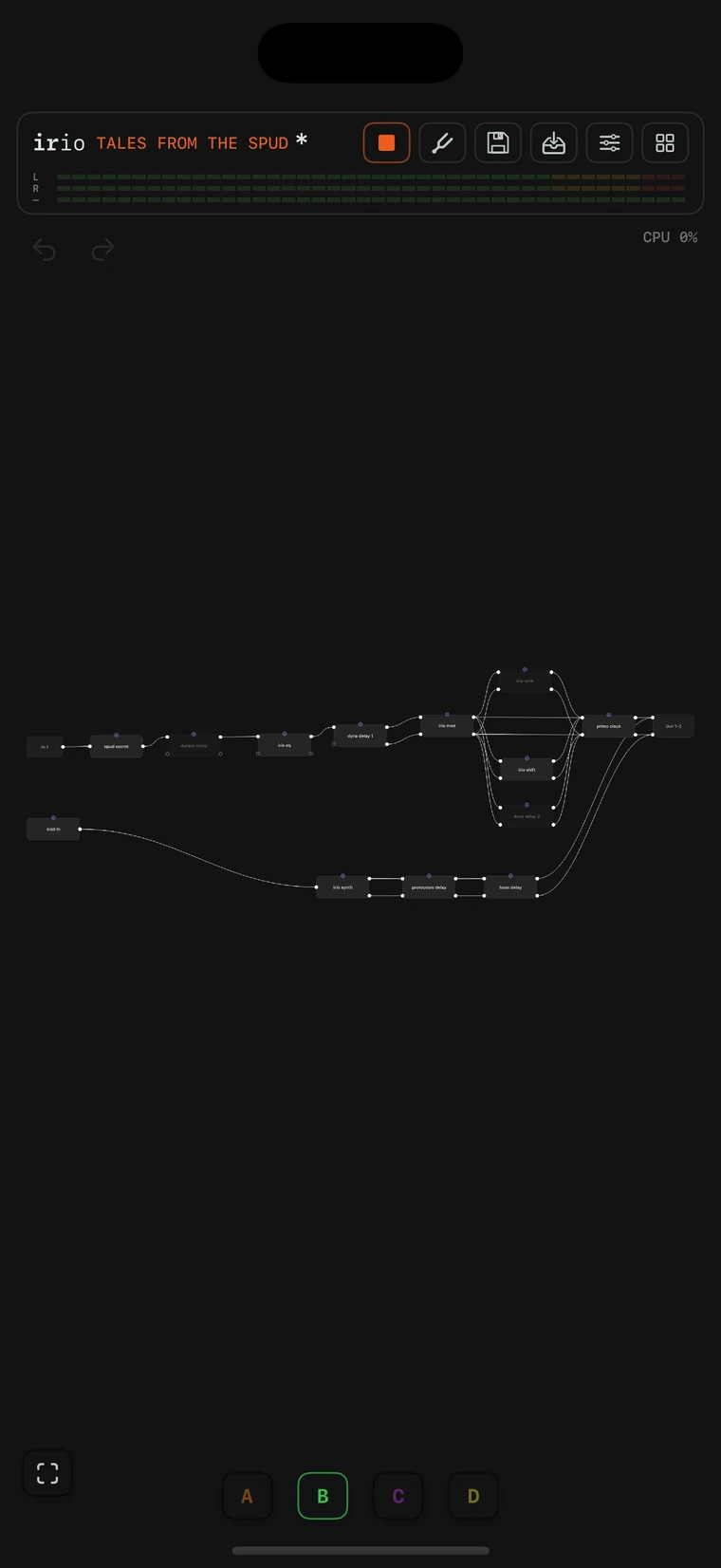
The routing canvas on iPhone with scene B active.
43 Scenes A–H

Every preset carries eight scenes, A to H, each with its own colour. A preset builds the rig, and a scene sets it: switching a scene moves the whole patch at once, every knob, every switch, the levels and the loaded captures and IRs, while the modules, the wiring and the modulation routes stay put. The changes take click-free paths, so you can switch in the middle of a phrase, from the chips, a pad, a footswitch or a DAW automation lane.

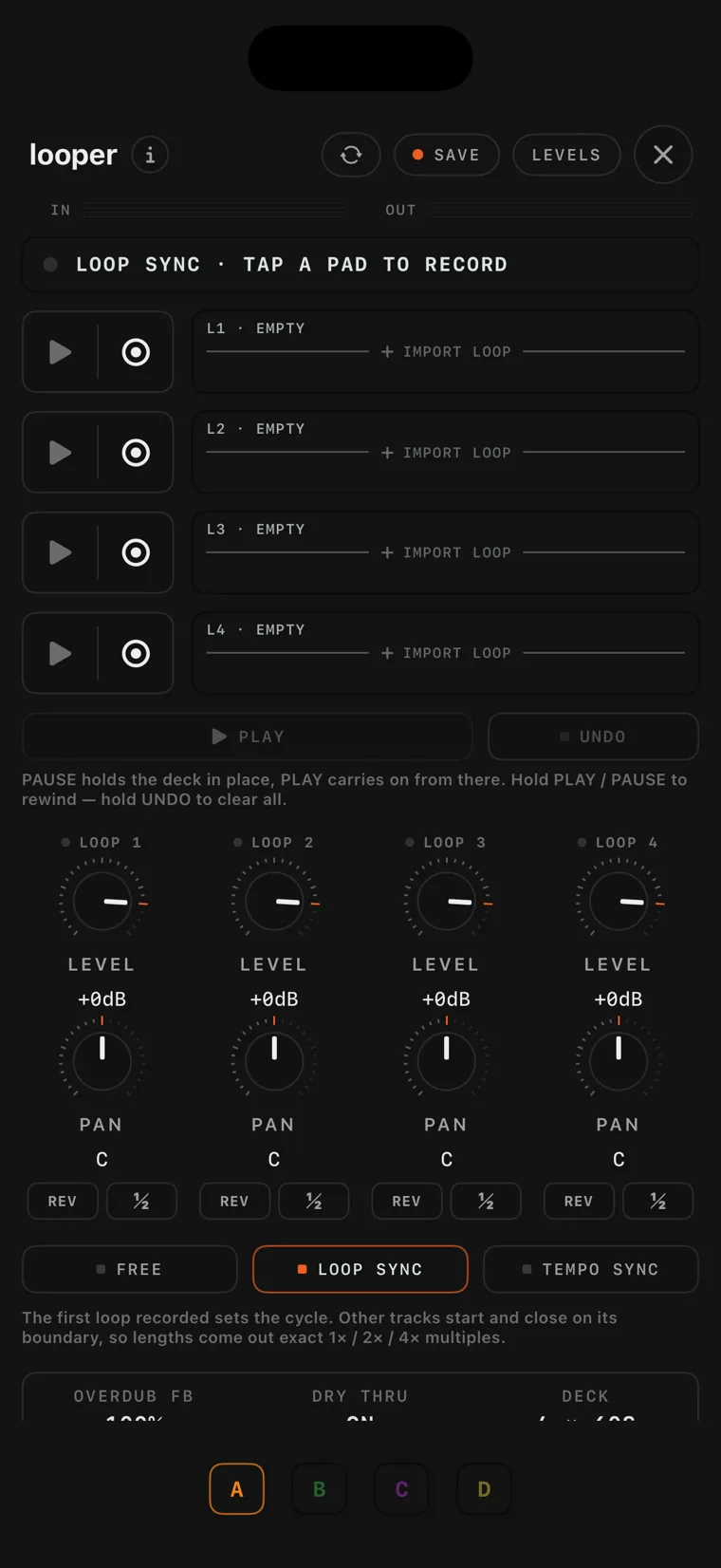
The looper console on iPhone with recorded loops.
44 looper

This is the four-track looper's console on the canvas, and it gets its own perform screen as well. You press to record, press again to play and again to overdub, and each track holds a stereo minute, with reverse and half speed. FREE keeps the tracks independent, LOOP SYNC locks them to the first take's cycle, TEMPO SYNC cuts loops to whole bars with a count-in, and sessions save with your presets.

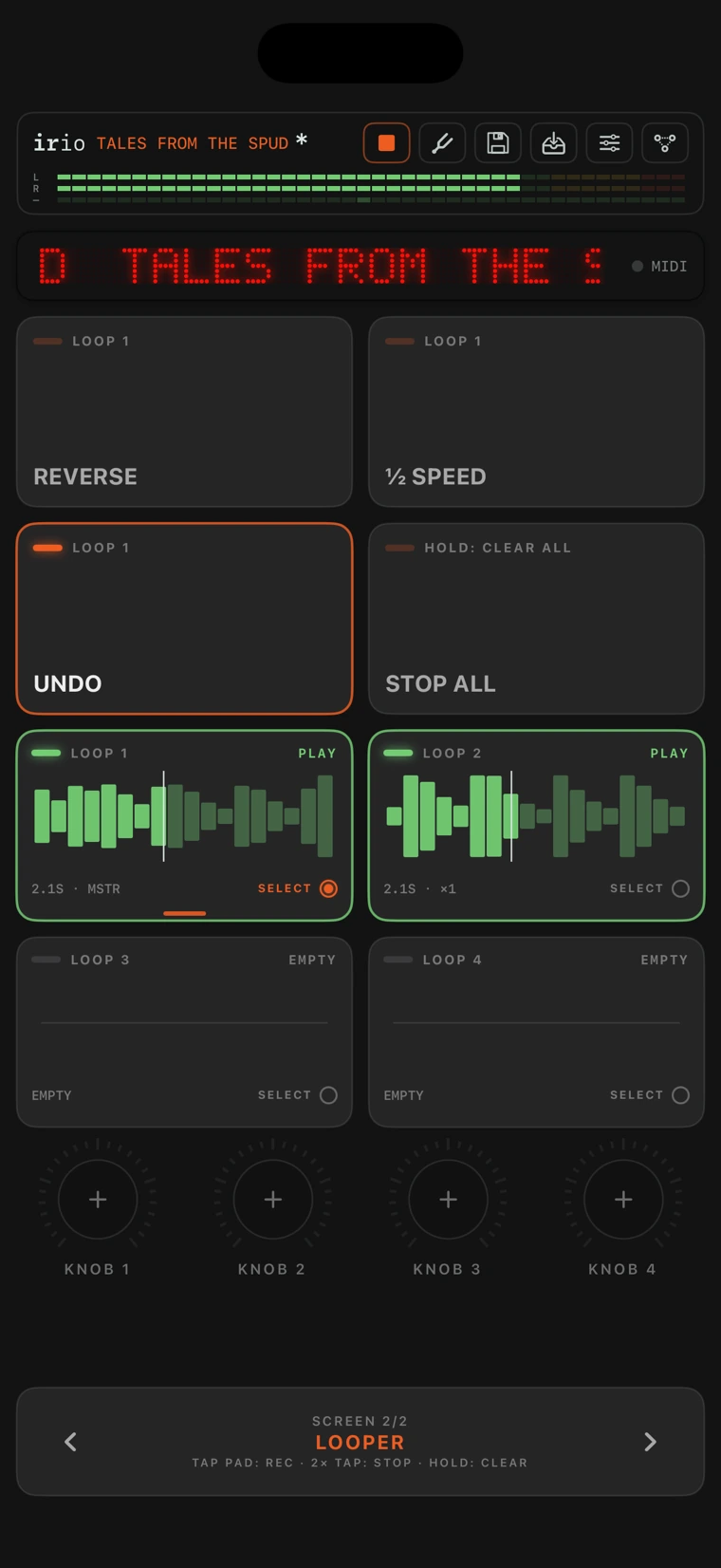
The perform page looper screen on iPhone.
45 The perform looper

Step past your last pad bank and the perform page lands on a ready-made looper screen. The bottom row is the four loop tracks, and each pad draws its loop's waveform, its playhead and its state: you tap to record, play and overdub, double-tap to stop, and hold to clear. REVERSE, half speed and UNDO sit above, and MIDI pad bindings run all of it from a floor controller.

The recorder console on iPhone.
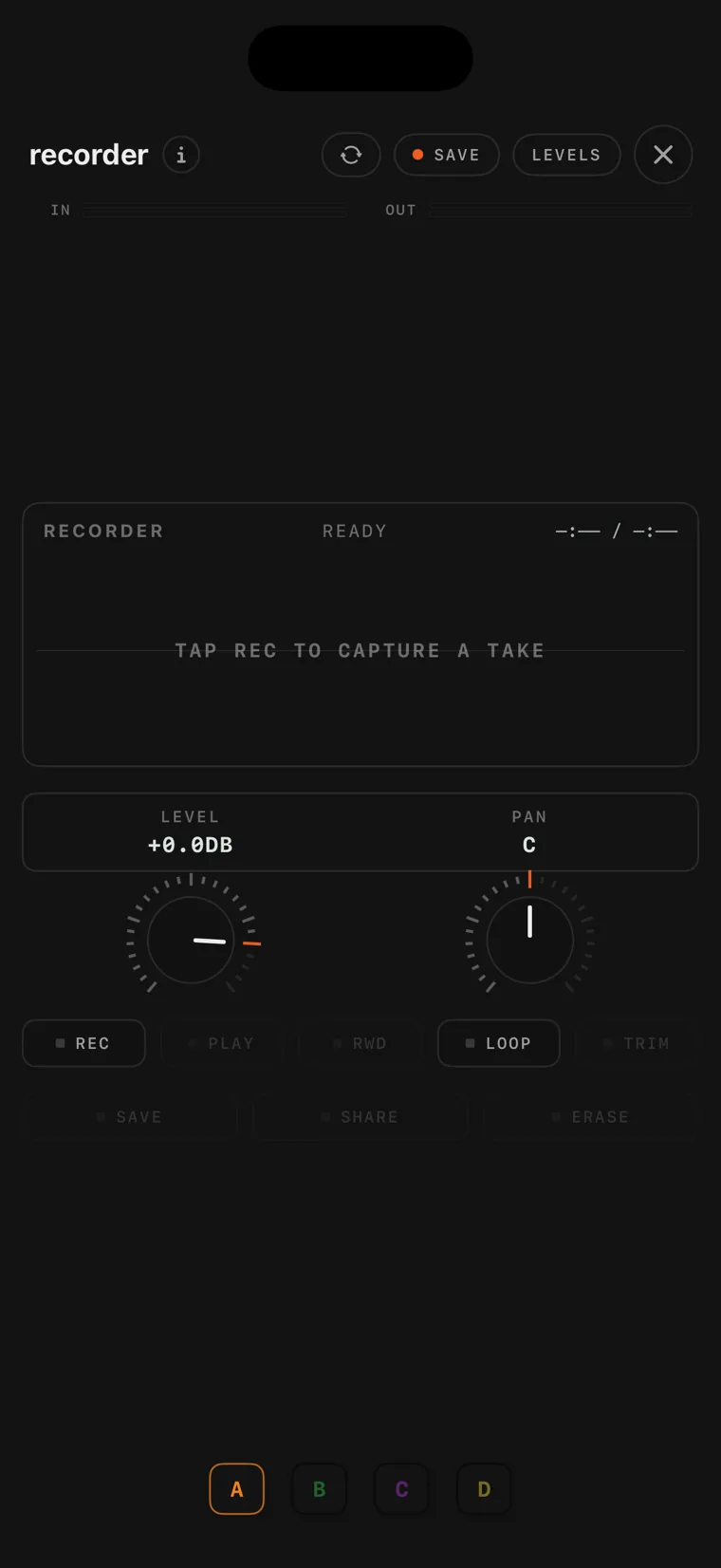
46 recorder

The recorder is a take recorder that you patch inline: your signal passes through untouched while the red dot records it, up to eight minutes in the app and four as a plug-in. You mark a green trim region on the waveform, and SAVE writes a WAV into your library, ready for the player, while SHARE hands the take to the share sheet.

The player console on iPhone with a loaded audio file.
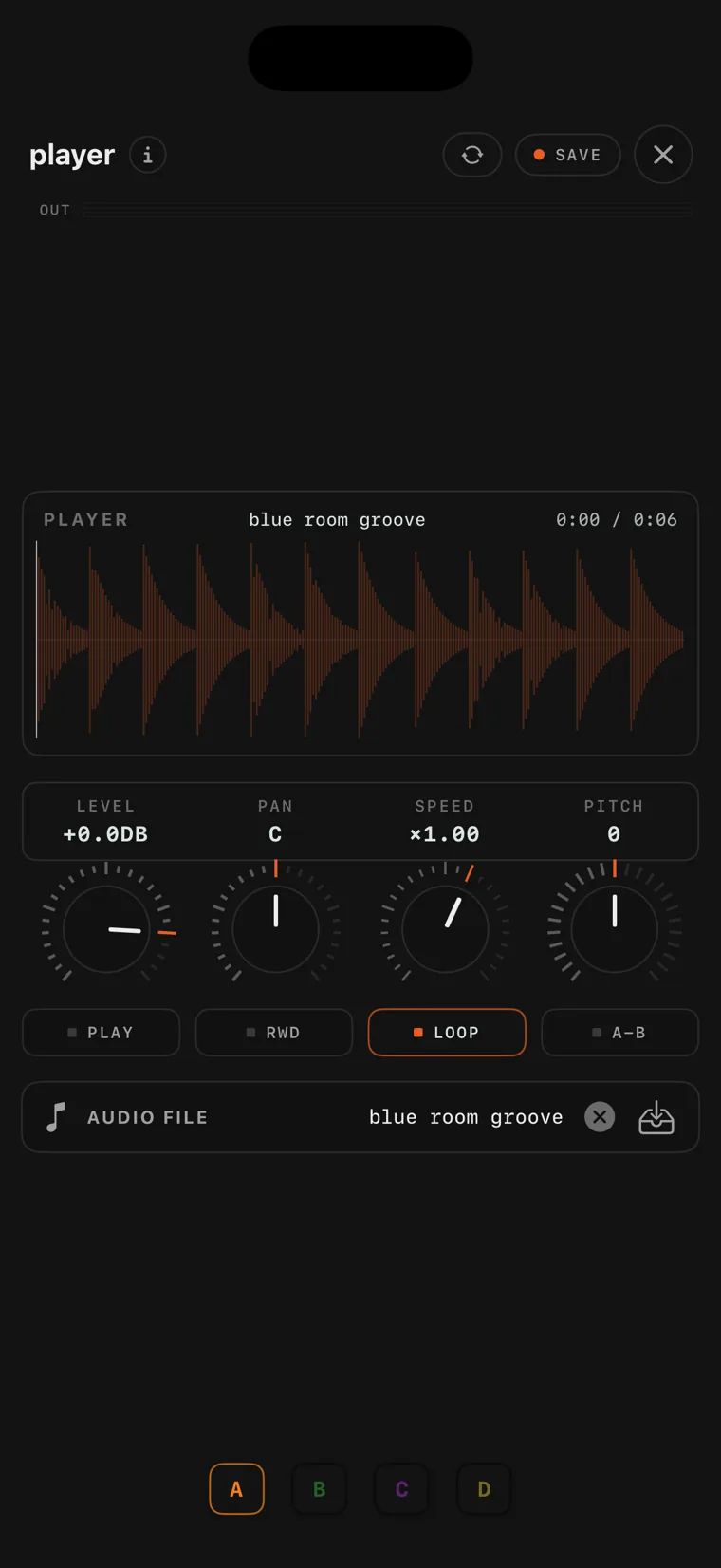
47 player

The player puts an audio file on the canvas as a source card, and you wire it in wherever a source belongs. Record yourself dry at the input, save the take and load it here, and you can work on tones later on headphones without the guitar in your hands. SPEED changes the tempo without the pitch, PITCH changes the key without the tempo, the waveform has an A to B loop, and with SYNC on, play waits for the next bar.

The metronome console on iPhone.
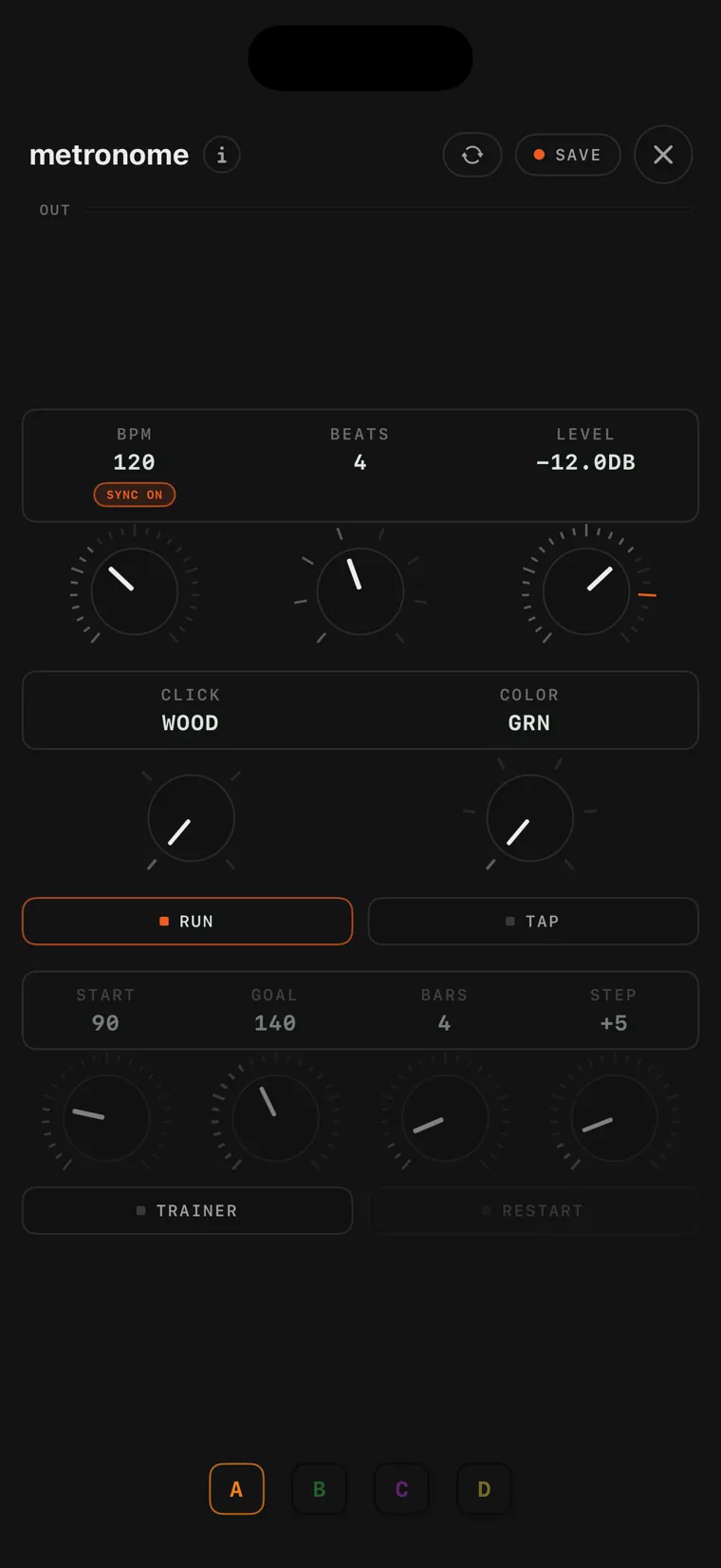
48 metronome

The metronome is a canvas card that shows the beat on the card itself: four click sounds, an accent on beat one and a row of pips counting the bar. It follows the global tempo or runs at its own rate, set by knob or by tapping, and the speed trainer raises the tempo bar by bar from a starting point to a target you set.

The built-in full-screen tuner on iPhone, needle centred on a green A3.
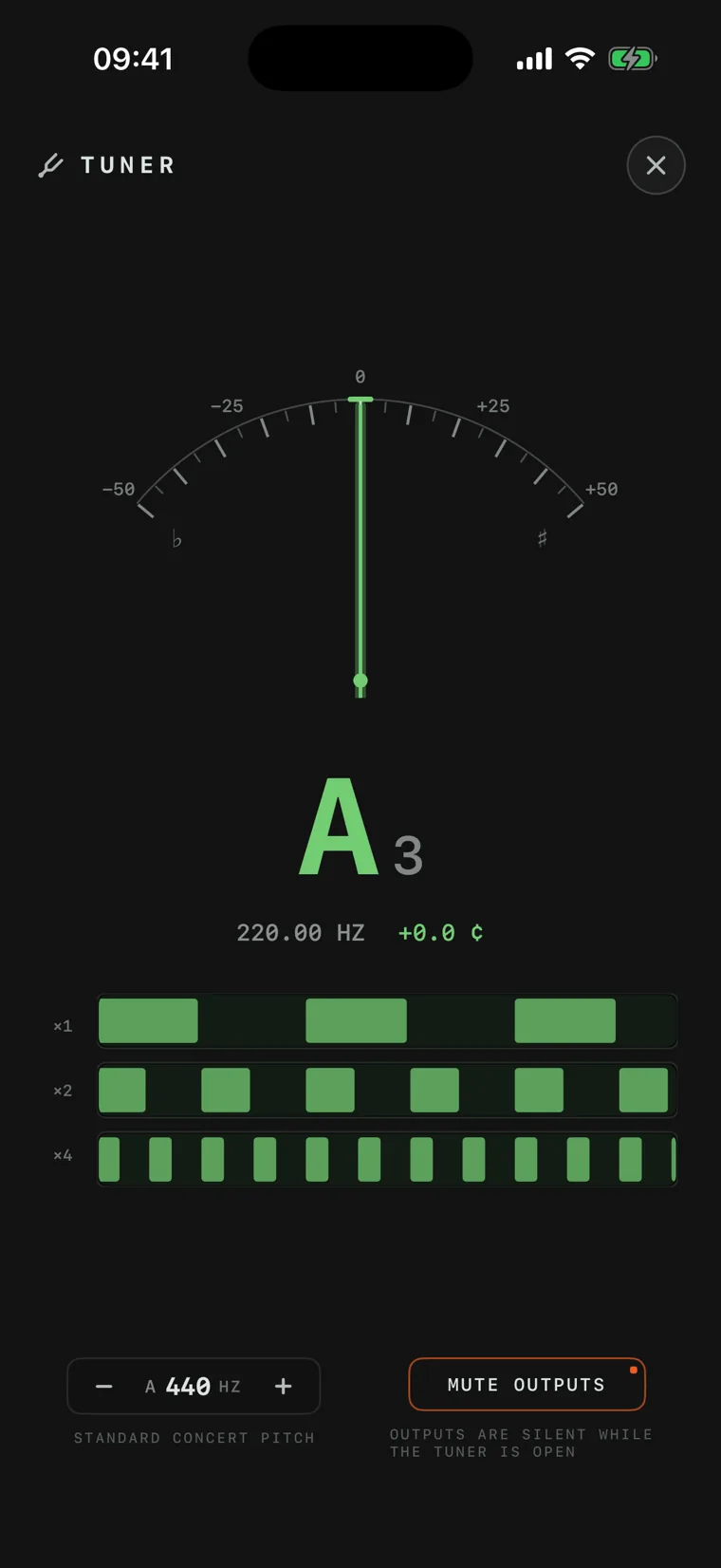
49 The tuner

The built-in tuner opens from the tuning-fork chip anywhere in the app, or from a MUTE / TUNE footswitch that mutes and opens it in one press. The outputs are muted while it is open. A needle shows the deviation in cents, with strobe rows below it for finer work, and the reference pitch is adjustable from A 440. It is part of the free version.

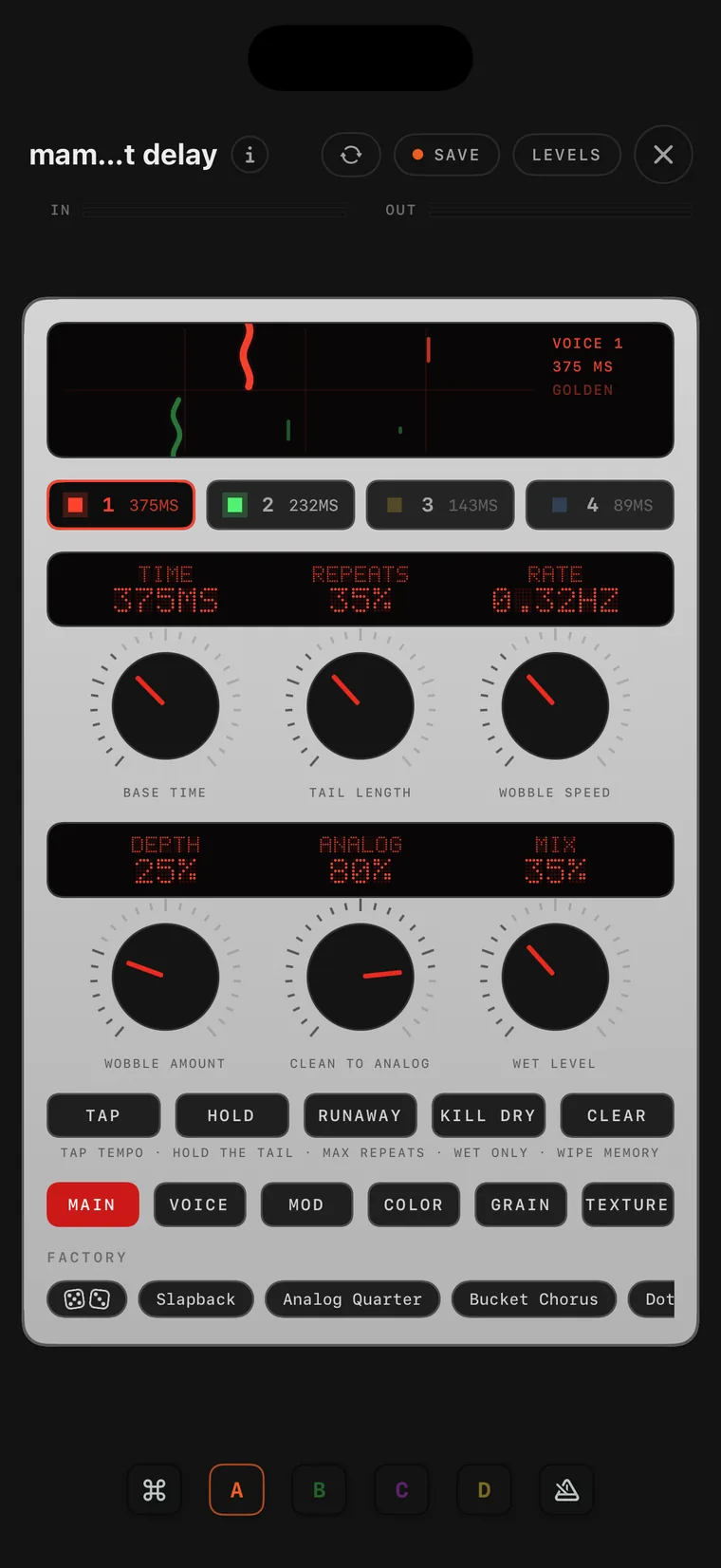
The mammut delay console on iPhone.
50 mammut delay

mammut delay takes the classic bucket-brigade echo and runs four delay lines of it. Each voice has its own time, level, pan, tone and direction, and the voices can run in parallel, in series or as ping-pong, with their times spread in musical ratios. A granular engine can sit before, inside or after the loop and cut the repeats into grains, forwards, reversed or split, and the ANALOG knob runs from a clean digital line to the full analog path. It goes much deeper into sound design than the elephant, from a plain slapback to huge ambient textures.

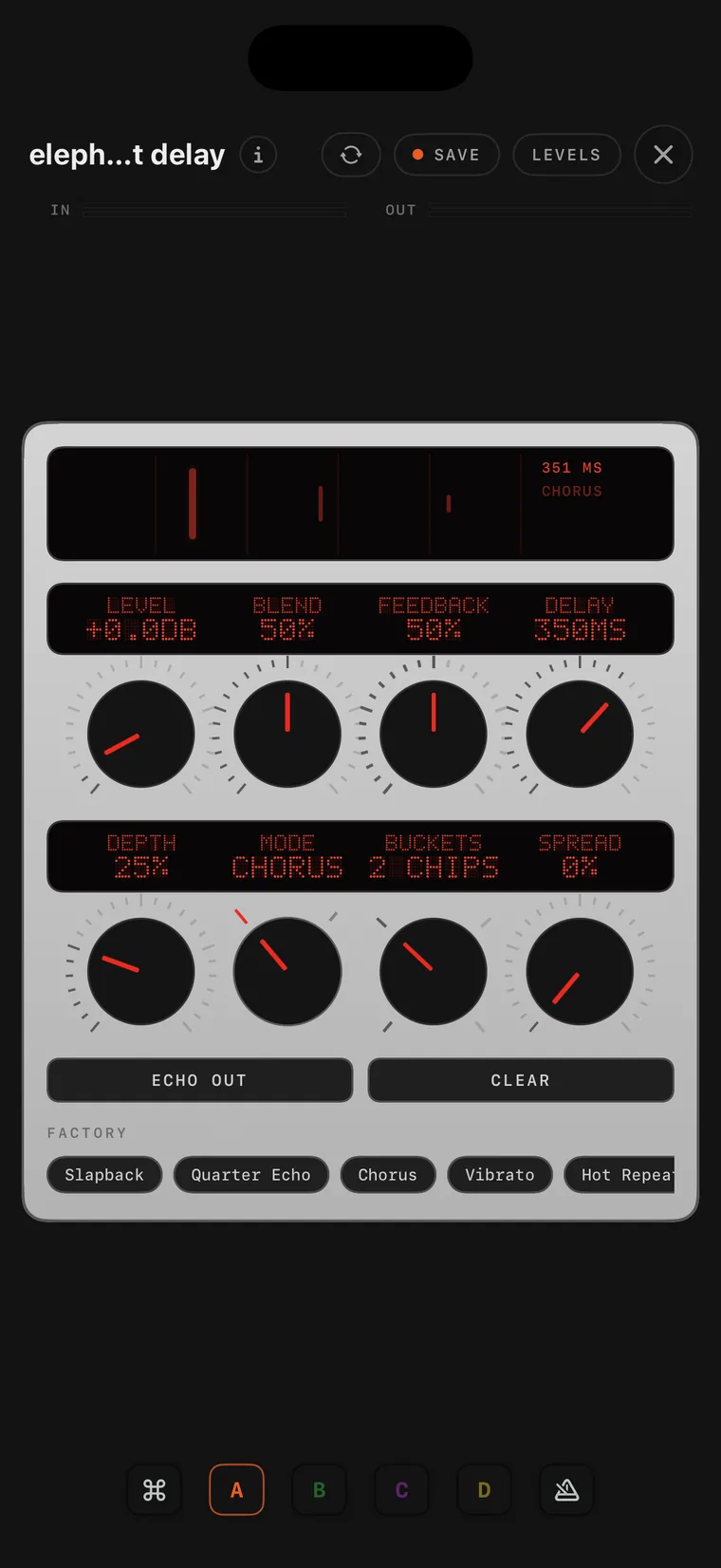
The elephant delay console on iPhone.
51 elephant delay

elephant delay is the classic bucket-brigade echo pedal, with its input stage, its compander, its filters, its two delay chips and their clock, and its chorus and vibrato. It has the same five controls, plus two: Buckets switches the chain between one, two, four and eight delay chips, from the dark, grainy repeats of a single chip to the cleaner, longer ones of a full chain.

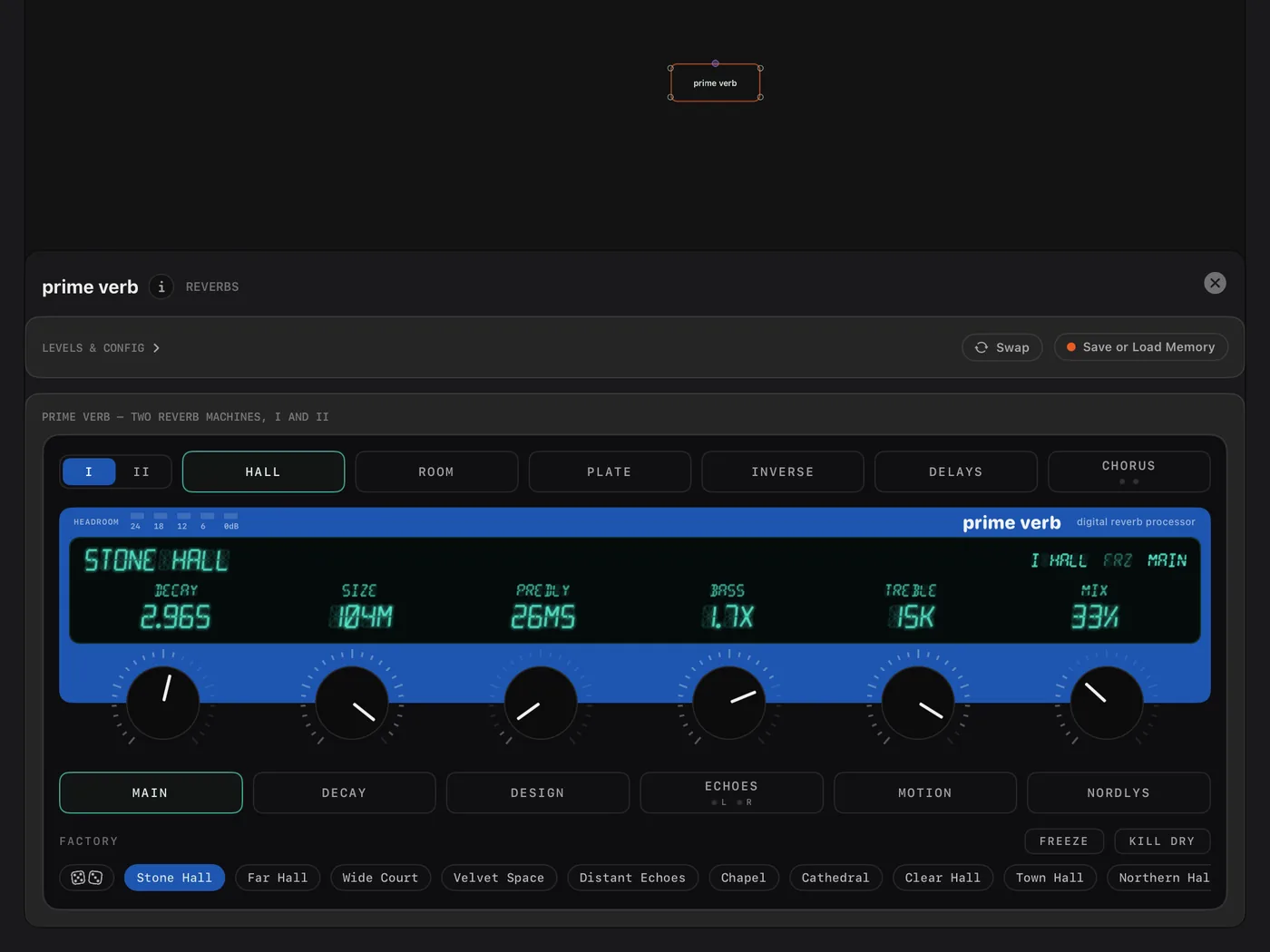
The prime verb console on iPad.
52 prime verb

prime verb holds two reverb machines in one module, inspired by two iconic rack reverbs of the 80s, with one switch between them. Machine I has halls, rooms, plates, a reverse room, six-voice delays, a chorus and tuned chords; machine II has halls, rooms, plates and ambience, four delays and a chorus of up to forty voices. Every reverb adds width, a low cut and ducking, and the MOTION page lets the tail move.

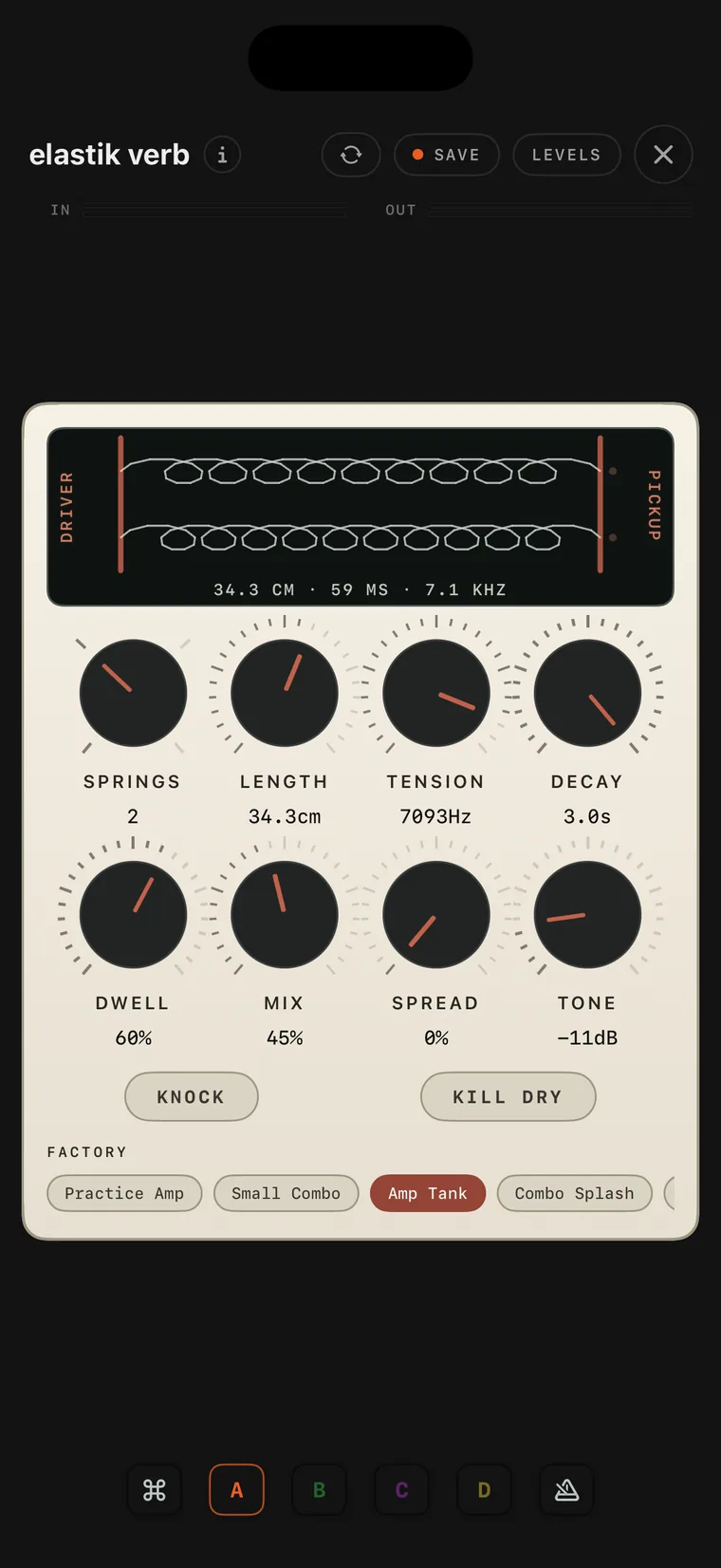
The elastik verb console on iPhone.
53 elastik verb

elastik verb is a spring reverb after a long two-spring tank and the tube circuits around it. SPRINGS sets one to four springs, LENGTH the spacing of the echoes, TENSION how loose and dark or tight and bright the springs ring, DECAY the tail and DWELL the drive into the tank. KNOCK hits the tank, and the display shows the springs move.

The plata octave console on iPhone.
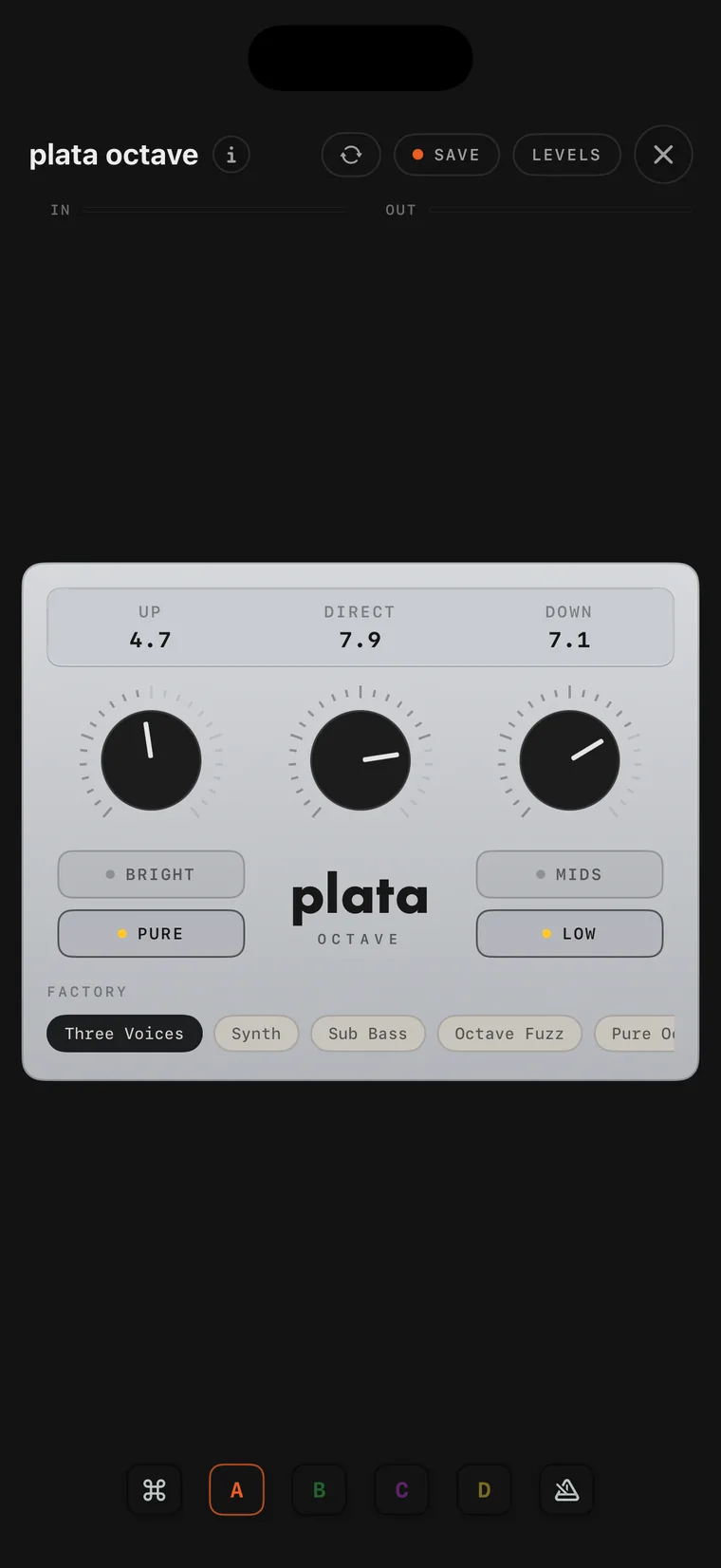
54 plata octave

plata octave is an analog octave pedal. UP, DIRECT and DOWN set the octave above, your own sound and the octave below. BRIGHT gives a brighter octave above and PURE a smoother one, while MIDS keeps the octave below tight and LOW makes it deep. Like every analog divider it tracks single notes best, and it comes with seven factory settings, among them a synth sound with no dry signal at all.

The offramp synth console on iPhone.
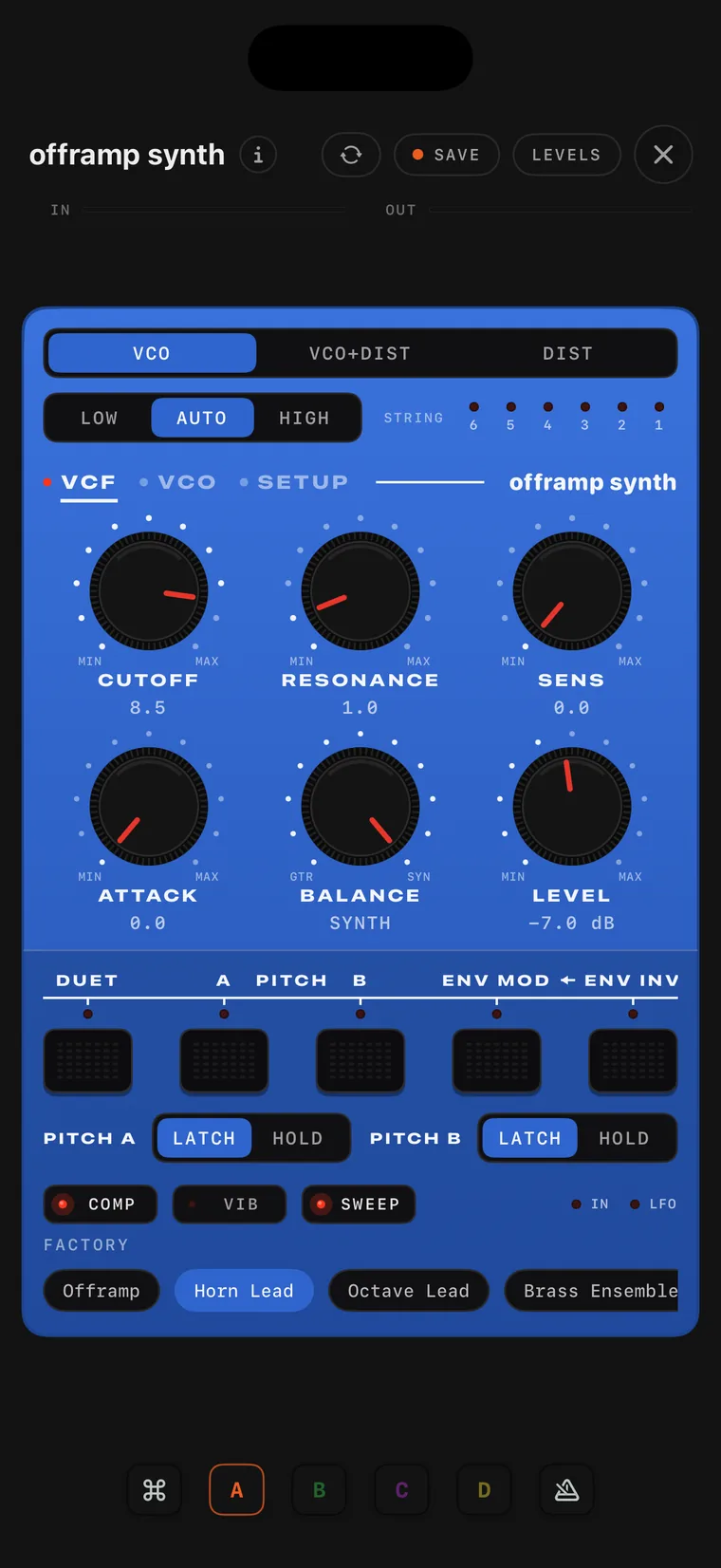
55 offramp synth

offramp synth is an analog guitar synthesizer after a classic 1980 unit, and you play it from a normal guitar cable. Six string circuits listen to the cable, agree on the note you play, and one of them voices it, so it follows your bends and vibrato and plays single notes. CUTOFF, RESONANCE, SENS and ATTACK shape the filter, PITCH A and B shift the pitch, and there are a sweep, a vibrato and nine factory sounds.

The catalog beside the canvas on iPad.
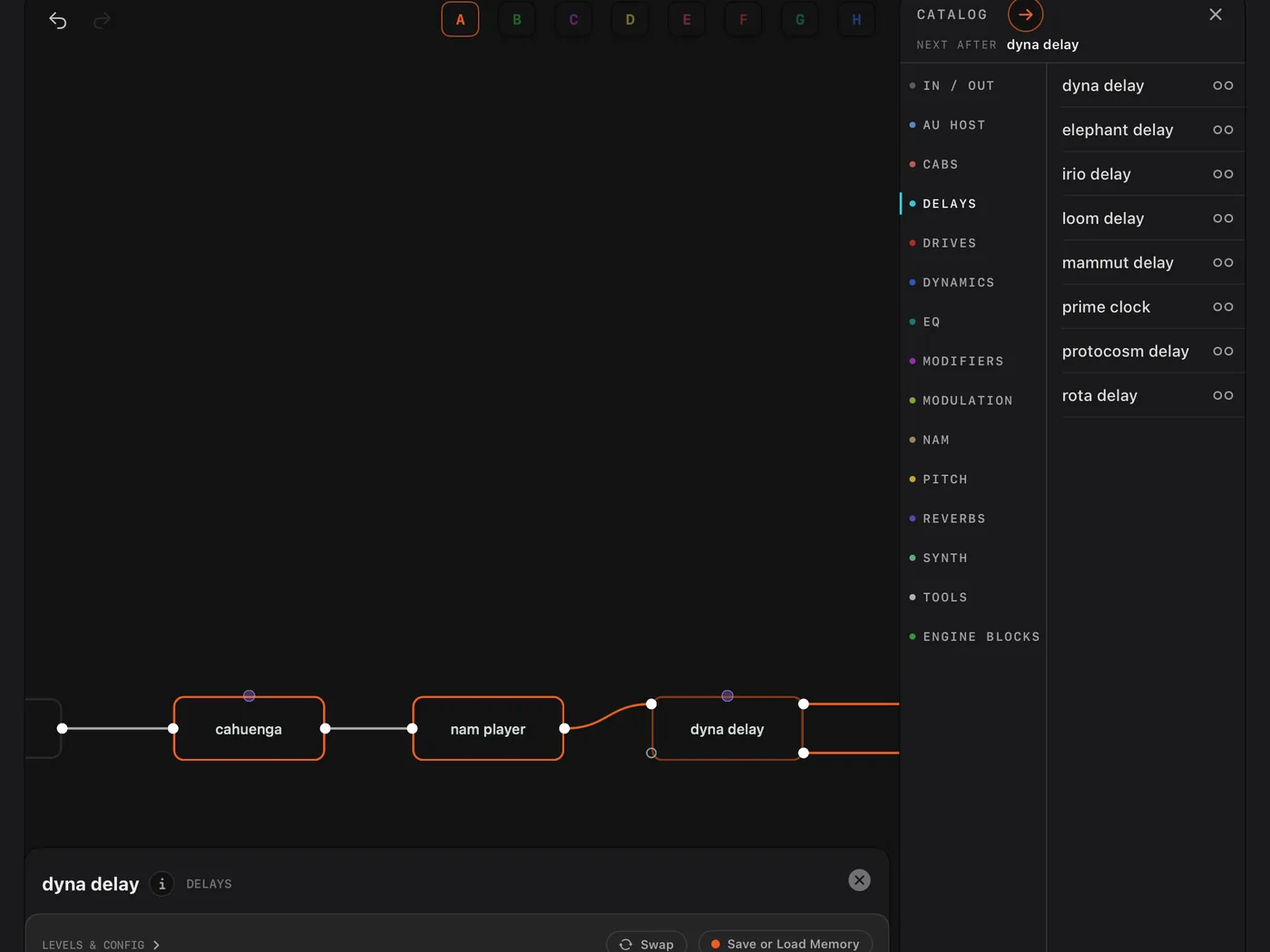
56 The catalog

The catalog keeps every module and engine block one tap away, in the app and in the plug-in. Tap a module and it is added after the card you are on, already wired; tap twice for a parallel path, or hold to merge the paths. You can also drag a module onto a cable, and it is wired in between while the cards ahead slide aside. While the app is locked, a FREE section gathers the modules of the free version.

The abyss console on iPhone.
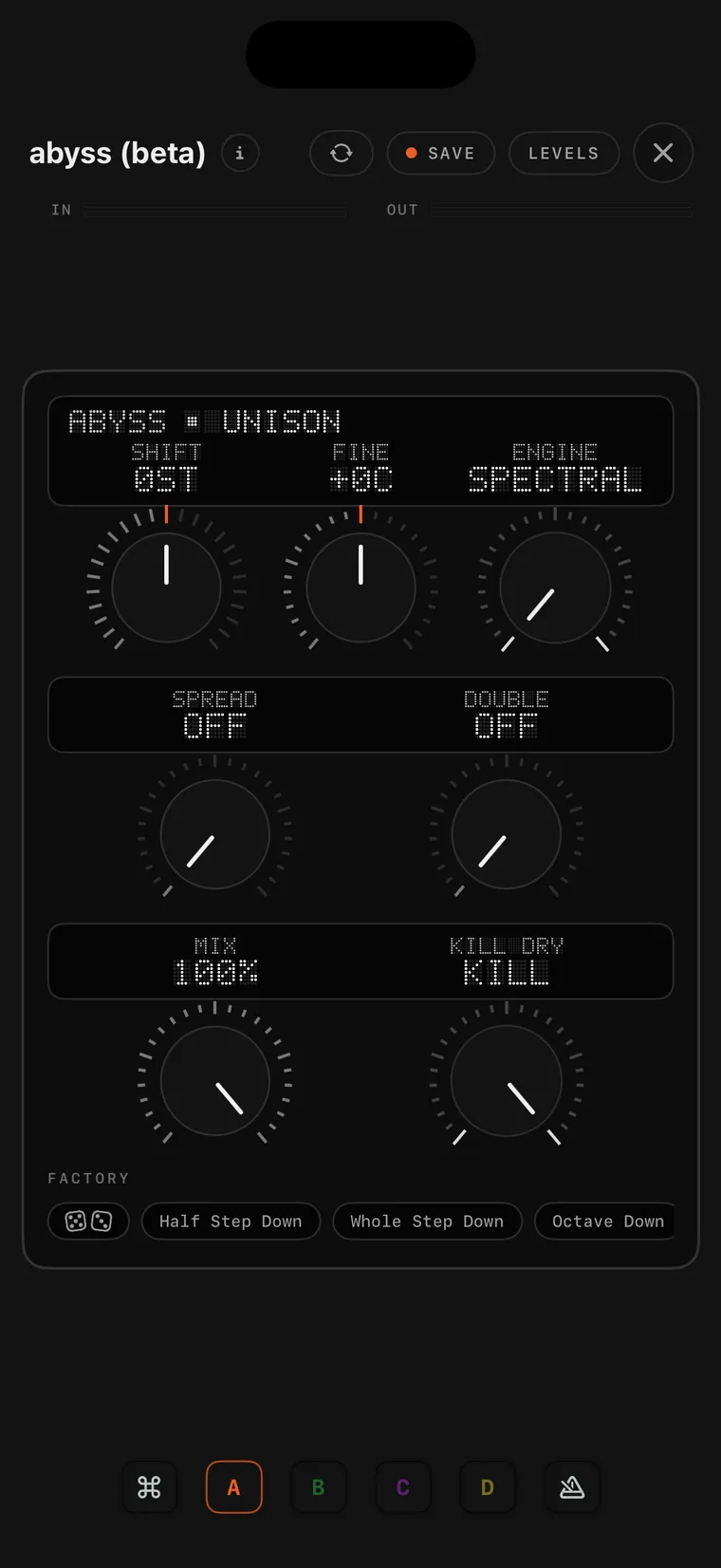
57 abyss (beta)

abyss is the transposer, with two engines under one set of dials. SPECTRAL moves your whole sound as one piece, so a full chord is lifted or dropped with every partial in place, while MONO follows single-note lines and shifts them with the pick intact. SHIFT works in semitones, FINE adds cents, SPREAD opens a wide pair with its own slow drift, and DOUBLE adds a wandering second take on each side.

The midi out console on iPhone.
58 midi out

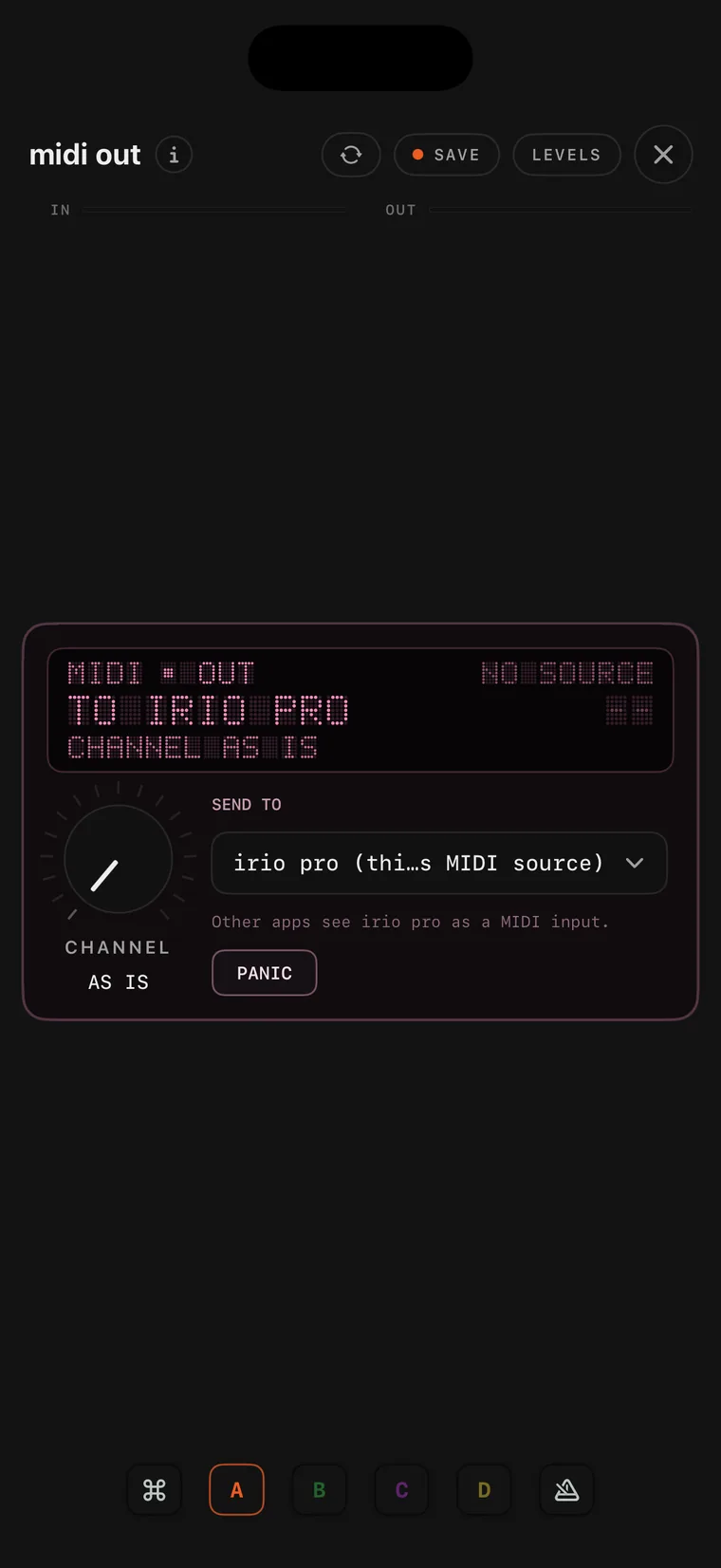
rosa midi turns what you play into notes, pitch bends and velocity, down to the low B of a five-string bass, and wired into an au instrument it lets that instrument play from your guitar. midi out sends that stream out of the canvas: other apps see irio pro as a MIDI source, you can pick one hardware or app destination on the console, and inside the plug-in the notes go to the DAW.

The inside of a folder on iPhone.
59 Inside a folder

This is the inside of a folder: its own canvas with IN and OUT cards at the edges, the cards you folded, and the chips for its shortcuts page and its memories. Modifiers from outside reach the knobs in here through a target sheet, and the folder can send a control signal of its own out. Press and hold a card and choose Move Out of Folder to take it out again.

01 The routing canvas · iPad

The canvas is where you build your rig. Signal flows from left to right, from an input card through the modules to an output card, but nothing about that order is fixed: any output can feed any input, so you can split a signal into parallel paths or send one module into several others. Every connection has its own fader and pan, and every pin shows a level, so you can always see where the signal goes.

04

Each module has a character of its own.

I did not want bland effects, a delay that is just a delay or a reverb that is just a reverb. So each module has a character of its own. The drive pedals behave like the real pedals, with all their quirks.

The coma vibe is swept by a photocell, which brightens fast and fades slowly, something a plain LFO cannot do. The dyna delay keeps the bright top end of the old dynamic delays, and the prime clock has the gritty, pitch-moving echoes of an early-80s studio rack. The elephant delay is the classic bucket-brigade echo, and the mammut delay takes that circuit much further, with four delay lines, a granular engine and a lot of room for sound design. The elastik verb is a spring reverb that behaves like a real tank, and the prime verb holds two reverb machines from the rack era. The plata octave and the offramp synth follow analog pedals too, an octave divider and a guitar synthesizer from 1980, and both are played from a normal guitar cable.

The whole collection

Amps and cabs

  • nam player
  • cab ir
  • dual cab ir

Drives

  • morph drive
  • verde drive
  • goldhoof
  • cahuenga
  • spud secret
  • cinderworks
  • octopluzz
  • plata octave

Dynamics

  • optical comp
  • duress comp
  • rivet comp
  • noise gate

Modulation

  • coma vibe
  • azul vibe
  • plastic chorus
  • mistral flange
  • moon ring
  • gyre mod
  • irio mod
  • expwah

Delays

  • irio delay
  • rota delay
  • loom delay
  • dyna delay
  • prime clock
  • protocosm delay
  • mammut delay
  • elephant delay

Reverbs

  • irio verb
  • stanza verb
  • welkin verb
  • elastik verb
  • prime verb
  • convolution

EQ

  • irio eq
  • tantalum eq
  • 3-band eq

Pitch and synths

  • irio shift
  • abyss (beta)
  • irio synth
  • offramp synth
  • rosa midi

Modifiers

  • lfo
  • envelope
  • draw lfo

MIDI and plug-ins

  • midi in
  • midi out
  • au host
  • au instrument

Tools

  • folder
  • fader
  • scope
  • tuner
  • looper
  • recorder
  • player
  • metronome

05

Download and try for free.

Free

A working rig

Nothing expires.

In the free version:

  • The nam player, with model import, cab IR, gate and EQ
  • morph drive, gyre mod, irio delay, irio verb, 3-band eq and noise gate, one of each
  • Your interface’s first stereo pair, in and out
  • A backing-track player, a metronome with a speed trainer, and the global tempo
  • The perform page, the tuner, presets, eight scenes, backup and the AUv3 plug-in

Locked modules can still be placed and wired, so you can see how they would fit.

Pro Complete

Everything irio pro is today.

One purchase, no subscription.

Everything in Free, plus:

  • Every module, with as many copies of each as your device can run
  • Every input and output your interface has
  • The four-track looper, with its own perform screen
  • The take recorder
  • Block cards, more than forty DSP blocks, and seventeen factory folders
  • The modifiers: lfo, envelope and draw lfo
  • MIDI control of the whole perform page
  • Mirror, Share and Sync between your devices

It restores on any device with your Apple ID.

Not sure yet? The free version offers a 5-day trial of everything. It starts when you choose and runs once per Apple ID. When it ends, the free version is still yours and everything you built stays. You can buy Pro Complete at any time, also during the trial.

06

A note from the designer.

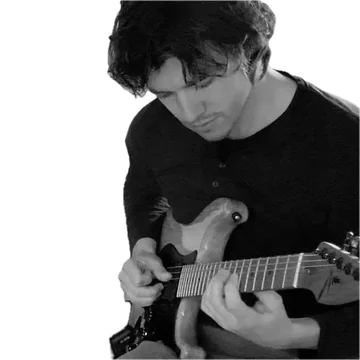
Mads Nørholm Rohde playing guitar.

First of all - thank you for being curious about something that has become a very big part of my life. I’ve been a professional musician for the last twenty years, and I’ve designed and built analog pedals and rigs under the name nørholm - but I always wanted to create my own fully modular digital rig. This is it.

I’m also a guy from the old hugeracksinc.com forum days - shout-out to all the groomed noodlers ;) - so yes, I’m a sucker for old rack equipment, and you’ll see it in every console. I’ll keep working on irio pro. If you feel like supporting the work, it would mean the world to me - and if you have ideas or feedback, write me any time. Best regards - Mads

07

Ideas? Feedback?
I read everything.

If something works well, if a module could go deeper, or if you hit a rough edge, write me.

Tap the patch to write · the address is assembled by script, as spam protection

Download on the App Store 1.3 · out now